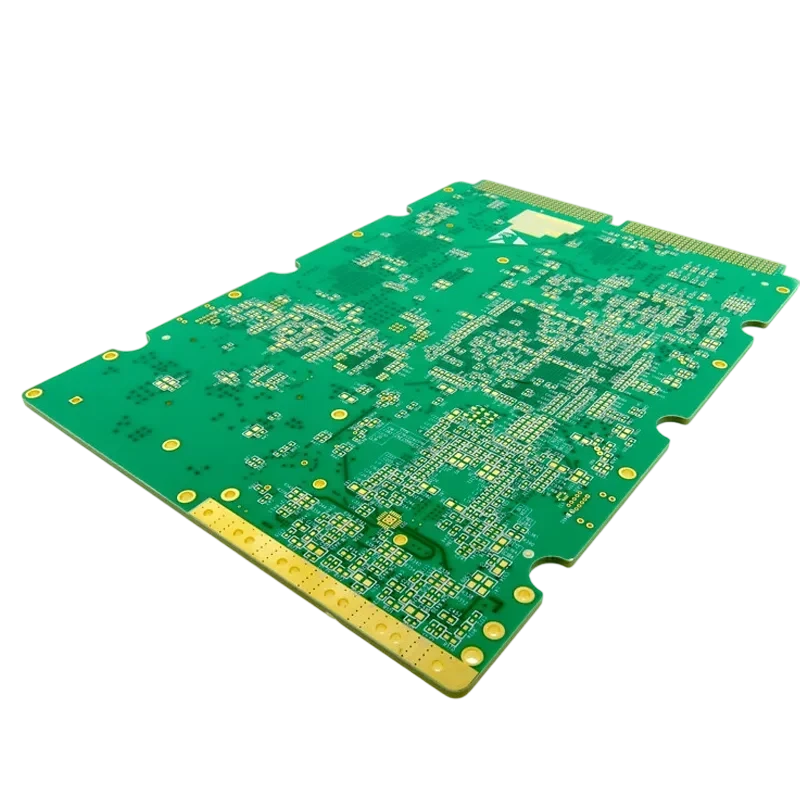
Designing a Printed Circuit Board (PCB) is only half the battle; ensuring it can be tested efficiently during mass production is equally critical. For engineers new to manufacturing, a dft checklist beginner guide is the bridge between a functional prototype and a scalable product. Design for Testability (DFT) focuses on placing features on the board that allow automated equipment to verify component values, solder joint integrity, and circuit functionality without manual intervention. Ignoring these rules often leads to expensive fixture modifications, lower test coverage, and higher scrap rates at the factory level.
At APTPCB (APTPCB PCB Factory), we frequently see designs that function perfectly in simulation but fail to pass automated testing due to inaccessible nets or physical obstructions. This guide provides a comprehensive dft checklist beginner framework, covering specific geometric rules, implementation steps, and troubleshooting protocols to help you design boards that are ready for In-Circuit Test (ICT) and Flying Probe Test (FPT).
Quick Answer (30 seconds)
For a robust dft checklist beginner approach, focus on physical accessibility and signal stability. If you cannot probe a net, you cannot verify it.
- Test Point Size: Minimum 0.8mm (32 mil) diameter for standard probes; 1.0mm is preferred for longevity.
- Spacing: Keep test points at least 2.54mm (100 mil) center-to-center for low-cost fixtures; 1.27mm (50 mil) is the absolute minimum for standard ICT.
- Edge Clearance: Maintain a 3mm to 5mm clearance zone free of components and test points along the PCB edges for rail handling.
- Component Height: Keep tall components (>5mm) at least 5mm away from test points to prevent probe head collisions.
- Via Usage: Do not tent vias intended for testing; use filled or conductive-cap vias if they must be placed in pads (VIPPO), though dedicated pads are safer.
- Validation: Run a coverage report in your EDA tool to ensure critical nets (power, ground, data buses) have at least one accessible point.
When dft checklist beginner applies (and when it doesn’t)

Understanding when to apply a strict dft checklist beginner protocol ensures you allocate engineering resources effectively. Not every board requires full ICT coverage, but high-volume products depend on it.
When it applies:
- Mass Production: When volumes exceed 1,000 units, automated testing (ICT) becomes cheaper than manual bench testing.
- High Reliability Requirements: Automotive, medical, or aerospace boards where every solder joint must be verified.
- Complex BGA Designs: Boards with Ball Grid Arrays (BGAs) where visual inspection (AOI) cannot see solder joints underneath the component.
- Contract Manufacturing Handoffs: When sending files to a third-party assembler, a clear DFT strategy prevents ambiguity and production pauses.
- Digital Circuitry: Boards with JTAG/Boundary Scan capabilities benefit significantly from DFT structures for programming and logic verification.
When it doesn’t (or applies less):
- One-off Prototypes: For a single proof-of-concept board, manual probing with an oscilloscope is often faster than designing for a fixture.
- Space-Constrained Wearables: Extremely small PCBs (e.g., smartwatches) may not have room for 1mm test points; these often rely on functional testing via connectors.
- Purely Mechanical/Passive Boards: Simple interconnect boards or LED arrays might only require a visual check or a simple continuity test.
- High-Frequency RF Designs: Adding test point stubs to RF transmission lines can degrade signal integrity; these require specialized, non-intrusive test strategies.
- Cost-Critical Disposable Electronics: In extremely low-cost toys, the cost of the test fixture might outweigh the value of catching a small percentage of defects.
Rules & specifications

The core of any dft checklist beginner strategy lies in the geometric constraints. These rules ensure that the mechanical probes of a test fixture can make reliable contact with the PCB without damaging components or the board itself.
| Rule | Recommended Value/Range | Why it matters | How to verify | If ignored |
|---|---|---|---|---|
| Test Point (TP) Diameter | 1.0mm (40 mil) preferred; 0.8mm (32 mil) min. | Larger targets reduce the risk of probe miss due to tolerance stack-up. | EDA Design Rule Check (DRC) for pad size. | Probes hit solder mask or miss the pad, causing false failures. |
| TP Center-to-Center | 2.54mm (100 mil) ideal; 1.27mm (50 mil) min. | Allows use of robust, lower-cost probes. Tighter spacing requires fragile, expensive probes. | DRC spacing rules specifically for TP class. | High fixture cost; frequent probe breakage; short circuits between probes. |
| TP to Component | > 1.0mm (40 mil). | Prevents the probe body from hitting adjacent parts during actuation. | 3D clearance check or component courtyard expansion. | Physical damage to capacitors/resistors; probe inability to travel full stroke. |
| TP to Board Edge | > 3.0mm (118 mil). | Vacuum seals and conveyor rails need space to grip the board. | Keep-out zone definition in layout software. | Vacuum leakage prevents fixture seal; rails cover test points. |
| Solder Mask Opening | Pad diameter + 0.1mm (4 mil). | Ensures the copper pad is fully exposed for contact. | Gerber inspection (mask layer vs. copper layer). | Probe contacts mask instead of copper, resulting in "open circuit" readings. |
| Via-in-Pad for TP | Avoid if possible; or fill/plate over. | Open vias can trap flux or cause vacuum leaks through the board. | Visual inspection of drill files vs. pad locations. | Unreliable vacuum seal; solder paste wicking away from test probe area. |
| Test Point Side | Single side (Bottom preferred). | Single-sided fixtures are significantly cheaper and more reliable than "clamshell" fixtures. | Layer report in EDA tool. | Fixture cost doubles; loading/unloading time increases. |
| Global Fiducials | 3 points, asymmetric, 1-3mm dia. | Machines use these to align the board coordinates before testing. | Visual check on panel corners. | Machine cannot align; test offset causes probes to hit wrong targets. |
| Tall Component Clearance | Keep TPs 5mm away from parts >10mm tall. | Tall parts cast "shadows" where angled probes (Flying Probe) cannot reach. | 3D modeling or height-map analysis. | Unreachable nets; requires manual testing for those specific circuits. |
| Net Coverage Target | 100% of nets (ideal); >90% (acceptable). | High coverage ensures almost all manufacturing defects are caught. | EDA Testability Report. | Defective boards escape to the field; higher warranty costs. |
| JTAG Header Access | Standard pinout (TCK, TMS, TDI, TDO). | Allows boundary scan testing of complex digital ICs without physical probes on every pin. | Schematic review. | Inability to program flash or test BGA connections efficiently. |
| Power/GND Distribution | Multiple TPs for high current rails. | Single probes have current limits (e.g., 2A). Distributing load prevents burning probes. | Schematic current analysis. | Burnt probes; voltage drop during test causes false failures. |
Implementation steps
Moving from theory to practice requires a systematic workflow. Following these steps ensures your dft checklist beginner requirements are integrated into the design phase, rather than patched in afterwards.
Step 1: Define the Test Strategy early Before routing begins, decide on the test method. Will this be ICT (bed of nails), Flying Probe (prototypes), or Functional Test (FCT)?
- Action: Consult with your manufacturer or APTPCB regarding their specific fixture capabilities.
- Key Parameter: Minimum probe pitch supported (e.g., 50 mil vs 75 mil).
- Acceptance Check: Written confirmation of test method in the design requirements document.
Step 2: Assign Test Points in Schematic Don't wait for layout. Assign test attributes to critical nets in the schematic.
- Action: Place generic "Test Point" symbols on all power rails, ground, clocks, and communication lines.
- Key Parameter: Net priority (Power > Digital > Analog).
- Acceptance Check: All critical nets have a logical test point symbol associated.
Step 3: Place Components with DFT in Mind During component placement, group tall components and keep the bottom side relatively flat if possible.
- Action: Restrict tall capacitors and connectors to the top side. Keep the bottom side for passives and test points.
- Key Parameter: Component height restriction on bottom side (< 3mm usually preferred for simple fixtures).
- Acceptance Check: 3D view confirms bottom side is optimized for probing.
Step 4: Route and Place Physical Test Points This is the critical layout phase.
- Action: Place test pads on the bottom layer. Use a specific "Test Point" footprint (e.g., a 1mm circular pad).
- Key Parameter: Grid alignment (aligning TPs to a 2.54mm grid helps fixture drilling, though not strictly required for modern CNC).
- Acceptance Check: DRC runs with specific DFT ruleset enabled (spacing, edge clearance).
Step 5: Verify Mechanical Constraints Ensure the fixture can physically close and seal.
- Action: Check for mounting holes that the fixture can use for guide pins (tooling holes). These should be unplated, 3mm+ diameter.
- Key Parameter: Tooling hole tolerance (+0.0/-0.1mm).
- Acceptance Check: At least two asymmetric tooling holes are present and clear of components.
Step 6: Generate Test Documentation The manufacturer needs data to build the fixture.
- Action: Export IPC-D-356 netlist or ODB++ files. These contain the XY coordinates of every test point and the net name.
- Key Parameter: File format accuracy (Gerber is for visual, IPC-D-356 is for electrical connectivity).
- Acceptance Check: Verify the IPC file includes all test points defined in layout.
Step 7: Simulation and Coverage Report Most EDA tools can estimate test coverage.
- Action: Run the "Testability Check" in your software.
- Key Parameter: % Net Coverage.
- Acceptance Check: Report shows >90% coverage; justify any missing nets (e.g., "unconnected pin").
Step 8: Final Review with Fab House Send the preliminary files to the fab house for a DFM/DFT review.
- Action: Submit data to APTPCB manufacturing services.
- Key Parameter: Feedback on "untestable nets" or "probe density violations."
- Acceptance Check: Approval from the CAM engineer.
Failure modes & troubleshooting
Even with a good dft checklist beginner implementation, issues arise during the initial fixture bring-up. Troubleshooting these requires distinguishing between a bad board, a bad design, or a bad fixture.
1. Symptom: Intermittent Open Circuits
- Cause: Flux residue on test points or probe tip contamination.
- Check: Inspect test points under a microscope for residue. Check probe tips for "black pad" or grime.
- Fix: Clean the PCB assembly; replace probes with "chisel" or "crown" tips that pierce residue better.
- Prevention: Specify "Test Point" finish as ENIG or HASL (avoid OSP if possible as it oxidizes).
2. Symptom: False Failures on Digital Lines
- Cause: The capacitance of the test probe and cabling is distorting high-speed signals.
- Check: Use an oscilloscope to observe the signal while the probe is attached.
- Fix: Use "isolation resistors" near the test point to decouple the stub, or switch to boundary scan (JTAG) for that net.
- Prevention: Do not place standard ICT test points on lines >100MHz without simulation.
3. Symptom: PCB Flexing/Bowing during Test
- Cause: Uneven distribution of test points creates pressure hotspots, bending the board under vacuum.
- Check: Visual observation during vacuum actuation; check for cracked ceramic capacitors (MLCCs) after test.
- Fix: Add "support pins" or "push fingers" in the fixture to counter-balance the force.
- Prevention: Distribute test points evenly across the board surface; avoid clustering 50 probes in one square inch.
4. Symptom: Vacuum Leak / Fixture Won't Seal
- Cause: Open vias inside the vacuum seal area or near test points allow air to rush through.
- Check: Listen for hissing; check unmasked vias.
- Fix: Use Kapton tape to seal vias temporarily.
- Prevention: Tent all non-test vias; ensure the 3mm edge clearance is strictly copper-free and hole-free.
5. Symptom: High Resistance Readings on Power Rails
- Cause: Single probe cannot handle the current or contact resistance is too high.
- Check: Measure voltage drop across the probe interface.
- Fix: Use multiple probes in parallel for the same power net.
- Prevention: Rule of thumb: 1 probe per 1-2 Amps of current.
6. Symptom: Fixture Damage / Broken Probes
- Cause: Probes hitting component bodies due to tight tolerance or misalignment.
- Check: Look for bent probes or scratches on component cases.
- Fix: Re-drill fixture plate or move the test point in the next board revision.
- Prevention: Adhere strictly to fixture maintenance tips; replace springs regularly and verify alignment using a "verification plate."
7. Symptom: No Data in Debug Logs
- Cause: The test system is running but not logging specific failure modes due to software configuration.
- Check: Review the test sequencer settings.
- Fix: Enable verbose logging.
- Prevention: Establish a standard debug log practice where every test station saves pass/fail data with timestamps and net names to a central server.
Design decisions
When applying the dft checklist beginner, you will face trade-offs. The most common decision is choosing between In-Circuit Test (ICT) and Flying Probe Test (FPT).
ICT (Bed of Nails):
- Pros: Extremely fast (seconds per board), tests all nets simultaneously, can power up the board.
- Cons: High upfront cost for the fixture ($1k - $5k+), difficult to change once built.
- Best for: Stable designs, mass production (>1000 units).
- Design Impact: Requires specific tooling holes and larger test pads.
Flying Probe:
- Pros: No fixture cost (programmable arms), easy to update for design changes, can probe small pads.
- Cons: Slow (minutes per board), cannot test all nets simultaneously.
- Best for: Prototypes, low volume, high-density boards.
- Design Impact: Can tolerate smaller pads but requires careful management of "tall component shadows."
Test Point Density vs. Board Size: Beginners often struggle to fit test points on small boards.
- Decision: If you cannot fit a TP for every net, prioritize: 1. Power/Ground, 2. Programming/JTAG, 3. Analog Inputs, 4. User Inputs (Buttons).
- Alternative: Use a "break-away rail" or "test coupon" on the panel edge for testing, though this only verifies the process, not the individual board functionality.
FAQ
1. What is the absolute minimum size for a test point? While 0.6mm (24 mil) is physically possible for high-end fixtures, the dft checklist beginner recommendation is 0.8mm to 1.0mm. Smaller pads require expensive, fragile probes that increase manufacturing costs.
2. Can I use a component leg as a test point? It is not recommended. Probing component legs (especially leaded parts) is unreliable because the probe can slip off the rounded surface or damage the solder joint. Always use a dedicated flat copper pad.
3. Do I need to tent vias that are not test points? Yes. Tenting (covering with solder mask) prevents the test fixture vacuum from leaking through the board. It also prevents accidental shorting if a probe glances off its target.
4. What is a "clamshell" fixture? A clamshell fixture probes both the top and bottom of the PCB simultaneously. It is significantly more expensive and complex than a standard bottom-side-only fixture. Avoid it by placing all test points on the bottom layer.
5. How does DFT affect PCB cost? Good DFT reduces total unit cost. While it might slightly increase PCB layout time, it drastically reduces the cost of testing and troubleshooting finished units. A board without DFT might require 10 minutes of manual debug, whereas a DFT-ready board takes 10 seconds on a machine.
6. What is the difference between ICT and Functional Test? ICT checks if the components are there and soldered correctly (manufacturing defects). Functional Test checks if the board actually performs its job (boots up, sends data). A complete strategy often uses both.
7. Can I use vias as test points? Only if they are filled and plated over (VIPPO). Probing an open via is risky because the sharp probe tip can get stuck in the hole or fail to make good contact with the annular ring.
8. What are "guide pins" or "tooling holes"? These are non-plated holes (usually 3mm or 4mm) used to physically align the PCB on the test fixture. They must be asymmetric to prevent the board from being loaded backwards.
9. Why is "net coverage" important? Net coverage is the percentage of electrical connections that can be verified. If you have 50% coverage, half your circuit could be defective, and the tester wouldn't know until the product fails in the field.
10. What is Boundary Scan (JTAG)? It is a method of testing digital ICs without physical probes on every pin. The chip has internal logic to "wiggle" its pins. Providing a JTAG header is a critical part of the dft checklist beginner.
11. How do I handle high-voltage nets? High-voltage nets require larger clearance around test points to prevent arcing in the fixture. Ensure your DFM guidelines for creepage and clearance are applied to test points as well.
12. What if my board is too small for test points? Consider using an edge connector or a "pogo-pin clamp" fixture that connects to a specific area. Alternatively, route signals to a break-away tab that is removed after testing.
Related pages & tools
To successfully implement the strategies in this dft checklist beginner guide, you will need to leverage specific tools and understand the materials involved.
- Visualizing Your Test Points: Before finalizing your design, use a Gerber Viewer to inspect the solder mask layer. Ensure every test point is clearly exposed and not accidentally covered by the mask.
- ICT Planning: If you are designing for bed-of-nails coverage, review ICT test requirements early to align test points, fixture access, and netlist expectations.
- Material Stiffness: For large boards, the pressure of a bed-of-nails fixture can bend the PCB. Choosing the right FR4 Material ensures the board is rigid enough to withstand test forces without cracking components.
- Design Rules: DFT is a subset of DFM. Reviewing comprehensive DFM Guidelines will help you align your testability requirements with general manufacturing constraints.
Glossary (key terms)
| Term | Definition |
|---|---|
| ICT (In-Circuit Test) | A test method using a "bed of nails" fixture to check individual components and connections on a PCB. |
| FPT (Flying Probe Test) | A fixtureless test method using movable robotic arms to probe the PCB. Slower but cheaper setup than ICT. |
| Bed of Nails | A custom fixture containing hundreds of spring-loaded pins (pogo pins) aligned to the PCB's test points. |
| Pogo Pin | A spring-loaded probe used in test fixtures to make temporary electrical contact with the PCB. |
| Test Point (TP) | A specific pad on the PCB designed for a test probe to contact. |
| Netlist | A file describing the electrical connectivity of the PCB. Used by the tester to know which probes connect to which circuit. |
| Coverage | The percentage of nets or components on a board that can be verified by the test system. |
| JTAG | A standard (IEEE 1149.1) for verifying designs and testing printed circuit boards after manufacture using boundary scan. |
| Fixture | The mechanical apparatus that holds the PCB and connects it to the test system interface. |
| ODB++ | An intelligent data format that includes layout, netlist, and drill data, preferred over Gerbers for manufacturing and test generation. |
| Tooling Hole | A non-plated hole used to align the PCB on the manufacturing or test equipment. |
| False Failure | When a good board fails the test due to fixture issues, dirty probes, or poor contact, rather than a defect in the board itself. |
Conclusion
Mastering the dft checklist beginner requirements is a pivotal step in transitioning from a hobbyist or prototype designer to a professional engineer capable of delivering mass-producible electronics. By adhering to rules like minimum test point spacing, proper edge clearance, and robust documentation, you ensure that your designs can be validated quickly and reliably.
Remember, a board that cannot be tested is a board that cannot be guaranteed. Whether you are building a simple sensor or a complex controller, integrating these DFT principles early saves time, money, and frustration. For expert assistance in reviewing your design for testability or to get a quote for your next project, contact APTPCB today. We are ready to help you optimize your layout for seamless production and testing.