
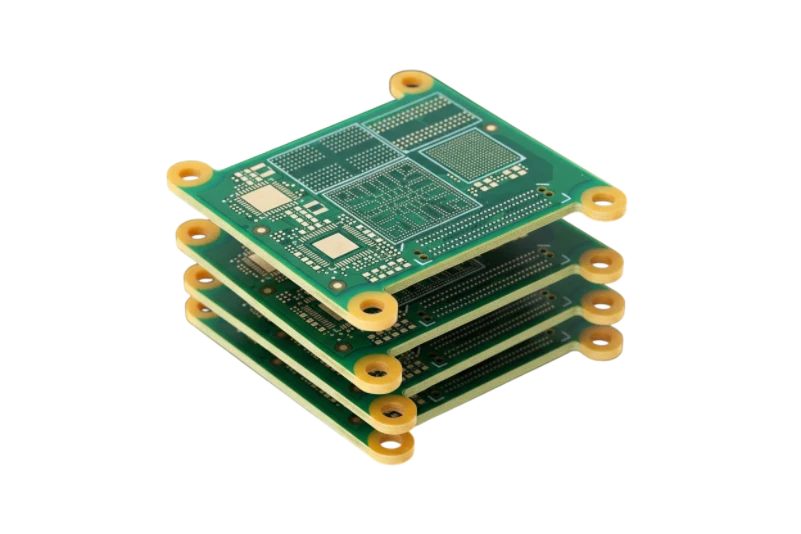
A 2 layer PCB (also called a double-sided or double layer PCB) has copper on the top and bottom of one dielectric core, with plated through-holes connecting the two sides. It is the standard choice for most modern electronics because it balances routing freedom and cost. This guide covers the entire lifecycle from initial definition to final manufacturing validation. Unlike simpler boards, double-layer designs require precise alignment between the top and bottom copper layers using plated through-holes (vias). APTPCB (APTPCB PCB Factory) specializes in fabricating these boards with high precision to ensure your design functions exactly as intended.
Key Takeaways
- Definition: A double-layer PCB has conductive copper on both sides of the substrate, connected by vias.
- Connectivity: Vias are the critical component that distinguishes these boards from single-layer options.
- Design Flow: The process moves from schematic capture to layout, routing, and file generation.
- Validation: Design Rule Checks (DRC) and Design for Manufacturing (DFM) are mandatory before production.
- Cost Factor: They are slightly more expensive than single-layer boards but significantly cheaper than multi-layer stacks.
- Common Pitfall: Neglecting the aspect ratio of vias can lead to manufacturing failures.
- Output: The final step is generating Gerber files and drill data for the manufacturer.
What is a 2 layer PCB? (scope & boundaries)
Understanding the core definition is the first step before diving into complex metrics. A double-layer PCB consists of a non-conductive substrate (usually FR4) sandwiched between two layers of copper. While single layer PCB basics focus on routing everything on one surface without crossing tracks, double-layer designs allow traces to cross over each other by jumping to the opposite side through vias.
This tutorial scope includes the physical structure and the digital design process. It covers how to manage the top layer (component side) and bottom layer (solder side). It also addresses the critical role of the "stackup," which defines the thickness of the core material and copper weight. Mastering this tutorial enables engineers to design denser circuits that fit into smaller enclosures.
2 layer PCB stackup and thickness
A 2 layer board stackup is simple: top copper, one core, bottom copper, then solder mask and silkscreen on each side. Most of the decisions are about core thickness and copper weight.
| Layer | Typical build | Notes |
|---|---|---|
| Top solder mask + silkscreen | LPI mask, white legend | Component side |
| Top copper (L1) | 1 oz (35 µm) finished; 2 oz for power | Signals, parts, pours |
| Core | FR-4, 1.6 mm overall board is the default | 0.4–3.2 mm boards are common |
| Bottom copper (L2) | Same weight as top | Ground plane or second routing layer |
| Bottom solder mask + silkscreen | LPI mask | Solder side |
Most FR-4 double-sided boards use a standard laminate such as KB-6160A, which is formulated for double-sided production; see our KB-6160A double-sided laminate notes. Material options and builds are on the FR-4 PCB fabrication page.
2 layer PCB ground plane strategy
On a two-layer board you only have two copper layers, so the ground decision drives everything else.
- Bottom layer mostly ground: Route signals on top and keep L2 as an unbroken ground pour. Every signal then has a return path directly below it. This is the best option for mixed-signal, RF, and fast edges.
- Short jumps only: When a trace must cross to L2, keep the crossing short and perpendicular to other L2 segments so the ground is not split into islands.
- Stitching vias: Tie top-side ground pours to L2 with vias along edges and around noisy parts.
- Do not split ground: Slots under fast signals force the return current around the gap and create loop antennas.
- Impedance: With a 1.6 mm core, a 50 Ω microstrip to the bottom ground is very wide. If you need controlled impedance on narrow traces, consider a thinner core or a multilayer PCB with a dedicated reference plane.
2 layer vs 4 layer: when to step up
| Situation | Stay on 2 layers | Move to 4 layers |
|---|---|---|
| Routing density | Fits with short L2 jumps | Many crossings break the ground |
| Signal speed | Slow edges, low-speed buses | USB HS, Ethernet, DDR, fast clocks |
| EMC margin | Simple products, short cables | Tight emissions limits |
| Cost | Lowest bare-board cost | Higher, but often fewer EMC respins |
Metrics that matter (how to evaluate quality)
Once the scope is defined, you must quantify the quality and manufacturability of the board. The following metrics determine if a design is viable for standard production processes.
| Metric | Why it matters | Typical range or influencing factors | How to measure |
|---|---|---|---|
| Trace Width / Spacing | Prevents short circuits and ensures current capacity. | 4mil to 6mil for standard; wider for power. | CAD Design Rule Check (DRC). |
| Via Aspect Ratio | Ensures plating solution can flow through the hole during manufacturing. | 1:8 to 1:10 (Hole Diameter : Board Thickness). | Divide board thickness by drill diameter. |
| Copper Weight | Determines current carrying capability and thermal management. | 1oz (35µm) is standard; 2oz+ for power. | Specified in stackup documentation. |
| Annular Ring | Guarantees the drill hits the pad center without breaking the connection. | Minimum 4mil to 6mil depending on class. | Measure from hole edge to pad edge. |
| Impedance Control | Critical for high-speed signals to prevent data loss. | ±10% tolerance (e.g., 50Ω or 90Ω). | TDR (Time Domain Reflectometry) simulation. |
| Bow and Twist | Affects assembly, especially for surface mount components. | < 0.75% for SMT; < 1.5% for through-hole. | Place on flat surface and measure gap height. |
Selection guidance by scenario (trade-offs)
Metrics provide the data, but the application context dictates which numbers you should choose. Different scenarios require prioritizing specific attributes over others.
1. Rapid Prototyping
- Priority: Speed and low cost.
- Trade-off: Use standard specs (e.g., 6mil trace, 0.3mm via) to avoid custom engineering fees.
- Recommendation: Stick to standard FR4 TG130 material.
2. Power Supply Units (PSU)
- Priority: Current handling and heat dissipation.
- Trade-off: Higher cost for heavy copper (2oz or 3oz).
- Recommendation: Increase trace width significantly and use thermal vias.
3. Consumer Electronics (IoT)
- Priority: Size and signal integrity.
- Trade-off: Tighter tolerances increase manufacturing difficulty.
- Recommendation: Use smaller vias and careful impedance matching for antennas.
4. Industrial Controllers
- Priority: Durability and noise immunity.
- Trade-off: Robustness over miniaturization.
- Recommendation: Use wider spacing to prevent arcing and high-TG materials for temperature resistance.
5. Automotive Applications
- Priority: Reliability under vibration and thermal cycling.
- Trade-off: Strict validation testing increases lead time.
- Recommendation: Require IPC Class 3 standard manufacturing.
6. High-Frequency / RF
- Priority: Signal purity.
- Trade-off: Expensive substrate materials (like Rogers or Teflon).
- Recommendation: Control the dielectric constant strictly; standard FR4 may vary too much.
From design to manufacturing (implementation checkpoints)

After selecting the right scenario, you must execute the design phase methodically. This section outlines how to design a two-layer PCB step by step, with the checkpoints to move from concept to a physical board.
1. Schematic Capture
- Recommendation: Ensure every pin is connected logically.
- Risk: Unconnected nets result in missing traces.
- Acceptance: Run an Electrical Rule Check (ERC) in your CAD software.
2. Component Placement
- Recommendation: Group related components to minimize trace length.
- Risk: Scattered placement increases noise and routing difficulty.
- Acceptance: Visual inspection of "ratsnest" lines for minimal crossing.
3. PCB Stack Layer Naming
- Recommendation: Use standard conventions (Top, Bottom, Silk_Top, Mask_Top).
- Risk: Manufacturer confuses the solder side with the component side.
- Acceptance: Verify layer names match the fab house requirements.
4. Routing and Vias
- Recommendation: Route power and ground first, then critical signals.
- Risk: Running out of space for power planes.
- Acceptance: 100% routed status in CAD tools.
5. Copper Pour (Ground Plane)
- Recommendation: Fill empty spaces on both layers with ground copper.
- Risk: "Islands" of unconnected copper can act as antennas.
- Acceptance: Verify all pours are connected to the ground net.
6. Silkscreen Cleanup
- Recommendation: Move text away from pads and vias.
- Risk: Ink on pads prevents soldering.
- Acceptance: Visual check that no text overlaps solderable areas.
7. Drill File Tutorial (Generation)
- Recommendation: Export NC Drill files in Excellon format.
- Risk: Mismatched coordinates between drill holes and copper pads.
- Acceptance: Load drill files and Gerbers into a viewer to check alignment.
8. Design Rule Check (DRC)
- Recommendation: Set rules based on your manufacturer's capabilities (e.g., APTPCB standard rules).
- Risk: Manufacturing failure due to traces being too close.
- Acceptance: Zero errors in the final DRC report.
9. Gerber Export
- Recommendation: Export RS-274X format which includes aperture definitions.
- Risk: Missing layers or undefined shapes.
- Acceptance: Use a Gerber Viewer to inspect every layer.
10. DFM Review
- Recommendation: Send files for a pre-production check.
- Risk: Hidden issues like acid traps or slivers.
- Acceptance: Approval report from the CAM engineer.
Common mistakes (and the correct approach)
Even with a checklist, designers often fall into specific traps during the implementation phase. Avoiding these errors saves time and reduces scrap.
Mirroring Components Incorrectly:
- Mistake: Placing components on the bottom layer without mirroring the footprint.
- Correction: Always use the "Flip" or "Mirror" command in CAD when moving parts to the bottom.
Ignoring Acid Traps:
- Mistake: Routing traces at acute angles (less than 90 degrees).
- Correction: Use 45-degree angles to prevent acid from pooling during etching.
Insufficient Edge Clearance:
- Mistake: Placing copper too close to the board edge.
- Correction: Keep copper at least 0.3mm (12mil) away from the edge to prevent cutting damage.
Missing Solder Mask Dams:
- Mistake: Placing pads so close that the mask between them is too thin to print.
- Correction: Ensure enough spacing for a "dam" to prevent solder bridging.
Ambiguous Drill Symbols:
- Mistake: Using the same symbol for different hole sizes in the documentation.
- Correction: Generate a clear drill table with unique symbols for each tool size.
Over-reliance on Autorouters:
- Mistake: Trusting software to route critical power or signal paths.
- Correction: Manually route sensitive lines; use autorouters only for non-critical connections.
Neglecting Thermal Reliefs:
- Mistake: Connecting pads directly to large copper planes.
- Correction: Use thermal relief spokes to make soldering easier.
Incorrect File Scaling:
- Mistake: Exporting Gerbers at a scale other than 1:1.
- Correction: Always verify export settings are set to 1:1 scale.
FAQ
Q: How do you design a two-layer PCB? A: Capture and check the schematic, place parts in functional groups, route power and critical signals first on the top layer, keep the bottom layer as unbroken ground where you can, stitch the pours with vias, run DRC with your fabricator's rules, and export Gerbers and the NC drill file for a DFM review.
Q: What is the difference between a 2 layer PCB and a double sided PCB? A: None in practice. Both describe a board with copper on both sides of one core, connected by plated through-holes.
Q: What is the standard thickness for a double-layer PCB? A: The industry standard is 1.6mm (0.062 inches), but thicknesses ranging from 0.4mm to 3.2mm are common depending on the application.
Q: Can I use a double-layer PCB for high-speed signals? A: Yes, provided you maintain a continuous ground plane on one side to control impedance and provide a return path.
Q: How does the cost compare to single-layer boards? A: Double-layer boards are slightly more expensive due to the plating process for vias, but the difference is negligible for small to medium volumes.
Q: What files do I need to send for manufacturing? A: You typically need Gerber files for all copper, mask, and silk layers, plus an NC Drill file and an IPC netlist.
Q: What is the minimum via size APTPCB can manufacture? A: Standard mechanical drills go down to 0.2mm or 0.15mm. Laser drills (for HDI) can go smaller but cost more.
Q: Do I need a solder mask on both sides? A: Yes, for double-layer boards, solder mask is usually applied to both sides to protect traces and prevent bridges.
Q: How do I handle high current on a double-layer board? A: Use wider traces, heavier copper (2oz or 3oz), and leave the solder mask off high-current traces to add solder during assembly.
Q: What is the difference between plated and non-plated holes? A: Plated holes (PTH) have copper inside to connect layers; non-plated holes (NPTH) are for mounting screws and do not conduct electricity.
Q: Can I repair a broken trace on a double-layer board? A: Yes, usually by soldering a jumper wire (magnet wire) between the two connected points.
Q: Why is my drill file not aligning with my Gerber file? A: This is often due to different coordinate formats (e.g., 2:4 vs 2:5) or zero suppression settings. Always check in a viewer.
Q: What is the difference between surface mount and through-hole PCB assembly? A: Surface mount (SMT) places components directly onto the board surface with no lead holes, enabling higher component density, automated placement, and both-sided assembly. Through-hole mounts components with leads inserted into drilled holes that are soldered on the opposite side. SMT offers smaller size and lower cost for most applications; through-hole provides stronger mechanical bonds for connectors, transformers, and high-stress connections.
Related pages & tools
To ensure your 2 layer PCB design translates into a successful product, utilize the right resources.
- PCB Manufacturing Services: Explore capabilities for standard double-sided and multilayer boards.
- FR-4 PCB Fabrication: Laminate grades, thickness, and copper options for double-sided boards.
- DFM Guidelines: Detailed design rules to ensure your board is manufacturable.
- 2 Layer PCB Quote: Get a cost estimate for your double-layer project.
Glossary (key terms)
| Term | Definition |
|---|---|
| Via | A plated hole connecting copper tracks on different layers. |
| Pad | Exposed copper area for soldering component pins. |
| FR4 | The most common flame-retardant fiberglass epoxy substrate. |
| Solder Mask | Protective coating (usually green) that prevents solder bridges. |
| Silkscreen | Ink layer used for component labels and logos. |
| Gerber File | The standard vector format used to describe PCB images. |
| NC Drill File | A file containing coordinates and tool sizes for drilling holes. |
| HASL | Hot Air Solder Leveling; a common surface finish. |
| ENIG | Electroless Nickel Immersion Gold; a flat, corrosion-resistant finish. |
| DRC | Design Rule Check; software verification of layout constraints. |
| Netlist | A list of all electrical connections in the design. |
| Stackup | The arrangement of copper and insulation layers in the PCB. |
| Rat's Nest | Visual lines in CAD showing unrouted connections. |
| Clearance | The minimum distance required between two conductive elements. |
Conclusion (next steps)
Mastering 2 layer PCB design is essential for any electronics engineer. By understanding the metrics, selecting the right design parameters, and rigorously validating your files, you ensure a smooth transition from prototype to production. Double-layer boards offer the versatility needed for most applications, from simple controllers to complex IoT devices.
For PCB fabrication services and PCB quality assurance covering DFM checks and inspection standards, and for controlled impedance PCB manufacturing when 2-layer designs need impedance control, see those pages.
When you are ready to manufacture, ensure you have your Gerber files, drill data, and stackup specifications ready. APTPCB is equipped to handle your requirements with precision and speed. Always perform a final DFM check before submission to avoid delays. Start your project today by reviewing your design against the checkpoints listed above.