
Key Takeaways
- Definition: EtherCAT interface PCB best practices refer to the specific design and manufacturing rules required to ensure robust, real-time industrial Ethernet communication at the physical layer.
- Impedance Control: Maintaining a strict 100Ω differential impedance on TX/RX pairs is the single most critical factor for signal integrity.
- Isolation: Proper separation between the chassis ground and digital ground (using magnetics or capacitive isolation) prevents ground loops in factory environments.
- Component Placement: The distance between the EtherCAT Slave Controller (ESC), the PHY, and the magnetics must be minimized to reduce EMI susceptibility.
- Misconception: Many designers assume standard office Ethernet layout rules apply; however, industrial EtherCAT requires stricter EMC hardening and vibration resistance.
- Validation: Automated Optical Inspection (AOI) is not enough; Time Domain Reflectometry (TDR) is essential to verify impedance before assembly.
- Tip: Always route differential pairs over a solid reference plane without crossing split planes to avoid return path discontinuities.
What “EtherCAT interface PCB” means (scope & boundaries)
Understanding the core definition is the first step before diving into the technical metrics of EtherCAT interface PCB best practices.
At its heart, an EtherCAT interface PCB is not just a board with an RJ45 jack; it is a precision-engineered circuit responsible for high-speed, real-time data transmission in electrically noisy environments. While the EtherCAT protocol handles the software logic, the PCB defines the physical reliability. Best practices in this context encompass the entire lifecycle: from selecting the right laminate material to the precise routing of differential pairs between the PHY (Physical Layer Transceiver) and the magnetics.
For manufacturers like APTPCB (APTPCB PCB Factory), these practices are non-negotiable. A failure in the PCB layout—such as poor grounding or mismatched trace lengths—can lead to packet loss, which in an industrial setting causes machine downtime or synchronization errors in multi-axis motion control. Therefore, the scope of this guide covers the physical layout, stackup selection, component assembly, and the rigorous testing required to certify that the board can handle the strict timing requirements of the EtherCAT standard.
Metrics that matter (signal, isolation, Electromagnetic Compatibility (EMC))
Once the scope is defined, we must quantify quality using specific metrics that drive EtherCAT interface PCB best practices.
In high-speed industrial communications, vague terms like "good signal" are insufficient. You need measurable data points to validate that the PCB will perform under load. The following table outlines the critical metrics that designers and quality engineers must monitor.
| Metric | Why it matters | Typical range or influencing factors | How to measure |
|---|---|---|---|
| Differential Impedance | Mismatches cause signal reflections, leading to data corruption and CRC errors. | 100Ω ±10% (Standard for Ethernet/EtherCAT differential pairs). | TDR (Time Domain Reflectometry) on test coupons or actual traces. |
| Intra-Pair Skew | If the positive and negative signals arrive at different times, the common-mode noise rejection fails. | < 150 ps (approx. 25mm length difference depending on Dk). | High-speed oscilloscope or simulation software during design. |
| Insertion Loss | Signal strength degrades over long traces, potentially causing link loss. | < -1dB per inch at 100MHz (varies by material). | Vector Network Analyzer (VNA). |
| Isolation Voltage | Protects the low-voltage logic from high-voltage spikes on the cable side. | 1.5 kVrms (minimum standard for magnetics). | Hi-Pot (High Potential) Tester. |
| Return Loss | Indicates how much signal is reflected back to the source due to impedance discontinuities. | > 16 dB (at frequencies up to 30 MHz). | VNA or specialized Ethernet compliance testers. |
| Ground Potential Difference | Large voltage differences between nodes can burn out transceivers. | < 1V (ideally 0V, managed by isolation transformers). | Multimeter (during installation) / Design review of isolation gaps. |
How to choose (trade-offs by scenario)
With the metrics established, the next step is applying EtherCAT interface PCB best practices to specific industrial scenarios.
Not all EtherCAT devices are created equal. A simple I/O module has different requirements than a high-precision servo drive. Choosing the right design approach involves trading off cost, density, and robustness.
1. Standard Industrial Automation (Cabinet IP20)
- Scenario: I/O slices inside a protected control cabinet.
- Best Practice: Use standard FR4 TG150 material. Route differential pairs on internal layers if possible, but outer layers are acceptable if short.
- Trade-off: Lower cost vs. moderate noise immunity.
- Connector: Standard RJ45 with integrated magnetics (MagJack).
2. High-Vibration Robotics (IP67)
- Scenario: EtherCAT sensors mounted on a moving robot arm.
- Best Practice: Use M12 D-coded connectors instead of RJ45. Consider Rigid-Flex PCB technology to eliminate cable harnesses that can fail under fatigue.
- Trade-off: Higher manufacturing cost vs. extreme mechanical reliability.
3. High-Density Servo Drives
- Scenario: Integrated motor drives where space is severely limited.
- Best Practice: Utilize HDI PCB (High Density Interconnect) with blind/buried vias to route signals under the BGA PHY. Use discrete magnetics to fit irregular spaces.
- Trade-off: Higher PCB fabrication complexity vs. compact footprint.
4. High-Noise Environments (Welding/Plasma)
- Scenario: Equipment operating near high-voltage arcs or VFDs.
- Best Practice: Implement EtherCAT over Fiber (E-Bus or optical PHY). If copper is used, use fully shielded RJ45s and a 4-layer board with dedicated ground planes.
- Trade-off: Expensive components vs. total EMI immunity.
5. Daisy-Chained Multi-Axis Controllers
- Scenario: A series of drives connected linearly.
- Best Practice: Optimize the "Forward" and "Return" path layout. The latency between IN and OUT ports must be minimized. Ensure the crystal oscillator is isolated from the data path.
- Trade-off: Complex routing layout vs. precise synchronization.
6. Cost-Sensitive Remote I/O
- Scenario: Mass-produced, low-speed digital I/O nodes.
- Best Practice: 2-layer PCB design is possible only if the bottom layer is a solid ground pour under the differential pairs.
- Trade-off: Very low cost vs. difficult EMI containment (requires careful Industrial Control PCB design expertise).
Implementation checkpoints (design to manufacturing)
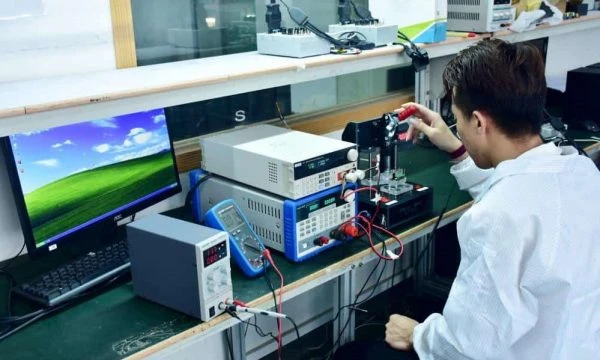
After selecting the right scenario, you must execute the design using a rigorous EtherCAT interface PCB best practices checklist.
This section bridges the gap between theory and the actual manufacturing floor at APTPCB. Following these checkpoints ensures the board passes DFM (Design for Manufacturing) and performs correctly in the field.
Stackup Definition:
- Recommendation: Define the layer stackup early to achieve 100Ω differential impedance.
- Risk: Incorrect dielectric thickness leads to impedance mismatch.
- Acceptance: Verify stackup with the fab house before routing.
PHY to Magnetics Routing:
- Recommendation: Keep traces < 25mm if possible. Route as a tightly coupled differential pair.
- Risk: Long traces act as antennas for EMI.
- Acceptance: Visual inspection of trace length in CAD.
Reference Plane Continuity:
- Recommendation: Never route EtherCAT signals over a split in the ground plane.
- Risk: The return current loop area increases, causing massive EMI emissions.
- Acceptance: Review Gerber files for plane splits under high-speed lines.
Isolation Gap (Creepage/Clearance):
- Recommendation: Maintain at least 1.5mm (or per safety standard) clear separation between chassis ground and digital ground under the magnetics.
- Risk: High-voltage surges bridging the gap and destroying the PHY.
- Acceptance: DFM analysis of copper-to-copper spacing.
Crystal Oscillator Placement:
- Recommendation: Place the 25MHz crystal close to the PHY/ESC but away from the I/O connectors.
- Risk: Jitter in the clock signal causes data synchronization errors.
- Acceptance: Check placement relative to noise sources.
ESD Protection:
- Recommendation: Place TVS diodes close to the connector pins, before the magnetics (if discrete) or immediately after the connector shield.
- Risk: Static discharge from a technician's finger kills the port.
- Acceptance: Verify TVS diode capacitance is low enough for high-speed signals.
MDI/MDI-X Configuration:
- Recommendation: Ensure the strapping resistors for the PHY address and mode are correct.
- Risk: The device fails to auto-negotiate or defaults to the wrong speed.
- Acceptance: Electrical testing of strap voltages.
Connector Footprint & Shielding:
- Recommendation: Use plated mounting holes for the RJ45 shield tabs connected to Chassis Ground.
- Risk: Poor shield connection renders the shielded cable useless.
- Acceptance: Check drill files for plated vs. non-plated holes.
Decoupling Capacitors:
- Recommendation: Place 0.1µF and 1.0µF caps immediately at the PHY power pins.
- Risk: Power supply noise couples into the data stream.
- Acceptance: Review component placement density.
Silkscreen Labeling:
- Recommendation: Clearly label "IN" and "OUT" ports. EtherCAT is directional.
- Risk: End-users plugging cables backward, breaking the daisy chain.
- Acceptance: Visual check of overlay files.
Common mistakes (and the correct approach)
Even with a checklist, designers often fall into traps that violate EtherCAT interface PCB best practices.
Here are the most frequent errors we see during the PCB Assembly process and how to avoid them.
- Mistake 1: Treating EtherCAT like standard Ethernet.
- Correction: Standard Ethernet tolerates latency; EtherCAT does not. You cannot use generic switches or hubs; the signal path must be point-to-point between ESCs.
- Mistake 2: Breaking the Reference Plane.
- Correction: Routing a differential pair across a gap between two different power planes creates an impedance discontinuity. Always stitch the planes with capacitors if a layer change is unavoidable, or stay on one layer.
- Mistake 3: Incorrect Magnetics Orientation.
- Correction: Some RJ45 jacks with integrated magnetics have different pinouts. Always verify the schematic symbol against the physical datasheet, specifically the center taps.
- Mistake 4: Ignoring EtherCAT P Requirements.
- Correction: EtherCAT P carries power and data on the same wires. Using standard EtherCAT magnetics for EtherCAT P will result in saturation and failure. Use components rated for the specific DC current.
- Mistake 5: Placing Switching Regulators near the PHY.
- Correction: The magnetic field from a DC-DC buck converter inductor can couple into the Ethernet magnetics. Keep power supplies at least 2-3cm away from the analog front end.
- Mistake 6: Neglecting the Bob Smith Termination.
- Correction: The unused pairs in the cable (for 100Mbps) and the center taps need specific termination to ground to reduce common-mode noise. Do not leave them floating.
FAQ (cost, lead time, isolation, Electromagnetic Compatibility (EMC) testing)
To round out your understanding of EtherCAT interface PCB best practices, here are answers to the most frequently asked questions regarding production and validation.
Q: How does impedance control affect the cost of an EtherCAT interface PCB? A: Impedance control requires the PCB manufacturer to run TDR tests and potentially adjust trace widths or stackups. This typically adds 5-10% to the bare board cost but is essential for avoiding data loss.
Q: What is the typical lead time for an EtherCAT interface PCB prototype? A: For a standard 4-layer board with impedance control, the lead time is usually 5-7 days. If you require Quick Turn PCB services, this can often be reduced to 24-48 hours depending on the complexity.
Q: Which PCB materials are best for EtherCAT in high-temperature environments? A: Standard FR4 (Tg150) is sufficient for most factory floors. However, for automotive or high-heat industrial zones (>85°C ambient), high-Tg materials (Tg170 or Tg180) are recommended to prevent Z-axis expansion from damaging vias.
Q: What specific testing is required for EtherCAT interface PCB assembly? A: Beyond standard AOI and X-Ray, functional testing (FCT) is critical. This involves powering the board and running a packet loss test using an EtherCAT master simulator to verify the PHY and magnetics are soldering correctly.
Q: What are the acceptance criteria for signal integrity on these boards? A: The board must pass the physical layer compliance test defined by the EtherCAT Technology Group (ETG). Key criteria include an eye diagram opening that meets the IEEE 802.3 standard and a Bit Error Rate (BER) of less than 10-12.
Q: Can I use a 2-layer PCB for EtherCAT designs? A: It is possible for very simple, cost-sensitive slave devices, but it is risky. Achieving 100Ω impedance with sufficient shielding on a 2-layer board results in very wide traces and poor EMI performance. A 4-layer stackup is the recommended best practice.
Q: How do I handle the shield connection for the RJ45 connector? A: The shield should be connected to the chassis ground (PE), not the digital ground. This path should be low-impedance and capable of handling ESD strikes. A high-voltage capacitor (e.g., 2kV) is often placed between chassis ground and digital ground to shunt high-frequency noise.
Q: What is the difference between MII and RMII in EtherCAT PCB design? A: MII (Media Independent Interface) uses more pins (16+) and runs at 25MHz. RMII (Reduced MII) uses fewer pins (6-10) but runs at 50MHz. RMII saves PCB space but requires stricter layout attention due to the higher frequency clock.
Related pages & tools
- Impedance Calculator: Use this tool to estimate trace width and spacing for 100Ω differential pairs before starting your layout.
- High-Speed PCB Manufacturing: Learn more about the fabrication techniques required for data communication boards.
- DFM Guidelines: General design-for-manufacturing rules that apply to all industrial PCBs.
Glossary (key terms)
| Term | Definition |
|---|---|
| EtherCAT | Ethernet for Control Automation Technology; a high-performance, real-time industrial Ethernet protocol. |
| PHY (Physical Layer) | The chip that converts digital data from the controller into analog electrical signals for the cable. |
| ESC | EtherCAT Slave Controller; the logic chip (ASIC or FPGA) that processes EtherCAT frames on the fly. |
| Differential Pair | Two complementary signals (D+ and D-) used to transmit data with high noise immunity. |
| Impedance (Z0) | The opposition to AC current flow in a trace; must be matched (100Ω) to prevent signal reflection. |
| Magnetics | Transformers (discrete or inside the RJ45) that provide electrical isolation and signal conditioning. |
| MDI / MDI-X | Media Dependent Interface; refers to the pinout configuration for straight-through or crossover cables. |
| Skew | The time difference between the arrival of the positive and negative signals in a differential pair. |
| TDR | Time Domain Reflectometry; a measurement technique used to verify the impedance of PCB traces. |
| EMI / EMC | Electromagnetic Interference / Compatibility; the ability of the PCB to operate without generating or being affected by noise. |
| Daisy Chain | The topology used in EtherCAT where data flows into one device and out to the next. |
| EtherCAT P | An extension of EtherCAT that supplies both data and power (24V) over the same 4-wire cable. |
| LVDS | Low-Voltage Differential Signaling; the electrical standard often used for the internal interface between ESC and PHY. |
Conclusion (next steps)
Mastering EtherCAT interface PCB best practices is about more than just connecting pins; it requires a holistic approach to signal integrity, isolation, and mechanical robustness. From ensuring strict 100Ω impedance to selecting the right connector for high-vibration environments, every decision impacts the reliability of the final industrial system.
If you are ready to move your design from prototype to production, APTPCB is here to help. When submitting your data for a quote or DFM review, please ensure you provide:
- Gerber Files: Including all copper layers, drill files, and outline.
- Stackup Requirements: Specify your desired material (e.g., FR4 Tg170) and impedance targets (e.g., 100Ω on Layer 1/4).
- Assembly Specs: BOM with specific part numbers for the PHY and Magnetics (critical for footprint verification).
- Test Requirements: Indicate if TDR reports or specific functional tests are required.
By following these guidelines, you ensure that your EtherCAT hardware is built to the highest standard of quality and reliability.