
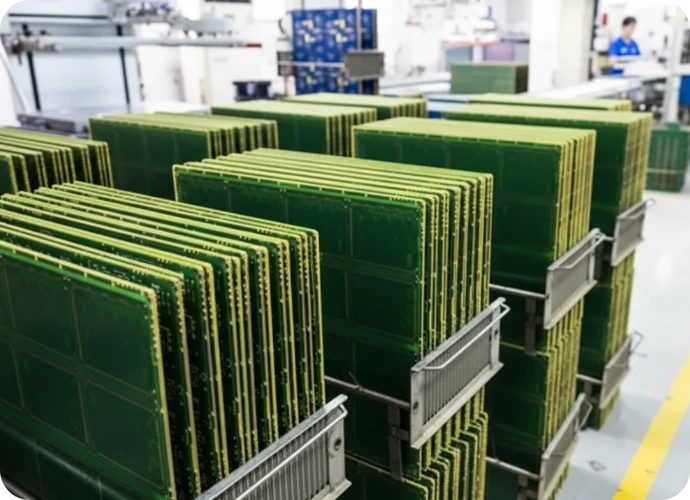
Definition, scope, and who this guide is for
A Flight Computer PCB is the central processing hardware responsible for the guidance, navigation, and control (GNC) of an aircraft, drone, or spacecraft. Unlike standard consumer electronics, these circuit boards must process sensor data (gyroscopes, accelerometers, GPS) and execute control loops in real-time while enduring extreme environmental stress. The scope of this category ranges from compact autopilot boards for commercial UAVs to complex, redundant flight management systems for manned aviation.
This guide is designed for hardware engineers, avionics designers, and procurement leads who need to source high-reliability boards without compromising safety. It moves beyond basic definitions to cover the specific material selections, stackup strategies, and validation protocols required to prevent catastrophic failure in the air. Whether you are building a Flight Control PCB for a quadcopter or a mission computer for a satellite, the manufacturing principles remain centered on signal integrity and mechanical durability.
In this playbook, we outline the exact specifications you need to define before approaching a manufacturer like APTPCB (APTPCB PCB Factory). We analyze the root causes of common failures—such as microvia fatigue or thermal expansion mismatches—and provide a step-by-step checklist to validate your supplier’s capabilities. This is not a theoretical overview; it is a decision-making framework to ensure your flight hardware performs predictably from takeoff to landing.
When to use Flight Computer PCB (and when a standard approach is better)
Defining the operational environment is the first step in determining if you need a specialized Flight Computer PCB or if a standard industrial board will suffice.
Use a specialized Flight Computer PCB when:
- Safety-Critical Operations: The device controls flight surfaces, throttle, or stability. Failure results in loss of the vehicle or injury.
- High Vibration Profiles: The hardware is mounted directly to airframes or near propulsion systems where harmonic vibrations can crack standard solder joints.
- Extreme Thermal Cycling: The vehicle transitions rapidly between ground temperatures (e.g., +40°C) and high-altitude cold (e.g., -50°C), requiring materials with matched Coefficients of Thermal Expansion (CTE).
- SWaP Constraints (Size, Weight, and Power): You need to integrate complex processing power into a confined space, often requiring HDI (High Density Interconnect) or Rigid-Flex technologies to eliminate heavy connectors.
- Signal Integrity Requirements: The system processes high-speed data from cameras or LiDAR, requiring strict impedance control and low-loss materials.
Use a standard industrial PCB when:
- Non-Critical Payloads: The board controls a secondary camera gimbal or lighting system where failure does not impact flight safety.
- Ground Station Equipment: The hardware remains on the ground in a controlled environment.
- Prototyping Phase: You are testing logic on a benchtop and do not yet need to pay for Class 3 manufacturing or expensive laminates.
- Low-Altitude, Short-Duration Drones: Disposable hobbyist drones often use standard FR4 to keep costs low, accepting a higher risk of failure.
Flight Computer PCB specifications (materials, stackup, tolerances)
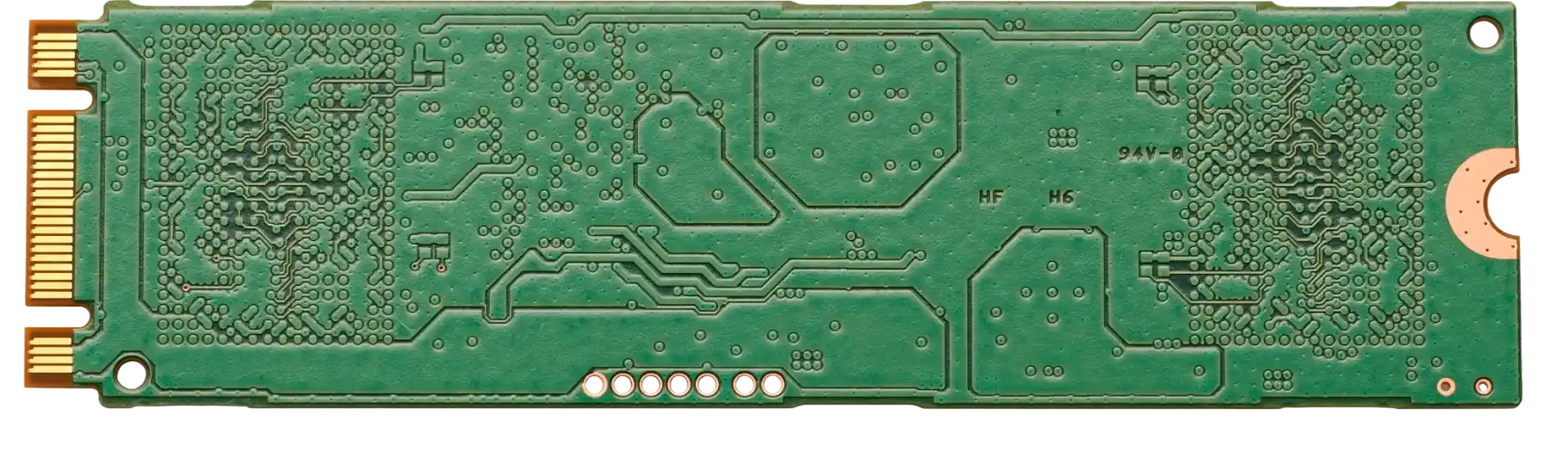
To ensure reliability, you must translate performance needs into concrete manufacturing data. Below are the critical specifications for a robust Flight Computer PCB.
- Base Material (Laminate):
- Specify High-Tg FR4 (Tg ≥ 170°C) as a baseline to withstand thermal stress.
- For high-speed signals, specify low-loss materials like Rogers 4350B or Panasonic Megtron 6.
- Ensure the material is halogen-free if required by environmental regulations, but prioritize thermal performance first.
- IPC Class Standard:
- Mandate IPC-6012 Class 3 for all flight-critical boards. This ensures stricter criteria for plating thickness, annular rings, and visual defects compared to the standard Class 2.
- Copper Weight:
- Start with 1 oz (35µm) for signal layers.
- Use 2 oz (70µm) or higher for power planes to handle current distribution and assist with heat dissipation.
- Layer Stackup & Impedance:
- Define a symmetrical stackup to prevent warping during reflow and operation.
- Specify controlled impedance traces (e.g., 50Ω single-ended, 90Ω/100Ω differential) with a tolerance of ±5% or ±10%.
- Use solid reference planes adjacent to high-speed signal layers to minimize EMI.
- Via Structure:
- For high-density designs, utilize blind and buried vias.
- Specify via-in-pad plated over (VIPPO) for BGA components to maximize routing space and thermal transfer.
- Ensure aspect ratios for through-holes do not exceed 10:1 (or 8:1 for better reliability) to guarantee proper plating.
- Surface Finish:
- ENIG (Electroless Nickel Immersion Gold): The standard for flat pads and reliability.
- ENEPIG: Best for wire bonding or mixed assembly processes.
- Avoid HASL (Hot Air Solder Leveling) due to uneven surfaces that complicate fine-pitch component assembly.
- Solder Mask & Silkscreen:
- Use LPI (Liquid Photoimageable) solder mask, typically green or matte black.
- Ensure solder mask dams between pads are at least 3-4 mil to prevent solder bridging.
- Use non-conductive, permanent epoxy ink for silkscreen markings (reference designators, polarity marks).
- Dimensional Tolerances:
- Outline profile tolerance: ±0.10mm (±4 mil) for precise mechanical fit.
- Hole size tolerance (PTH): ±0.076mm (±3 mil).
- Board thickness tolerance: ±10%.
- Cleanliness Requirements:
- Specify ionic contamination limits (e.g., < 1.56 µg/cm² NaCl equivalent) to prevent electrochemical migration and corrosion.
- Conformal Coating Readiness:
- Indicate if the board will be conformal coated later. This may affect the choice of flux residues or cleaning processes used by the manufacturer.
- Traceability Markings:
- Require date codes, lot numbers, and UL markings to be etched in copper or printed on the silkscreen for full traceability.
- Thermal Management:
- Include thermal vias under hot components.
- Consider a metal core (aluminum or copper) or a heavy copper internal layer if the flight computer manages significant power distribution.
Flight Computer PCB manufacturing risks (root causes and prevention)
Even with perfect specs, manufacturing defects can compromise a mission. Here are the specific risks associated with Flight Computer PCBs and how to mitigate them.
- Conductive Anodic Filament (CAF) Growth:
- Root Cause: Electrochemical migration of copper along the glass fibers inside the laminate, caused by moisture and voltage bias.
- Detection: High-voltage insulation resistance testing.
- Prevention: Use "CAF-resistant" materials and ensure proper drill-to-copper spacing.
- Microvia Fatigue/Cracking:
- Root Cause: CTE mismatch between the copper plating and the dielectric material during thermal cycling (Z-axis expansion).
- Detection: Interconnect Stress Test (IST) or cross-section analysis.
- Prevention: Use stacked vias cautiously; staggered microvias are generally more reliable. Ensure proper plating thickness (Class 3).
- Pad Cratering:
- Root Cause: Mechanical stress from vibration or thermal expansion causes the resin under the copper pad to fracture.
- Detection: Dye and pry testing or acoustic microscopy.
- Prevention: Use corner glue for large BGAs, underfill, and avoid placing vias directly at the edge of BGA pads unless using VIPPO.
- Impedance Mismatch:
- Root Cause: Variations in dielectric thickness, trace width etching, or copper surface roughness.
- Detection: TDR (Time Domain Reflectometry) testing on coupons.
- Prevention: strict process control on etching and lamination; request TDR reports for every batch.
- Black Pad Syndrome (ENIG):
- Root Cause: Corrosion of the nickel layer during the gold immersion process due to poor chemical control.
- Detection: SEM/EDX analysis of failed solder joints.
- Prevention: Tighter control of the gold bath chemistry; consider ENEPIG if the supplier struggles with ENIG quality.
- Delamination:
- Root Cause: Moisture trapped in the board turns to steam during reflow, or poor bonding between layers.
- Detection: Visual inspection (blistering) or scanning acoustic microscopy.
- Prevention: Bake boards before assembly to remove moisture; use high-quality prepreg with high resin content.
- Solder Bridging on Fine Pitch Components:
- Root Cause: Insufficient solder mask dams or excessive solder paste.
- Detection: Automated Optical Inspection (AOI).
- Prevention: Design proper mask dams (min 3-4 mil); use laser-cut stencils with electro-polishing.
- Warp and Twist:
- Root Cause: Asymmetrical copper distribution or unbalanced layer stackup.
- Detection: Measurement on a surface plate.
- Prevention: Balance copper coverage on all layers; use a symmetrical stackup design.
- Plating Voids in Through-Holes:
- Root Cause: Air bubbles, debris, or poor catalyst application during electroless copper deposition.
- Detection: X-ray or cross-sectioning.
- Prevention: Proper agitation in plating baths; maintain aspect ratios within safe limits.
- Foreign Object Debris (FOD):
- Root Cause: Dust or particles trapped under the solder mask or between layers.
- Detection: Visual inspection under magnification.
- Prevention: Manufacturing in a cleanroom environment (Class 10,000 or better).
Flight Computer PCB validation and acceptance (tests and pass criteria)
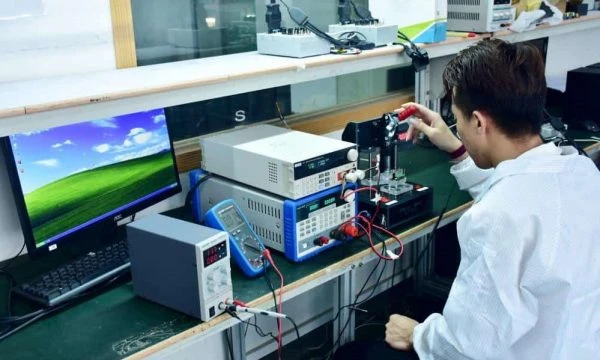
Validation ensures the manufactured board meets the design intent and will survive the flight environment.
- Electrical Continuity & Isolation Test:
- Objective: Verify no opens or shorts.
- Method: Flying probe or bed-of-nails tester.
- Criteria: 100% pass; resistance thresholds defined by IPC-9252.
- Impedance Testing (TDR):
- Objective: Verify signal integrity specs.
- Method: Time Domain Reflectometry on test coupons.
- Criteria: Measured impedance within ±5% or ±10% of target.
- Thermal Stress Test (Solder Float):
- Objective: Verify material integrity under heat.
- Method: Float sample in solder at 288°C for 10 seconds (IPC-TM-650).
- Criteria: No delamination, blistering, or pad lifting.
- Microsection Analysis:
- Objective: Verify internal structure quality.
- Method: Cross-sectioning a coupon and viewing under a microscope.
- Criteria: Plating thickness meets Class 3 (e.g., avg 25µm in hole); proper layer registration.
- Ionic Contamination Test:
- Objective: Ensure board cleanliness.
- Method: ROSE test (Resistivity of Solvent Extract).
- Criteria: Contamination < 1.56 µg/cm² NaCl equivalent.
- Solderability Test:
- Objective: Ensure pads will accept solder during assembly.
- Method: Dip and look or wetting balance test.
- Criteria: >95% coverage of the surface with a continuous solder coating.
- Interconnect Stress Test (IST):
- Objective: Accelerated life testing for vias.
- Method: Rapid thermal cycling of specific coupons.
- Criteria: Resistance change < 10% after specified cycles (e.g., 500 cycles).
- Visual Inspection (AQL):
- Objective: Check for cosmetic and surface defects.
- Method: Magnified visual inspection (10x - 40x).
- Criteria: Meets IPC-6012 Class 3 visual standards (no exposed copper, legible markings).
- X-Ray Inspection:
- Objective: Check registration of inner layers and drill alignment.
- Method: X-ray imaging.
- Criteria: Drill breakout is not allowed for Class 3; annular ring requirements must be met.
- Peel Strength Test:
- Objective: Verify copper adhesion to laminate.
- Method: Mechanical peel test.
- Criteria: Meets datasheet specs (e.g., > 1.05 N/mm).
Flight Computer PCB supplier qualification checklist (RFQ, audit, traceability)
Use this checklist to vet potential partners. A supplier for Flight Computer PCB projects must demonstrate more than just low pricing.
RFQ Inputs (What you must provide):
- Complete Gerber files (RS-274X or X2) or ODB++ data.
- Fabrication drawing specifying IPC Class 3 requirements.
- Stackup definition including dielectric materials and thickness.
- Drill chart with finished hole sizes and tolerances.
- Impedance requirements table (layer, width, spacing, target ohm).
- Material datasheet references (e.g., "Isola 370HR or equivalent").
- Panelization requirements (if assembly is automated).
- Surface finish specification (ENIG, ENEPIG, etc.).
- Solder mask and silkscreen colors.
- Testing requirements (TDR, ionic cleanliness, etc.).
- Volume and delivery schedule (prototype vs. production).
- Special requirements (edge plating, countersink, etc.).
Capability Proof (What the supplier must show):
- Valid ISO 9001 certification; AS9100 is preferred for aerospace.
- Demonstrated experience with High-Tg and RF materials (Rogers, Teflon).
- Capability to manufacture HDI (blind/buried vias) if required.
- In-house TDR testing equipment and reporting.
- Minimum trace/space capability matching your design (e.g., 3/3 mil).
- Aspect ratio capability for plating (e.g., can they plate 10:1 reliably?).
- Automated optical inspection (AOI) in the production line.
- Cleanliness testing capabilities (ROSE/Ion chromatography).
Quality System & Traceability:
- Do they have a system to trace raw materials back to the lot number?
- Are cross-section reports provided with every shipment?
- Is there a formal Non-Conforming Material (NCM) process?
- Can they provide a Certificate of Conformance (CoC) for every batch?
- Do they archive manufacturing data and tooling for repeat orders?
- Is there a defined process for calibration of test equipment?
- Do they perform 100% electrical testing on all boards?
- Is there a disaster recovery plan for production continuity?
Change Control & Delivery:
- Do they have a formal Engineering Change Order (ECO) process?
- Will they notify you before changing any raw material or process?
- What is their on-time delivery (OTD) performance for the last year?
- Do they offer DFM (Design for Manufacturing) review prior to production?
- Can they handle expedited "quick turn" orders if needed?
- Is packaging ESD safe and moisture-barrier sealed?
- Do they have a local support team or responsive engineering contact?
- Are they financially stable (low risk of sudden closure)?
How to choose Flight Computer PCB (trade-offs and decision rules)
Engineering a flight computer involves balancing competing constraints. Here is how to navigate common trade-offs.
- Rigid vs. Rigid-Flex:
- Rule: If you have severe space constraints or need to eliminate failure-prone cable connectors, choose Rigid-Flex PCB.
- Trade-off: Rigid-Flex is significantly more expensive and has longer lead times than standard rigid boards + cables.
- HDI vs. Standard Through-Hole:
- Rule: If you are using fine-pitch BGAs (< 0.65mm) or need to miniaturize the board, choose HDI PCB.
- Trade-off: HDI increases cost due to laser drilling and sequential lamination cycles.
- Material Selection (FR4 vs. Rogers):
- Rule: If you are processing RF signals (> 1GHz) or need extremely low signal loss, choose Rogers/High-Frequency materials.
- Trade-off: Rogers materials are harder to process and more expensive than High-Tg FR4.
- Class 2 vs. Class 3:
- Rule: If the device is for a critical flight system where failure is not an option, always choose IPC Class 3.
- Trade-off: Class 3 requires tighter manufacturing controls and more inspection, increasing unit cost by 15-30%.
- Surface Finish (ENIG vs. HASL):
- Rule: For flat pads and fine-pitch components, always choose ENIG.
- Trade-off: ENIG is more expensive than HASL but prevents assembly defects that could cost more in rework.
- Copper Weight (1oz vs. 2oz+):
- Rule: If the board handles power distribution for motors or actuators, increase copper weight.
- Trade-off: Heavier copper requires wider spacing between traces (etch factor), reducing routing density.
Flight Computer PCB FAQ (cost, lead time, Design for Manufacturability (DFM) files, materials, testing)
What are the primary cost drivers for a Flight Computer PCB? The main cost drivers are the layer count, the use of advanced materials (like Rogers or Polyimide), the inclusion of HDI features (blind/buried vias), and the requirement for IPC Class 3 validation. Rigid-flex constructions also add significant cost due to the manual labor involved in manufacturing.
How does lead time differ for flight-grade PCBs compared to standard boards? Standard prototypes might take 3-5 days, but flight-grade boards often require 10-15 days or more. This extra time is needed for sequential lamination cycles, specialized material procurement, and rigorous testing (cross-sectioning, TDR) required for certification.
What specific DFM files are needed for a Flight Computer PCB quote? Beyond standard Gerbers, you must provide a detailed stackup drawing, a drill chart with defined tolerances, and a "Read Me" file specifying IPC Class 3 requirements. If using rigid-flex, 3D STEP files or detailed mechanical drawings showing the bend radius and stiffener locations are crucial.
Can I use standard FR4 for a Flight Control PCB? For hobbyist drones, yes. For commercial or industrial flight computers, standard FR4 is risky due to its lower Tg (Glass Transition Temperature) and higher CTE. High-Tg FR4 (Tg > 170°C) is the recommended minimum to prevent barrel cracks and pad cratering during thermal cycling.
What testing is mandatory for Flight Management PCB acceptance? At a minimum, you should require 100% electrical continuity testing, impedance (TDR) verification on coupons, and microsection analysis to verify plating quality. For high-reliability batches, requesting an Interconnect Stress Test (IST) or HAST (Highly Accelerated Stress Test) data is advisable.
How do I ensure my Flight Computer PCB meets avionics standards? Specify IPC-6012 Class 3 on your fabrication drawing. Additionally, ensure your supplier is AS9100 certified or compliant, which aligns their quality management system with aerospace industry standards.
Why is controlled impedance critical for Flight Computer PCBs? Flight computers rely on high-speed interfaces like DDR memory, PCIe, and Ethernet. If the impedance of the traces does not match the driver/receiver (e.g., 50Ω or 100Ω), signal reflections will occur, leading to data corruption or system crashes in flight.
What is the best surface finish for In-Flight Entertainment PCBs? ENIG is the best all-around choice. It offers a flat surface for mounting fine-pitch components (processors, memory) and has excellent shelf life. It is also wire-bondable to a degree, though ENEPIG is better if extensive wire bonding is required.
How does APTPCB handle DFM for complex flight boards? APTPCB performs a comprehensive DFM review before production begins. This includes checking for acid traps, slivers, sufficient annular rings for Class 3, and verifying that the proposed stackup can be manufactured without bowing or twisting.
Resources for Flight Computer PCB (related pages and tools)
- Aerospace & Defense PCB Solutions: Explore specific capabilities and certifications relevant to avionics and defense electronics.
- Rigid-Flex PCB Technology: Learn how to reduce weight and improve reliability by combining rigid boards with flexible circuits, a common strategy in flight computers.
- HDI PCB Manufacturing: Understand the microvia and fine-line technologies needed to fit powerful processors into compact flight controllers.
- Testing & Quality Assurance: Review the validation steps, including AOI and X-Ray, that ensure your boards are defect-free.
- Rogers PCB Materials: Details on high-frequency laminates essential for radar, communications, and high-speed data links in flight systems.
Request a quote for Flight Computer PCB (Design for Manufacturability (DFM) review + pricing)
Ready to move from design to flight-ready hardware? APTPCB provides a detailed DFM review alongside your quote to identify potential risks before they become costly manufacturing issues.
To get an accurate quote and DFM analysis, please prepare:
- Gerber Files: (RS-274X or ODB++)
- Fabrication Drawing: Clearly stating IPC Class 3 and material specs.
- Stackup Details: Layer count, thickness, and impedance targets.
- Quantity: Prototype and estimated production volumes.
Click here to Request a Quote & DFM Review – Our engineering team is ready to support your mission-critical requirements.
Conclusion (next steps)
A Flight Computer PCB is the foundation of any aerial vehicle's safety and performance. By selecting the right materials, enforcing IPC Class 3 standards, and rigorously validating your supplier, you mitigate the risks of in-flight failure. Whether you are designing a compact Flight Control PCB or a comprehensive Flight Management PCB, the key to success lies in early collaboration with a capable manufacturer. Define your specs, audit your risks, and choose a partner who understands the gravity of the application.