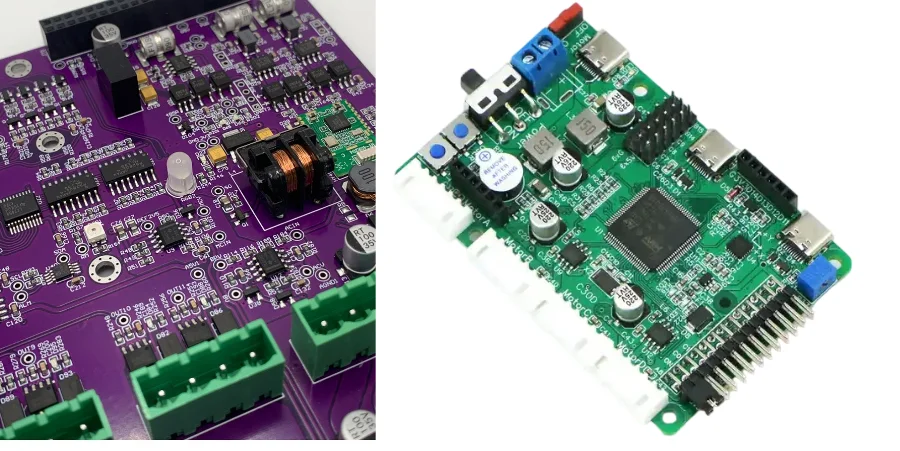
Industrial Touch Screen PCB

Industrial Signal (TOUCH) Screen PCB: scope, typical use cases, and who this guide is for

This playbook is designed for hardware engineers, product managers, and procurement leads tasked with sourcing a reliable Industrial Touch Screen PCB. Unlike consumer electronics, industrial interfaces must survive electrical noise, extreme temperatures, chemical exposure, and rough handling by gloved operators. The PCB behind the glass—often a complex rigid-flex or high-density interconnect (HDI) board—is the critical link between the user's input and the machine's action.

You will find a structured approach to defining specifications that prevent field failures, identifying hidden manufacturing risks before mass production, and validating supplier capabilities. We move beyond generic advice to provide concrete checklists and acceptance criteria. This guide assumes you understand basic PCB concepts but need specific insights into the nuances of capacitive or resistive touch controllers in industrial environments.

At APTPCB (APTPCB PCB Factory), we see many designs fail not because of the touch sensor itself, but because the underlying PCB layout or material choice could not handle the electromagnetic interference (EMI) or thermal stress of the factory floor. This guide aims to bridge the gap between your design intent and the manufacturing reality, ensuring your industrial human-machine interface (HMI) functions flawlessly for its entire lifecycle.

When to use Industrial Signal (TOUCH) Screen PCB (and when a standard module is better)

Before finalizing your architecture, ensure that a dedicated industrial touch solution is necessary for your application.

Use an Industrial Touch Screen PCB when:

  • EMI/EMC is severe: The device operates near high-power motors, VFDs, or welding equipment where standard consumer controllers would register "ghost touches."
  • Gloved operation is required: You need a PCB controller tuned for high sensitivity to detect inputs through thick safety gloves or protective glass overlays.
  • Environmental stress is high: The unit faces wide temperature cycling (-40°C to +85°C), high humidity, or exposure to cutting fluids and cleaning chemicals.
  • Long lifecycle is mandatory: The product must remain in production for 10+ years without forced redesigns due to component obsolescence, requiring a stable PCB supply chain.
  • Integration is complex: The touch controller must integrate directly with an Industrial Computer PCB or an Industrial Gateway PCB via custom rigid-flex interconnects to save space.

Reconsider or use standard modules when:

  • Cost is the only driver: If the device is a disposable logger used in a benign office environment, a commercial off-the-shelf (COTS) tablet module may suffice.
  • Volume is extremely low: For <50 units/year, adapting a standard industrial panel PC is often more cost-effective than designing a custom Industrial Display PCB.
  • No customization needed: If you do not need custom shapes, specific connector placements, or unique firmware tuning for water rejection.

Industrial Signal (TOUCH) Screen PCB: Key design and manufacturing specifications to define upfront

Industrial Touch Screen PCB: Key design and manufacturing specifications to define upfront

Defining clear requirements upfront prevents costly engineering change orders (ECOs) later. Linking these specs to your operational environment is key.

  • Base Material (Laminate): Specify High-Tg FR4 (Tg > 170°C) to withstand thermal cycling without barrel cracking or pad cratering. For high-frequency touch controllers, consider low-loss materials to maintain signal integrity.
  • Stackup & Impedance Control: Define a stackup that places ground planes immediately adjacent to touch signal layers. This shields the sensitive sense lines from noise generated by the display (LCD/OLED) or the main Industrial IoT PCB.
  • Copper Weight: Use 1oz or higher for power planes if the board also drives the backlight LED driver. However, keep touch sense traces on 0.5oz or thinner copper to allow for finer lines and spacing (3/3 mil or 4/4 mil).
  • Surface Finish: Mandate ENIG (Electroless Nickel Immersion Gold) or ENEPIG. These flat surfaces are essential for the fine-pitch BGA or QFN packages used in modern touch controller ICs and ensure reliable ZIF connector contacts.
  • Rigid-Flex Integration: If the touch sensor connects to the main board via a tail, specify the bend radius and dynamic flex cycle requirements. Polyimide (PI) coverlay is standard, but ensure the adhesive system is acrylic-based for durability.
  • EMI Shielding: Explicitly require "cross-hatched" ground pours on signal layers if applicable, or specific shielding films on the flexible portion of the PCB to prevent noise coupling from the Industrial Bluetooth PCB or Wi-Fi modules.
  • Solder Mask: Specify high-quality LPI (Liquid Photoimageable) solder mask with a minimum dam size of 3-4 mil to prevent solder bridging on fine-pitch controller ICs. Matte green or black is preferred to reduce glare during automated optical inspection (AOI).
  • Via Protection: Require plugged and capped vias (VIPPO) if you are placing vias within pads (via-in-pad) for BGA breakout. This prevents solder theft and ensures a reliable gas-tight joint.
  • Dimensional Tolerances: Industrial enclosures are tight. Specify outline tolerances of ±0.10mm or better, especially for mounting holes and connector positions that align with the external housing.
  • Cleanliness Standards: Specify ionic contamination limits (e.g., <1.56 µg/cm² NaCl equivalent). Residues can cause electrochemical migration (dendrites) in humid industrial environments, leading to leakage currents that disrupt touch sensing.
  • Firmware/IC Programming: If the supplier is handling assembly, define whether the touch controller ICs need to be pre-programmed or if In-Circuit Programming (ICP) headers must be accessible on the PCB.
  • Traceability: Require laser marking of date codes and serial numbers on the PCB silkscreen or copper layer to track batches in case of field failures.

Industrial Signal (TOUCH) Screen PCB manufacturing risks (root causes and prevention)

Scaling from a prototype to mass production introduces risks that are often invisible in the lab.

  • Risk: Ghost Touches due to Power Supply Noise

    • Why it happens: Inconsistent ground return paths or lack of decoupling capacitors on the PCB allow ripple from the power supply to interfere with capacitive sensing.
    • Detection: Monitor raw sensor data (delta counts) while injecting noise into the power rail.
    • Prevention: Design a solid ground plane directly under the controller IC and place 0.1µF and 10µF capacitors as close to the power pins as possible.
  • Risk: FPC Tail Cracking

    • Why it happens: The transition zone between the rigid PCB and the flexible tail is a stress point. Improper stiffener application or lack of strain relief causes cracks.
    • Detection: Perform bend cycling tests and inspect the transition zone under a microscope.
    • Prevention: Use a bead of epoxy (staking) at the rigid-flex interface and ensure the stiffener overlaps the rigid section slightly to distribute stress.
  • Risk: Z-Axis Expansion Failure

    • Why it happens: Industrial environments often have rapid temperature changes. If the PCB material's CTE (Coefficient of Thermal Expansion) is mismatched, plated through-holes (PTH) can fracture.
    • Detection: Thermal shock testing (-40°C to +85°C, 100 cycles) followed by cross-section analysis.
    • Prevention: Use materials with low Z-axis CTE and ensure proper plating thickness (min 25µm average) in the barrel.
  • Risk: Connector Oxidation

    • Why it happens: Tin-plated contacts on the PCB or FPC tail fret and oxidize under vibration, leading to intermittent connections with the main Industrial Computer PCB.
    • Detection: Vibration testing combined with contact resistance monitoring.
    • Prevention: Use Gold (ENIG) plating for all contact fingers and specify high-retention force connectors.
  • Risk: Solder Joint Fatigue on BGAs

    • Why it happens: The touch controller is often a BGA. Mechanical flexing of the PCB during assembly or installation cracks the solder balls.
    • Detection: Dye-and-pry testing or X-ray inspection after mechanical stress tests.
    • Prevention: Place mounting holes near the BGA to stiffen the area, or use underfill for the BGA in high-vibration applications.
  • Risk: Moisture Ingress causing Leakage

    • Why it happens: High humidity allows moisture to penetrate the PCB layers or bridge traces, altering the capacitance baseline.
    • Detection: Temperature-Humidity-Bias (THB) testing.
    • Prevention: Apply conformal coating to the PCB assembly (excluding connector contacts) and increase spacing between high-voltage and sensitive sense traces.
  • Risk: ESD Damage during Assembly

    • Why it happens: Touch sensors are directly exposed to the outside world. Handling during assembly without proper ESD protection blows the controller inputs.
    • Detection: Full functional test of all touch nodes; curve tracing of input pins.
    • Prevention: Include TVS diodes on all touch lines and ensure strict ESD protocols at the assembly house.
  • Risk: Component Obsolescence

    • Why it happens: The specific touch controller IC or a passive component goes EOL (End of Life).
    • Detection: BOM scrubbing tools and regular supplier alerts.
    • Prevention: Choose ICs with a guaranteed 10-year availability roadmap and design footprints that can accommodate alternatives if possible.
  • Risk: Impedance Mismatch

    • Why it happens: Variations in PCB etching or dielectric thickness shift the trace impedance, degrading signal quality for high-speed interfaces like MIPI DSI or USB.
    • Detection: TDR (Time Domain Reflectometry) measurement on coupons.
    • Prevention: Specify impedance control requirements clearly in the Gerber files and require TDR reports with every shipment.
  • Risk: Warpage affecting Bonding

    • Why it happens: Unbalanced copper distribution causes the PCB to bow during reflow, making it difficult to optically bond the touch panel to the display.
    • Detection: Measure bow and twist according to IPC-TM-650.
    • Prevention: Balance copper pours on top and bottom layers; use a thicker PCB core if space permits.

Industrial Signal (TOUCH) Screen PCB validation and acceptance (tests and pass criteria)

Industrial Touch Screen PCB validation and acceptance (tests and pass criteria)

A robust validation plan ensures the Industrial Touch Screen PCB meets the harsh demands of the field.

  1. Electrical Continuity & Isolation (Bare Board)

    • Objective: Ensure no shorts or opens before assembly.
    • Method: Flying probe test or bed-of-nails fixture.
    • Acceptance: 100% pass; no open circuits > 5 ohms, no shorts < 10M ohms.
  2. Impedance Verification

    • Objective: Confirm signal integrity for USB/I2C/SPI lines.
    • Method: TDR measurement on test coupons.
    • Acceptance: Measured impedance within ±10% of target (e.g., 90 ohms differential).
  3. Thermal Shock Test

    • Objective: Verify via reliability and material stability.
    • Method: Cycle between -40°C and +85°C (30 min dwell), 100 cycles.
    • Acceptance: Change in resistance < 10%; no delamination or cracking visible.
  4. Signal-to-Noise Ratio (SNR) Test

    • Objective: Verify touch sensitivity in a noisy environment.
    • Method: Measure raw capacitance counts with and without display noise/charger noise.
    • Acceptance: SNR > 10:1 (or as specified by controller datasheet).
  5. Gloved Touch Performance

    • Objective: Validate operation with intended PPE.
    • Method: Operate touch screen with 2mm and 5mm thick industrial gloves.
    • Acceptance: 99% touch recognition accuracy; no false triggers.
  6. Water Rejection Test

    • Objective: Ensure functionality when wet.
    • Method: Spray saline mist on the screen while operating.
    • Acceptance: Controller suppresses water droplets; single-finger tracking remains functional.
  7. Vibration & Shock

    • Objective: Simulate transport and machine vibration.
    • Method: Random vibration (e.g., 5-500Hz, 2g RMS) for 2 hours/axis.
    • Acceptance: No physical damage; no intermittent connectivity during test.
  8. ESD Immunity

    • Objective: Verify protection against static discharge.
    • Method: Contact discharge ±4kV, Air discharge ±8kV on touch surface and connector shell.
    • Acceptance: Class B (temporary loss of function allowed, self-recoverable) or Class A (no loss of function).
  9. Solderability Test

    • Objective: Ensure pads accept solder reliably.
    • Method: Dip and look or wetting balance test.
    • Acceptance: >95% coverage of the pad area with fresh solder.
  10. Ionic Contamination

    • Objective: Prevent corrosion and leakage.
    • Method: ROSE test (Resistivity of Solvent Extract).
    • Acceptance: < 1.56 µg/cm² NaCl equivalent.
  11. Peel Strength (for Flex/Rigid-Flex)

    • Objective: Ensure copper adhesion on flexible layers.
    • Method: IPC-TM-650 2.4.9.
    • Acceptance: > 0.8 N/mm (or per material spec).
  12. Dimensional Verification

    • Objective: Ensure mechanical fit.
    • Method: CMM (Coordinate Measuring Machine) or optical comparator.
    • Acceptance: All dimensions within specified tolerances (typically ±0.1mm).

Industrial Signal (TOUCH) Screen PCB supplier qualification checklist (RFQ, audit, traceability)

Use this checklist to vet potential partners for your Industrial Touch Screen PCB.

RFQ inputs for Industrial Touch Screen PCB (what you provide)

  • Gerber Files (RS-274X): Complete set including all copper, solder mask, silk, and drill files.
  • Fabrication Drawing: Specifying material, stackup, tolerances, finish, and special requirements (e.g., impedance).
  • BOM (Bill of Materials): If requesting assembly, include manufacturer part numbers and approved alternates.
  • Pick & Place File: Centroid data for assembly.
  • Test Specification: Detailed instructions for ICT (In-Circuit Test) or FCT (Functional Test).
  • Volume & EAU: Estimated Annual Usage to determine pricing tiers.
  • Panelization Requirements: If you have specific array requirements for your assembly line.
  • Packaging Requirements: ESD trays, vacuum sealing, humidity indicator cards.
  • Compliance Requirements: RoHS, REACH, UL flammability rating (94V-0).
  • Sample Request: Quantity for First Article Inspection (FAI).

Capability evidence for Industrial Touch Screen PCB (what the supplier must prove)

  • Rigid-Flex Experience: Examples of similar stackups produced for industrial clients.
  • Fine Pitch Capability: Ability to handle 0.4mm pitch BGAs and 3/3 mil trace/space.
  • Impedance Control: Equipment and process for verifying controlled impedance.
  • Via-in-Pad Technology: Capability for VIPPO (Via-in-Pad Plated Over) if required.
  • Surface Finish Options: In-house ENIG or ENEPIG lines.
  • Material Stock: Availability of High-Tg FR4 and Polyimide materials.
  • Solder Mask Registration: Precision of LDI (Laser Direct Imaging) for tight dams.
  • Automated Inspection: AOI (Automated Optical Inspection) in every production phase.

Quality system and traceability for Industrial Touch Screen PCB

  • Certifications: ISO 9001 is minimum; IATF 16949 or ISO 13485 is a bonus for high reliability.
  • UL Listing: Verify their UL file number for the specific stackup/material combo.
  • Traceability: Can they trace a specific board back to the raw material lot?
  • IQC (Incoming Quality Control): How do they verify raw laminates and chemistry?
  • Process Control: Do they use SPC (Statistical Process Control) for critical parameters like plating thickness?
  • Non-Conforming Material: Procedure for quarantining and disposing of bad boards.
  • Calibration: Are test instruments calibrated regularly?
  • FAI Report: Do they provide a comprehensive First Article Inspection report?

Change control and delivery for Industrial Touch Screen PCB

  • PCN (Product Change Notification): Policy for notifying you of material or process changes.
  • Buffer Stock: Willingness to hold inventory for JIT (Just-In-Time) delivery.
  • Lead Time: Standard and expedited lead times for prototypes and production.
  • Capacity: Do they have headroom to handle your peak volumes?
  • Logistics: Experience shipping to your specific location (DDP, EXW, etc.).
  • RMA Process: Clear procedure for handling returns and root cause analysis (8D reports).

How to choose Industrial Signal (TOUCH) Screen PCB (trade-offs and decision rules)

Engineering is about compromise. Here is how to navigate the trade-offs in Industrial Touch Screen PCB design.

  • Rigid-Flex vs. Cable Assembly:

    • If you prioritize reliability and compactness: Choose Rigid-Flex. It eliminates connectors, reducing failure points in high-vibration environments.
    • If you prioritize cost and modularity: Choose a rigid PCB with a separate FFC/FPC cable. It is cheaper and allows you to replace just the cable if damaged.
  • HDI (High Density Interconnect) vs. Standard Through-Hole:

    • If you prioritize miniaturization: Choose HDI (blind/buried vias). It allows for smaller BGAs and tighter routing.
    • If you prioritize cost: Choose standard through-hole technology. It is significantly cheaper to manufacture but requires more board space.
  • Touch Controller on Main Board vs. Separate Touch Board:

    • If you prioritize signal integrity: Place the controller on the FPC tail or a small rigid board bonded to the glass (Chip-on-Flex/Board). This minimizes the length of sensitive analog traces.
    • If you prioritize BOM consolidation: Place the controller on the main Industrial Computer PCB. This saves a PCB but risks noise pickup over the longer cable.
  • Glass Cover vs. Plastic Overlay:

    • If you prioritize durability and optics: Choose chemically strengthened glass. It resists scratches and chemicals.
    • If you prioritize impact safety: Choose a plastic (polycarbonate) overlay. It won't shatter but scratches more easily.
  • Projected Capacitive (PCAP) vs. Resistive:

    • If you prioritize multi-touch and clarity: Choose PCAP. It is the modern standard.
    • If you prioritize heavy glove usage and low cost: Choose Resistive. It works with any object but lacks multi-touch and has lower optical clarity.
  • ENIG vs. HASL Surface Finish:

    • If you prioritize flatness and reliability: Choose ENIG. Essential for fine-pitch components and touch contacts.
    • If you prioritize lowest cost: HASL is cheaper but the uneven surface is risky for small components and ZIF connectors.

Industrial Signal (TOUCH) Screen PCB FAQ (cost, lead time, Design for Manufacturability (DFM) files, stackup, impedance, Automated Optical Inspection (AOI) inspection)

Q: What is the best PCB material for industrial touch screens? A: High-Tg FR4 (Tg > 170°C) is the standard for rigid sections due to its thermal stability. For flexible sections, adhesive-less Polyimide is preferred for better dynamic flexing and reliability.

Q: How do I prevent "ghost touches" in my industrial application? A: Use a dedicated ground layer in your PCB stackup to shield sense traces. Implement software filtering in the touch controller and ensure the power supply to the touch module is clean and well-decoupled.

Q: Can I use a standard consumer touch controller for industrial use? A: Generally, no. Consumer controllers lack the high voltage drive needed for high SNR in noisy environments and may not support the thick cover glass or gloved operation required in industry.

Q: What is the typical stackup for a 4-layer touch screen PCB? A: A common stackup is: Signal (Touch) / Ground / Power / Signal (Components). The ground plane on layer 2 shields the sensitive touch traces on layer 1 from noise on the inner layers and bottom side.

Q: How does water affect the PCB design for touch screens? A: Water is conductive and changes capacitance. The PCB design must minimize parasitic capacitance, and the controller firmware must be tuned to reject "water landings" vs. actual finger touches. Guard rings on the PCB can help.

Q: Why is ENIG preferred over OSP for these PCBs? A: ENIG provides a flat surface for fine-pitch BGAs and excellent contact resistance for ZIF connectors. OSP can degrade over time and has a shorter shelf life, which is risky for industrial supply chains.

Q: What testing is required for the FPC tail? A: Bend cycling (flexural endurance) is critical. The tail should withstand thousands of flexes at the installation bend radius without cracking traces. Impedance testing is also needed if high-speed signals run through it.

Q: How do I connect the touch PCB to the main industrial computer? A: Common interfaces include USB (for PC-based systems), I2C (for embedded MCUs), and sometimes UART or SPI. The connection is usually made via a ZIF connector or a board-to-board connector.

Q: Can APTPCB help with the layout of the touch sensor itself? A: Yes, APTPCB can provide DFM feedback on sensor patterns (diamond, bar, etc.) to ensure they are manufacturable and meet impedance requirements.

Q: What is the lead time for a custom industrial touch PCB? A: Prototypes typically take 5-10 days depending on complexity (e.g., rigid-flex takes longer). Mass production lead times are usually 3-4 weeks.

  • Industrial Control PCB: Deep dive into the specific reliability standards and material choices for industrial control units.
  • Rigid-Flex PCB Manufacturing: Understand the manufacturing process of the complex interconnects often used in compact touch displays.
  • HDI PCB Technology: Learn how High Density Interconnects enable the miniaturization required for modern touch controllers.
  • Box Build Assembly: Explore how we integrate the PCB, touch panel, and enclosure into a final, tested product.
  • DFM Guidelines: Essential design rules to ensure your touch screen PCB is manufacturable at scale and cost-effective.
  • Get a Quote: Ready to move forward? Submit your design data here for a comprehensive review and pricing.

Request a quote for Industrial Signal (TOUCH) Screen PCB (Design for Manufacturability (DFM) review + pricing)

For a precise quote and DFM review from APTPCB, please visit our Quote Page. To speed up the process, ensure you upload your Gerber files (RS-274X), stackup details, drill files, and a Bill of Materials (BOM) if assembly is required. Including your testing requirements and estimated annual volume helps us provide the most accurate pricing and lead time strategy.

Conclusion (next steps)

Sourcing an Industrial Touch Screen PCB is about more than just finding a board house; it is about securing a partner who understands the hostile environments your product will face. By defining strict requirements for materials and impedance, validating against real-world risks like EMI and thermal shock, and auditing your supplier with a rigorous checklist, you build a foundation for reliability. Whether you are integrating a simple keypad or a complex multi-touch display, the right PCB strategy ensures your industrial interface performs every time a gloved hand reaches for it.