
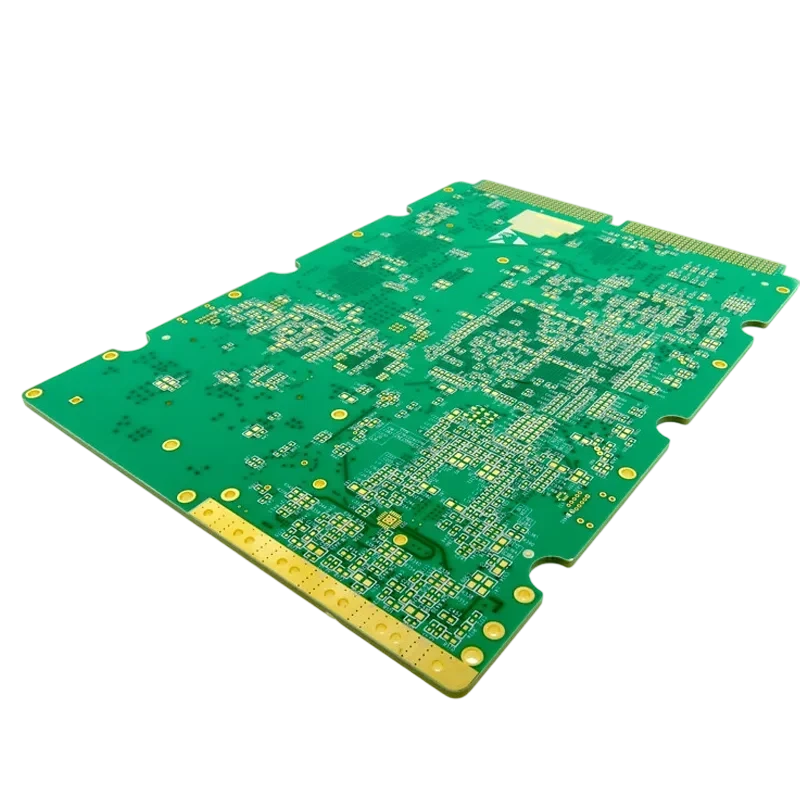
Designing a reliable Intercom PCB requires balancing audio clarity, video signal integrity, and environmental durability. Whether for residential door entry, industrial paging, or elevator communication, the printed circuit board serves as the backbone for signal processing and power management. This guide covers the specific engineering constraints, manufacturing rules, and troubleshooting steps needed to produce high-performance intercom systems at APTPCB (APTPCB PCB Factory).
Quick Answer (30 seconds)
For engineers needing immediate parameters for an Intercom PCB design:
- Audio Isolation: Always separate analog audio grounds from digital switching grounds to prevent 50Hz/60Hz hum and digital noise coupling. Join them at a single "star" point near the power supply.
- Video Impedance: If integrating video (e.g., for a 4K Camera PCB module), maintain 90Ω or 100Ω differential impedance on LVDS or MIPI lines to prevent signal reflection and ghosting.
- Environmental Protection: Outdoor intercoms require high-Tg FR4 materials (Tg > 150°C) and conformal coating (acrylic or silicone) to withstand humidity and temperature fluctuations.
- Power Handling: For PoE (Power over Ethernet) enabled intercoms, ensure power traces are wide enough (calculate for 1oz or 2oz copper) to handle 48V/13W without excessive voltage drop or heating.
- ESD Defense: Place TVS diodes and varistors as close as possible to connectors (touchscreens, buttons, cable entries) to protect sensitive ICs from static discharge.
When Intercom PCB applies (and when it doesn’t)
Understanding the specific use case ensures you select the right materials and stackup. Not all communication boards follow the same rules as an intercom system.
Applies to:
- Video Door Phones: Systems integrating audio, video, and door lock control, often requiring complex routing for camera modules.
- Industrial Paging Systems: High-voltage or high-power audio drivers used in factories where noise immunity is critical.
- Elevator Communication: Safety-critical boards requiring high reliability, battery backup circuits, and strict adherence to safety standards.
- Smart Home Entry Panels: Compact designs often utilizing 360 Degree Camera PCB technology for panoramic viewing and touch interfaces.
- Nurse Call Systems: Hospital communication units requiring antimicrobial coatings and extremely low latency.
Does not apply to:
- High-Speed Server Backplanes: While both handle signals, server boards focus on GHz data rates rather than analog audio fidelity and environmental ruggedness.
- Simple RF Remote Controls: These use basic 1-2 layer boards with minimal power requirements, unlike the mixed-signal complexity of a wired intercom.
- Consumer Toys: Low-cost voice recorders do not require the durability, ESD protection, or noise rejection standards of a professional intercom.
- Standard PC Motherboards: General computing boards are not optimized for the specific high-voltage drive circuits (for door strikes) found in intercoms.
Rules & specifications
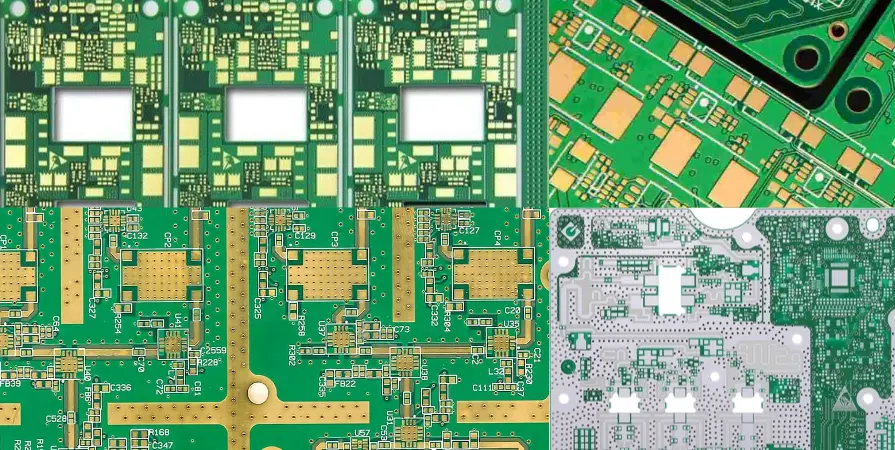
To ensure your design passes DFM (Design for Manufacturing) and performs reliably in the field, adhere to these specific parameters. These rules help mitigate common issues like crosstalk and corrosion.
| Rule | Recommended value/range | Why it matters | How to verify | If ignored |
|---|---|---|---|---|
| Analog/Digital Ground Split | > 0.5mm gap between planes | Prevents high-frequency digital noise from corrupting sensitive microphone signals. | Visual inspection of Gerber layers; check net connectivity at star point. | Audible buzzing, hissing, or data packet loss in VoIP systems. |
| Differential Impedance | 90Ω ±10% (USB) / 100Ω ±10% (LVDS) | Critical for video signal integrity, especially when using high-res sensors like a 4K Camera PCB. | Use an Impedance Calculator during stackup design. | Video artifacts, ghosting, or complete signal loss over long cables. |
| Trace Width (Power) | > 20 mil (0.5mm) for 1A | Prevents overheating and voltage drop, particularly for door lock solenoids or PoE inputs. | IPC-2152 calculator based on copper weight (e.g., 1oz). | Traces may fuse (burn open) or cause logic resets due to voltage sag. |
| Clearance (High Voltage) | > 2mm for mains/relay | Safety requirement to prevent arcing if the intercom controls AC door strikes directly. | DRC (Design Rule Check) in CAD software; check UL/IEC standards. | Board failure, fire hazard, or electric shock risk to users. |
| Via Protection | Tented or Plugged | Prevents moisture ingress and solder wicking in outdoor environments. | Check solder mask expansion in Gerber files. | Corrosion in vias leading to open circuits; short circuits under BGA components. |
| ESD Component Placement | < 5mm from connector | Shunts static energy to ground before it enters the PCB circuitry. | Review placement layout; measure distance from TVS to connector pins. | Permanent damage to CPU or audio codec during installation or use. |
| Microphone Trace Guarding | Ground shield on both sides | Protects low-level analog signals from RF interference (e.g., Wi-Fi/GSM modules). | Visual check for "ground stitching" vias along the trace. | "Motorboating" noise or GSM buzz in the audio stream. |
| Material Tg (Glass Transition) | > 150°C (High Tg) | Ensures mechanical stability in outdoor units exposed to direct sunlight. | Specify material type (e.g., Isola or Shengyi High-Tg) in fab notes. | PCB delamination or warped boards causing solder joint fractures. |
| Surface Finish | ENIG (Electroless Nickel Immersion Gold) | Provides a flat surface for fine-pitch components (cameras, BGAs) and resists oxidation better than HASL. | Specify in quote request to APTPCB. | Poor solderability on small pads; oxidation during storage. |
| Copper Weight | 1oz (35µm) or 2oz (70µm) | Thicker copper handles the current for speakers and locks better than standard 0.5oz. | Check stackup definition in fabrication drawing. | Excessive heat generation; potential trace failure under load. |
| Audio Amplifier Thermal Vias | Matrix of 0.3mm vias | Dissipates heat from Class-D amplifier chips to the ground plane. | Inspect thermal pad layout in footprint. | Amplifier thermal shutdown; distorted audio at high volumes. |
| Conformal Coating | Acrylic or Silicone (25-75µm) | Essential for waterproofing outdoor units against rain and humidity. | Add a "Coating Layer" in Gerbers indicating keep-out areas (connectors). | Dendritic growth, short circuits, and rapid failure in humid climates. |
Implementation steps
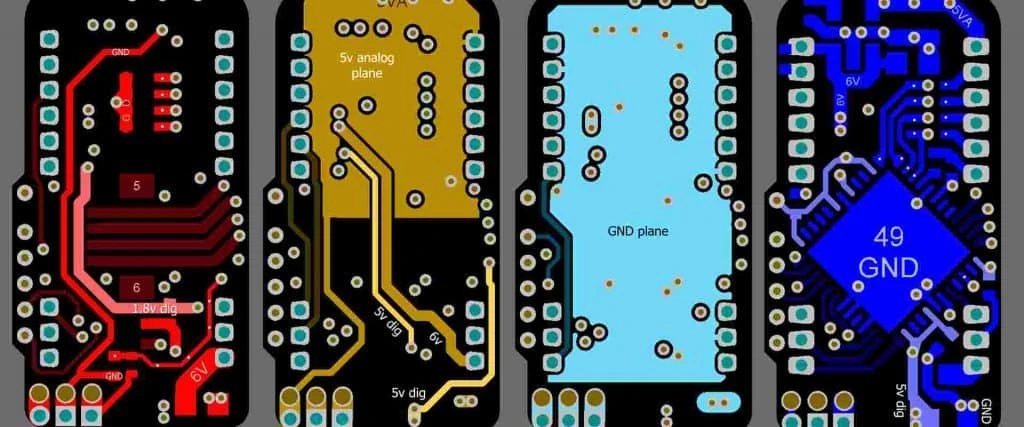
Moving from specifications to a physical board requires a structured workflow. Follow these steps to minimize revisions and ensure your Intercom PCB is ready for mass production.
System Architecture & Schematic Capture
- Action: Define the power budget (PoE vs. 12V DC) and select key components (Audio Codec, MCU, Camera Interface).
- Key Parameter: Identify separate power rails for "noisy" components (relays, LEDs) and "quiet" components (pre-amps).
- Acceptance Check: Schematic passes ERC (Electrical Rule Check) with no unconnected nets on critical signal lines.
Stackup Definition & Material Selection
- Action: Choose a 4-layer or 6-layer stackup to allow for dedicated ground planes. Select FR4 materials suitable for the operating environment.
- Key Parameter: Layer 2 should be a solid Ground Plane to provide shielding for Layer 1 signals.
- Acceptance Check: Impedance calculation confirms trace widths for video/USB lines match the stackup dielectric thickness.
Component Placement (Floorplanning)
- Action: Place connectors at board edges. Group analog audio components far from DC-DC converters and Wi-Fi antennas.
- Key Parameter: Keep the microphone pre-amp trace length under 10mm if possible.
- Acceptance Check: Ratlines show a logical flow without crossing sensitive analog areas with high-speed digital lines.
Critical Routing (Audio & Video)
- Action: Route differential pairs for the camera (e.g., for a 360 Degree Camera PCB sensor) first. Then route analog audio with guard traces.
- Key Parameter: Match lengths on video differential pairs to within 0.1mm (5 mil).
- Acceptance Check: No vias on high-speed differential pairs; solid ground reference plane underneath all critical traces.
Power & Ground Plane Pouring
- Action: Create split planes if necessary (Analog Ground vs. Digital Ground) and connect them at a single point. Pour power planes for 3.3V, 5V, and 12V.
- Key Parameter: Ensure "thermal relief" pads are used for soldering, but "direct connect" for vias carrying high current.
- Acceptance Check: Verify no isolated copper islands (dead copper) that could act as antennas.
Design Rule Check (DRC) & DFM
- Action: Run the CAD software's DRC using the manufacturer's constraints (min trace/space, min hole size).
- Key Parameter: Minimum clearance usually 5 mil or 6 mil for standard cost; 0.2mm drill size minimum.
- Acceptance Check: Zero DRC errors. Review DFM Guidelines to ensure manufacturability.
Gerber Generation & File Review
- Action: Export Gerber X2 or RS-274X files, drill files, and pick-and-place data.
- Key Parameter: Include a fabrication drawing specifying color, finish, and stackup.
- Acceptance Check: Load files into a viewer to visually confirm layer alignment and drill hit accuracy.
Prototype Fabrication & Validation
- Action: Send files to APTPCB for quick-turn prototyping.
- Key Parameter: Request electrical testing (Flying Probe) to catch open/shorts before assembly.
- Acceptance Check: Physical board passes "smoke test" and basic functional validation (audio loopback, video stream).
Failure modes & troubleshooting
Even with robust design, issues can arise during testing or field deployment. Use this guide to diagnose common Intercom PCB failures.
1. Persistent Audio Hum (50Hz/60Hz)
- Symptom: A low-frequency buzz is heard in the speaker or receiver.
- Causes: Ground loop created by multiple ground connections; AC ripple on the power supply line.
- Checks: Measure ripple on the 12V rail. Check continuity between analog and digital ground at multiple points (should only be one).
- Fix: Cut the ground loop trace and use a ferrite bead to bridge grounds. Add bulk capacitance to the power rail.
- Prevention: Use a strict star-ground topology in the layout phase.
2. Video Signal Ghosting or Jitter
- Symptom: The image from the 4K Camera PCB module is unstable, blurry, or has double images.
- Causes: Impedance mismatch causing signal reflections; termination resistors missing or incorrectly placed.
- Checks: Verify trace width against the stackup report. Check if the termination resistor is close to the receiver pin.
- Fix: Adjust trace impedance in the next revision. For current boards, try adjusting drive strength in firmware.
- Prevention: rigorous impedance calculation and controlled dielectric materials.
3. Microphone Feedback (Squealing)
- Symptom: High-pitched screeching when the volume is turned up.
- Causes: Acoustic coupling (sound from speaker entering mic) or electrical coupling (speaker trace too close to mic trace).
- Checks: Inspect the mechanical enclosure sealing. Check PCB layout for parallel routing of speaker and mic lines.
- Fix: Use rubber gaskets to mechanically isolate the mic. Separate traces on the PCB.
- Prevention: Place mic and speaker on opposite sides of the PCB or far apart; use differential routing for the mic signal.
4. Corrosion on Connector Pins
- Symptom: Intermittent connection or device failure after months of outdoor use.
- Causes: Moisture ingress; lack of conformal coating; wrong surface finish (HASL instead of ENIG).
- Checks: Visual inspection for green/white residue.
- Fix: Clean with isopropyl alcohol and apply conformal coating manually.
- Prevention: Specify ENIG finish and automated conformal coating for production runs.
5. Overheating Voltage Regulators
- Symptom: The device shuts down or smells of burning plastic; PCB discoloration.
- Causes: Linear regulator dropping too much voltage (e.g., 12V to 3.3V) without adequate heat sinking.
- Checks: Measure temperature of the LDO/Buck converter. Calculate power dissipation (P = (Vin - Vout) × I).
- Fix: Add a heatsink if space permits.
- Prevention: Use switching regulators (Buck converters) for high voltage drops; increase copper area around thermal pads.
6. ESD Reset / Latch-up
- Symptom: The intercom resets when a user touches the button or metal case.
- Causes: Static discharge finding a path to the Reset pin or CPU core.
- Checks: Use an ESD gun to test contact points. Look for TVS diodes on the schematic.
- Fix: Add external TVS diodes to the button lines.
- Prevention: Place protection devices immediately at the connector entry point; use a spark gap on the PCB layer.
Design decisions
Successful intercom development often involves trade-offs between cost, size, and performance.
Single Board vs. Modular Design For simple audio-only intercoms, a single PCB is cost-effective. However, for high-end video units, separating the Camera PCB (sensor module) from the main carrier board is often better. This allows you to upgrade the camera sensor (e.g., moving from 1080p to a 4K Camera PCB) without redesigning the entire mainboard. It also allows for flexible mechanical placement of the lens.
PoE vs. External Power Power over Ethernet (PoE) simplifies installation by using a single cable for data and power. However, it adds complexity to the PCB design (requires a transformer, controller, and isolation). If the target market is retrofitting old buildings with existing 2-wire cabling, a non-PoE design using VDSL or proprietary 2-wire protocols might be necessary.
Rigid vs. Rigid-Flex In compact "smart doorbell" designs, space is tight. A rigid-flex PCB can eliminate bulky connectors and cables, improving reliability and reducing assembly time. While the initial PCB cost is higher, the reduction in assembly labor and increased reliability often justifies the expense for premium products.
FAQ
Q: What is the best PCB material for outdoor intercoms? A: High-Tg FR4 (Tg > 150°C) is recommended to withstand temperature cycling. For extreme environments, consider materials with lower moisture absorption.
- Standard FR4 is okay for indoor units.
- High-Tg prevents barrel cracking in vias during thermal expansion.
- Halogen-free materials may be required for certain safety standards.
Q: How do I integrate a 360-degree camera into my intercom PCB? A: Usually, the 360 Degree Camera PCB is a separate module connected via a high-speed interface (MIPI CSI or USB).
- Ensure the connector supports the required data rate.
- Pay attention to the flex cable routing to avoid mechanical stress.
- Provide a clean power supply to the camera module to avoid image noise.
Q: Can APTPCB manufacture PCBs with blind and buried vias for compact intercoms? A: Yes, we support HDI (High Density Interconnect) technology.
- Useful for miniaturizing smart doorbells.
- Allows for tighter BGA fanouts.
- Increases cost but reduces board size significantly.
Q: How much copper thickness do I need for the door lock control circuit? A: It depends on the current draw of the lock (solenoid).
- Standard 1oz copper is usually sufficient for < 1A.
- For magnetic locks drawing 2A+, use 2oz copper or widen the traces.
- Always use a flyback diode to protect the PCB from inductive spikes.
Q: What is the typical lead time for an Intercom PCB prototype? A: Standard prototypes can be produced in 24-72 hours depending on complexity.
- 2-layer boards: 24 hours.
- 4-6 layer boards: 48-72 hours.
- Assembly services add additional time for component sourcing.
Q: How do I prevent "hum" in the audio path? A: Grounding is the most critical factor.
- Use differential signaling for audio where possible.
- Keep the power supply section far from the audio input.
- Use a solid ground plane; do not route traces that "cut" the plane.
Q: Do I need impedance control for audio lines? A: Not strictly for analog audio frequencies, but shielding is vital.
- Impedance control is critical for digital audio (I2S) and video lines.
- Analog lines care more about resistance and capacitance (filtering).
Q: What testing does APTPCB perform on Intercom PCBs? A: We perform a suite of electrical and physical tests.
- E-Test (Open/Short).
- AOI (Automated Optical Inspection).
- Impedance testing (TDR) for video lines.
- Solderability testing.
Q: Can I use a metal core PCB (MCPCB) for an intercom? A: Generally, no, unless it is for a specific LED lighting panel on the intercom.
- Intercoms need multi-layer routing for logic and audio, which MCPCBs don't support well.
- Use standard FR4 with thermal vias instead.
Q: How does a 4K Camera PCB affect the mainboard design? A: It requires higher bandwidth and cleaner power.
- You must route high-speed MIPI/LVDS pairs carefully.
- The processor must be capable of encoding 4K video.
- Thermal management becomes more critical due to higher processing load.
Related pages & tools
- PCB Manufacturing Services: Explore our capabilities for multi-layer and HDI boards suitable for complex intercom systems.
- PCB Viewer: Verify your Gerber files online before submitting your order to catch layout errors early.
Glossary (key terms)
| Term | Definition | Relevance to Intercom PCB |
|---|---|---|
| Crosstalk | Unwanted signal transfer between communication channels. | Causes audio bleed-through or video interference; mitigated by spacing and shielding. |
| Differential Pair | Two complementary signals used to transmit data. | Used for USB, Ethernet, and Camera signals to reject noise. |
| EMI (Electromagnetic Interference) | Disturbance generated by external source affecting an electrical circuit. | Intercoms must be shielded against EMI from nearby power lines or radios. |
| Ground Loop | A current path created when two points in a circuit are at different ground potentials. | The primary cause of "hum" in audio systems; fixed by star grounding. |
| HDI (High Density Interconnect) | PCB technology using microvias and fine lines. | Enables compact designs for smart doorbells and wearable communicators. |
| Impedance Control | Maintaining a specific resistance to AC signals along a trace. | Critical for preventing signal reflection in video and high-speed data lines. |
| PoE (Power over Ethernet) | Technology passing electric power along with data on twisted pair Ethernet cabling. | Allows intercoms to be powered by the network switch, eliminating local power supplies. |
| SIP (Session Initiation Protocol) | A signaling protocol used for initiating real-time sessions. | The standard protocol for modern IP-based video intercoms. |
| Star Ground | A layout technique where all ground paths meet at a single point. | Prevents digital noise from affecting analog audio circuits. |
| TVS Diode (Transient Voltage Suppressor) | A component used to protect electronics from voltage spikes. | Essential for ESD protection on user-accessible buttons and ports. |
| Via Stitching | Connecting ground planes on different layers with multiple vias. | Improves shielding and reduces return path impedance for signals. |
| VoIP (Voice over IP) | Transmission of voice and multimedia content over Internet Protocol networks. | The underlying technology for digital network intercoms. |
Conclusion
Designing a successful Intercom PCB goes beyond simple connectivity; it requires a holistic approach to signal integrity, power management, and environmental resilience. By strictly adhering to impedance rules for video modules (like 4K Camera PCB units), implementing robust ground strategies for audio clarity, and selecting the right materials for outdoor durability, you can eliminate common field failures.
At APTPCB, we specialize in manufacturing high-reliability boards that meet these rigorous standards. Whether you are prototyping a new smart doorbell or scaling production for an industrial paging system, our engineering team is ready to assist with DFM checks and precision fabrication.
Ready to build your intercom system? Submit your Gerber files for a quote today.