
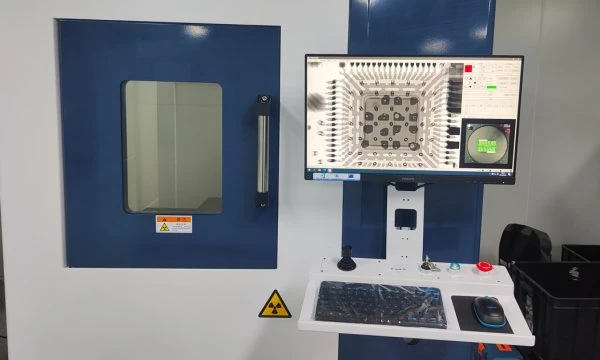
- A smart lock PCB gets exposed at the boundaries first: actuation power, low-voltage logic, touch inputs, cable entries, and the antenna region all compete inside a tight enclosure.
- The first EMC problem is usually coupling, not the radio by itself.
- Pre-compliance should be treated as release discipline, not as a promise about the first lab run.
- A pre-approved module may simplify certification scope, but it does not remove antenna, enclosure, labeling, or host-integration review.
- The common failure is an ownership gap between board, wiring, motor path, and enclosure metal.
Quick Answer
Review a smart lock PCB before EMC by mapping where noise, ESD, and antenna sensitivity enter the enclosure. If the actuation path, return continuity, metal around the antenna, and ownership of host integration are still vague, pre-compliance usually fails for predictable reasons.
For the broader release-readiness workflow that ties manufacturability, test planning, board-level pre-compliance review, and evidence layering together, see the PCB Design for Manufacturing Guide.
Public Parameter Anchors
| Source / method | Example parameters | Scenario | Boundary |
|---|---|---|---|
| FCC Part 15 board-review context | Part 15, Subpart B, modular-transmitter route under 15.212 |
US wireless host-product preparation | standards and process identity, not pass proof |
| FCC / pre-compliance staging | conducted review, radiated review, host-product authorization path |
pre-compliance planning before formal lab work | stage vocabulary only; not a limit table for every product |
| TI return-path guidance | continuous reference, avoid splits, keep return current close to the signal path | mixed-signal and noisy-actuator layout review | routing method guidance, not FCC proof |
| Silicon Labs antenna note | 2.4 GHz PCB antenna integration and nearby-metal sensitivity |
module or PCB antenna region review in compact smart-lock enclosures | module-specific antenna guidance must still be followed |
| APT testing / validation pages | staged board debug, inspection, and handoff evidence | release package before lab scheduling | manufacturing evidence is separate from authorization outcome |
If the article publishes a parameter, keep it attached to the test stage, the regulatory route, and the integration boundary that produced it.
Table of Contents
- What should engineers review first?
- Why is this an EMC and FCC preparation problem rather than a certification claim?
- Which board-level issues usually create the first failure risk?
- How should pre-compliance and release validation be staged?
- What should be frozen before release?
- Next steps with APTPCB
- FAQ
- Public references
- Author and review information
What should engineers review first?
Start with actuation path, control region, antenna region, external entry points, and enclosure interaction.
That order matters because smart-lock articles are often written as if EMC, FCC, wireless range, and access control compliance were all one subject. They are not. At board level, the most useful review is narrower: where does switching noise originate, where does it return, where can ESD enter, and what parts of the enclosure or hardware stack can destabilize the radio path?
The first review questions should be:
- Does the board clearly separate the actuator or relay path from the logic and RF regions?
- Is the return path continuous under the routes that matter, or are plane breaks and local detours quietly creating larger loop areas?
- Which user-touch, cable, battery, charging, or reader interfaces can inject ESD or conducted noise into the board?
- Is the antenna region still being treated as protected RF real estate, or has it become leftover layout space near metal hardware?
- Does the release package explain what belongs to board debug, pre-compliance review, and later formal lab work?
| Review axis | What to ask | Why it matters | What usually goes wrong |
|---|---|---|---|
| Actuation path | Where do motor, relay, strike, or driver currents flow? | The noisiest path usually shapes the board's EMC posture first | A lock or latch path is routed too close to logic or RF areas |
| Return path | Does the signal still have a clean reference path through transitions? | Plane discontinuities enlarge loop area and make noise harder to predict | The signal route looks tidy, but the return path is broken underneath |
| External entry points | Which lines are exposed to touch, cable insertion, or off-board wiring? | ESD and fast transients often arrive from the edge, not the center of the board | Protection is added late, after connectors and openings are fixed |
| Antenna and enclosure | Is nearby metal, battery, or bracket placement changing the RF region? | Antenna behavior depends on its physical environment, not just its schematic symbol | The antenna is placed correctly in 2D but trapped by metal in assembly |
| Validation ownership | What does the board review actually prove before lab testing? | Pre-compliance discipline is different from final authorization outcome | Teams use one generic tested label for every stage |
Four Zones That Usually Decide a Smart-Lock EMC Review
The board becomes easier to release when noise source, return path, external-entry protection, and antenna region are reviewed as separate ownership zones.
Motor, strike, relay, or switching-driver energy should be contained before it reaches control and RF areas.
A visually short route can still be noisy if its reference path is split or forced into a detour.
Touch surfaces, charging ports, battery contacts, and reader cables should be reviewed as entry paths, not just connectors.
The RF area should follow module or antenna guidance and stay protected from nearby metal and enclosure drift.
Why is this an EMC and FCC preparation problem rather than a certification claim?
Conclusion: Because the board team can prepare the design and the release package, but it cannot honestly collapse that work into a blanket authorization outcome.
This boundary is where many low-quality compliance blogs fail. They present FCC language as if it were simply a layout checklist, then promise pass results that depend on the full host device, enclosure, wiring, antenna implementation, and lab configuration.
The safer engineering posture is:
- treat
FCCas the regulatory path the finished product may enter - treat
EMC reviewas the board-level discipline that reduces avoidable failure modes - treat
smart lockoraccess-control boardas the application context - keep
UL 294and related standards as system-context vocabulary rather than turning them into PCB-level proof
If the design uses a modular radio, the path may be narrower than a fully discrete transmitter design. But the module does not make the host product invisible. The integration still needs to respect the approved antenna path, final physical configuration, and labeling or instruction requirements attached to the module route. That is why smart-lock EMC writing should focus on host-board review and integration clarity rather than certification slogans.
Which board-level issues usually create the first failure risk?
Conclusion: The first failure risk usually sits at the intersection of actuation noise, return-path breaks, edge-entry protection, and antenna or enclosure drift.
| Risk area | What should be reviewed | Why it matters | Typical release failure |
|---|---|---|---|
| Actuator or relay region | Driver placement, current loop containment, and separation from control logic | The noise source can dominate emissions and reset behavior | A compact lock board places the switching path beside the wireless or MCU region |
| Return-path continuity | Reference-plane continuity and layer-transition discipline | Higher-frequency current follows the lowest-impedance return path | A neat signal route crosses a split or disrupted reference area |
| Edge-entry interfaces | Keypad, reader cable, battery, charging, and service connector entry paths | These locations often inject ESD or conducted transients first | Protection is added late, after the mechanical openings are frozen |
| Antenna region | Antenna keep-out discipline and nearby metal or battery interaction | RF behavior changes when the physical environment changes | The board layout is reviewed in isolation from the assembled lock body |
| Release evidence | Revision identity, pre-compliance scope, and unresolved integration notes | Teams need to know what is already proven and what remains open | A board is sent to test with no clean handoff between layout review and system setup |
A typical engineering hold looks harmless at first. The board package is complete, the radio module is already chosen, and the enclosure model seems nearly finished. But the release still leaves one unresolved question: does the antenna sit beside a plastic window, a battery cavity, or a metal bracket after final assembly? That single ambiguity can overturn the layout assumptions that looked acceptable on the bench.
Another common failure chain starts in the actuation path. The layout review focuses on the microcontroller and wireless section because they are easy to discuss, while the motor or strike path is treated as ordinary power routing. Later, the board shows unstable behavior during lock or unlock events, and the root cause turns out to be local return-current disturbance and coupling near the control region rather than a mysterious firmware problem.
The same pattern appears with touch interfaces and cable entry points. ESD exposure is not only a component-selection topic. It is also a path-design topic. If the board edge, connector choice, grounding path, and enclosure opening are decided separately, the protection strategy often arrives too late to be structurally clean.
How should pre-compliance and release validation be staged?
Conclusion: Validation should move in layers: board review first, pre-compliance debug second, then formal product-level testing.
The board team should keep those layers separate:
- Release review for partitioning, return-path continuity, entry-point protection posture, antenna-region discipline, and unresolved enclosure interactions.
- Build and bench debug for confirming that the assembled board behaves as expected under switching, charging, communication, and actuation conditions.
- Pre-compliance checks for identifying obvious board and integration issues before a formal lab cycle.
- Formal product testing and authorization path for the complete host device, where enclosure, wiring, module integration, and final configuration are evaluated together.
That separation also makes the handoff package more useful. Instead of a vague ready for FCC statement, the release should carry revision identity, interface notes, unresolved enclosure dependencies, antenna assumptions, and the validation scope already completed. A compact smart-lock board often fails not because no one worked hard enough, but because the board and system teams were looking at different assumptions about the finished product.
What should be frozen before release?
Conclusion: Freeze the decisions that can destabilize the noise path, the RF region, or the product handoff before the board enters a serious test cycle.
Before release, freeze:
- the boundary between noisy actuation hardware and the logic or RF region
- the intended reference-plane and layer-transition posture for the routes that matter
- the external-entry map for keypad, battery, charging, reader, and service interfaces
- the antenna placement assumption, including the nearby enclosure and metal context
- the validation ladder, including what the board review proves and what still belongs to later lab work
If those items are still drifting, the design may still be a valid prototype, but it is not yet a clean EMC or FCC-preparation release package.
Next steps with APTPCB
If your smart-lock project is being slowed by actuator-noise coupling, return-path uncertainty, antenna placement inside a crowded enclosure, or unclear pre-compliance ownership, send the Gerbers, stackup intent, enclosure notes, RF-module details, and validation questions to [email protected] or upload them through the quote page. APTPCB's engineering team can return DFM feedback within 24 hours and help identify whether the real risk sits in the switching path, board-edge entry protection, antenna region, or host-device integration assumptions.
If you are still shaping the release package, use antenna PCB for antenna-region context, security equipment PCB for application framing, and PCB testing and quality when the board needs a clearer validation handoff before lab scheduling.
FAQ
Does using a wireless module mean the smart-lock PCB no longer needs FCC-related review?
No. A module can narrow the radio portion of the path, but the host board still needs careful review for antenna use, physical integration, and the assumptions carried into final product testing.
Is this article proving a smart-lock PCB is FCC compliant?
No. This article is about preparing the board and release package before EMC and FCC testing. Formal authorization depends on the finished product path and the applicable test program.
Should EMC review focus only on the wireless section?
No. On a smart-lock board, the first issue often comes from the actuator or switching path, its return path, and how that energy couples into the logic or RF region.
Are keypad, battery, and charging interfaces really EMC issues?
Yes. They are common external-entry paths for ESD and conducted disturbance, so they need to be reviewed as part of the board boundary rather than as late accessory details.
What is the most common release mistake on this topic?
The board layout and the final assembled product are reviewed as if they were the same thing. The missing link is usually enclosure, antenna, or edge-interface ownership rather than one dramatic schematic error.
Public references
FCC equipment authorization page
Supports cautious wording that the finished wireless product enters an FCC authorization path, without turning that regulator entry page into pass-status proof.47 CFR § 15.212 Modular transmitters
Supports the article's guarded language that a modular radio route still carries host-device responsibilities around integration, labeling context, and final configuration.TI high-speed layout guidelines
Supports the article's return-path language about continuous reference structures, avoiding plane discontinuities, and maintaining continuity through routing transitions.Silicon Labs AN1088 designing with a PCB antenna
Supports the article's careful antenna-region language that nearby copper, metal, and physical placement decisions can affect the RF section and should follow module or antenna guidance.APTPCB antenna PCB page
Supports the article's board-manufacturing context for antenna-region planning, RF layout attention, and related fabrication support.APTPCB security equipment PCB page
Supports the application framing that smart-lock and access-control boards sit inside a wider civilian security-equipment hardware family.APTPCB testing and quality page
Supports staged validation and release-handoff wording for board debug, inspection, and test preparation.
Author and review information
- Author: APTPCB security-hardware and board-process content team
- Technical review: mixed-signal layout, RF-integration, and validation-planning engineering team
- Last updated: 2026-04-20