
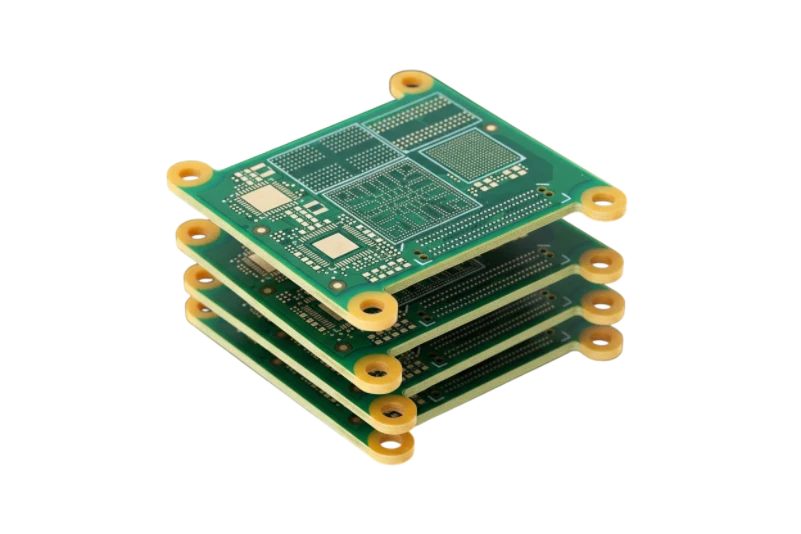
A Noise Generator PCB is a specialized circuit board designed to create controlled random signals. Unlike conventional PCB designs where engineers minimize unwanted electrical noise, these boards intentionally generate noise with predictable statistical characteristics.
The correct design depends on the intended application. An Audio Generator PCB for room calibration has very different requirements from an RF noise source used for receiver testing, a BER Generator PCB used for communications validation, or an analog entropy source used for random number generation.
A successful Noise Generator PCB project requires decisions about:
- Noise generation architecture
- Frequency range and bandwidth
- Power spectral density (PSD)
- Signal flatness
- PCB material and stackup
- Shielding and grounding
- Production testing requirements
This guide provides the engineering criteria needed to select, manufacture, and validate a Noise Generator PCB.
What is a Noise Generator PCB used for?
A Noise Generator PCB produces a signal where instantaneous voltage changes appear random, while measurable properties such as average power, spectral density, and distribution remain controlled.
Typical applications include:
- Audio system calibration using white or pink noise
- RF receiver sensitivity testing
- Communication error testing
- ADC dithering
- Clock jitter simulation
- Cryptographic entropy generation
- Laboratory instrumentation
A noise source is not simply an unstable amplifier. The design goal is controlled randomness. External interference, power supply ripple, poor grounding, and component variation can introduce unwanted deterministic signals that reduce performance.
How do analog and digital Noise Generator PCBs compare?
The first design decision is choosing between physical noise generation and algorithmic noise generation.
| Architecture | Noise source | Best applications | Main design concern |
|---|---|---|---|
| Analog Generator PCB | Avalanche noise, shot noise, thermal noise | TRNG, instrumentation, analog testing | Temperature drift, bias stability, shielding |
| Digital/DDS Generator PCB | LFSR, PRBS, FPGA, DDS algorithms | BER testing, repeatable simulation | Periodicity, clock integrity, digital interference |
| Audio Generator PCB | Analog source plus filtering or DAC output | Acoustic testing, EQ calibration | Frequency response and filtering |
| RF Noise Generator PCB | Broadband semiconductor noise source | Receiver testing, RF measurement | Controlled impedance and material selection |
Analog generators provide true physical randomness. Common methods include reverse-biased semiconductor junctions producing avalanche noise or resistor thermal noise.
Digital systems generate pseudo-random sequences. They are deterministic but can provide extremely long repeat periods and excellent repeatability for debugging and verification.
How do you choose a Noise Generator PCB for your application?
The correct PCB design depends on the measurement objective.
| Application | Required output | PCB priorities | Typical material choice |
|---|---|---|---|
| Audio calibration | White or pink noise from approximately 20Hz–20kHz | Low distortion, stable filtering, clean analog layout | FR4 |
| RF receiver testing | Broadband noise from MHz to GHz ranges | Controlled impedance, shielding, low loss | High-frequency laminate |
| TRNG hardware | Unpredictable physical entropy | Isolation, leakage control, thermal stability | FR4 or specialized stackup depending on frequency |
| BER testing | Repeatable pseudo-random sequence | Clock integrity, FPGA/high-speed routing | FR4 with controlled impedance |
| ADC dithering | Low-level Gaussian noise | Low coupling, precision analog layout | FR4 |
| Clock jitter simulation | Noise injection onto timing signals | Mixed-signal isolation | Controlled stackup |
For RF applications, PCB material selection becomes critical. Standard FR4 is practical for lower-frequency designs, while high-frequency applications may require specialized laminates. See our High Frequency PCB capabilities for RF-oriented designs.
Which Noise Generator PCB specifications matter most?
A production specification should define measurable performance targets rather than simply stating “generate noise.”
| Metric | Why it matters | Typical range or factor | Measurement method |
|---|---|---|---|
| Power Spectral Density (PSD) | Defines noise power per bandwidth | -174 dBm/Hz thermal floor to approximately -80 dBm/Hz for active sources | Spectrum analyzer normalized to 1Hz |
| Bandwidth Flatness | Determines spectral uniformity | ±0.5dB to ±3dB depending on application | Spectrum analyzer peak hold |
| Crest Factor | Defines peak-to-RMS relationship | Approximately 3:1 to 5:1 for many noise applications | Oscilloscope statistics |
| Periodicity | Important for digital generators | Long LFSR cycles such as 231-1 or greater | Logic analyzer or capture system |
| Temperature Coefficient | Shows environmental drift | Measured in ppm/°C or dB/°C | Thermal testing |
| Gaussian Distribution | Determines statistical behavior | Verified against expected distribution | Histogram analysis |
A supplier should receive these parameters before PCB manufacturing begins.
What PCB design features improve Noise Generator PCB performance?
Noise generator boards require careful control of unintended signals.
Component selection and BOM control
Analog noise sources depend heavily on the characteristics of the selected components. A substitute semiconductor may operate electrically but produce different noise characteristics.
Specify critical components as non-substitutable when the noise source depends on device behavior.
Power supply filtering
Noise generation circuits require clean power rails. Switching regulator ripple, 50Hz/60Hz interference, and digital power activity can appear as unwanted spectral peaks.
Separate regulation stages are often used for:
- Noise source bias circuits
- Amplification stages
- Digital processing sections
Power supply rejection ratio (PSRR) should be evaluated during design review.
Grounding and stackup design
A 4-layer PCB with a continuous ground plane is commonly preferred for sensitive noise circuits.
The layout should provide:
- Short return paths
- Separation between digital clocks and analog noise sources
- Low-impedance grounding
- Controlled current flow
For impedance-sensitive designs, review the PCB Stack-up requirements before fabrication.
Shielding and isolation
Noise generators can both receive and emit interference.
Common design elements include:
- Via stitching around sensitive sections
- Shield-can footprints
- Physical separation between analog and digital blocks
- Dedicated output connectors
Test access
Include appropriate measurement points such as SMA or SMB connectors for high-frequency outputs.
Standard oscilloscope probes can add capacitance and change measured noise characteristics, especially at higher frequencies.
What are the common Noise Generator PCB failure modes?
| Failure mode | Cause | Design response |
|---|---|---|
| Spectral spikes appear in output | Power ripple or digital coupling | Separate power domains and improve filtering |
| Noise amplitude changes with temperature | Semiconductor drift | Add thermal compensation or characterize temperature behavior |
| Noise source becomes unstable | Incorrect biasing or poor grounding | Review bias network and return paths |
| RF flatness is poor | Impedance mismatch or lossy substrate | Use controlled impedance and suitable laminate |
| TRNG entropy quality decreases | External coupling or leakage paths | Improve shielding and cleanliness |
| Production units vary significantly | Component substitution or weak testing | Define critical BOM items and golden-sample comparison |
How should a Noise Generator PCB be tested before production?
Validation should match the intended application.
A production acceptance plan may include:
Output level verification
- Example: 1V RMS ±10%
Spectral verification
- Confirm bandwidth flatness
- Identify unwanted tones
- Verify noise density
Current consumption testing
- Confirm correct bias operation
Environmental testing
- Evaluate temperature-related drift
Digital validation
- Verify PRBS/LFSR operation for BER Generator PCB designs
For assembly quality requirements, review PCBA Testing and Quality.
What information should you provide when ordering a Noise Generator PCB?
A complete supplier package should include:
| Requirement | Details |
|---|---|
| Gerber files | PCB layers, drill files, board outline |
| Stackup specification | Layer count, dielectric thickness, impedance requirements |
| BOM | Highlight critical noise-source components |
| Test specification | PSD, output level, bandwidth, acceptance limits |
| Material requirements | FR4, Rogers, or other high-frequency laminate requirements |
| Assembly notes | Shielding, cleaning, and component handling requirements |
For RF designs, provide exact material requirements including thickness and grade when needed.
How much does a Noise Generator PCB cost?
The main cost drivers are:
- PCB material selection
- Layer count
- Controlled impedance requirements
- Component availability
- Assembly complexity
- Validation equipment and testing labor
A low-frequency audio noise board can often use standard FR4. GHz-range RF designs may require higher-cost laminates and additional manufacturing controls.
Prototype fabrication may follow standard PCB schedules, but specialized components and testing requirements can increase total project time.
Noise Generator PCB glossary
| Term | Definition |
|---|---|
| Avalanche Breakdown | Semiconductor breakdown process that can generate shot noise. |
| White Noise | Noise with approximately equal power density across frequency. |
| Pink Noise | Noise with power decreasing approximately 3dB per octave. |
| PSD | Power spectral density describing noise power per bandwidth. |
| Crest Factor | Ratio between peak signal level and RMS value. |
| LFSR | Linear Feedback Shift Register used for pseudo-random generation. |
| DDS | Direct Digital Synthesis for digitally generated signals. |
| Entropy | Measure of unpredictability in a random source. |
| EMI | Electromagnetic interference affecting circuit behavior. |
| Gaussian Distribution | Statistical distribution often used to describe analog noise amplitude behavior. |
| PRBS | Pseudo-Random Bit Sequence used for repeatable testing. |
| Thermal Noise | Noise caused by thermal movement of charge carriers. |
Conclusion: selecting the right Noise Generator PCB partner
A Noise Generator PCB is a precision measurement component disguised as a circuit board. The design must intentionally create randomness while preventing unwanted interference from corrupting the output.
Whether the project requires an Analog Generator PCB for entropy generation, a DDS Generator PCB for repeatable simulation, or a BER Generator PCB for communications testing, success depends on defining measurable requirements early.
Provide your manufacturer with:
- Gerber files and fabrication requirements.
- Stackup and impedance requirements.
- Critical BOM information.
- Noise performance and validation criteria.
APTPCB supports specialized PCB manufacturing requirements for sensitive analog, RF, and mixed-signal designs.