
Effective pcb design for manufacturing (DFM) is the engineering discipline of designing printed circuit boards that can be fabricated easily, cheaply, and reliably. It bridges the gap between digital CAD files and physical reality. Ignoring DFM often leads to yield loss, expensive revisions, and delayed product launches.
At APTPCB (APTPCB PCB Factory), we see thousands of designs annually. The most successful projects integrate manufacturing constraints early in the layout phase rather than treating them as an afterthought. This guide provides the technical specifications, rule sets, and troubleshooting steps necessary to optimize your PCB layout for production.
pcb design for manufacturing quick answer (30 seconds)
If you need to validate a design immediately, ensure these primary constraints are met before sending files to fabrication.
- Trace and Space: Maintain a minimum of 5 mil (0.127mm) for standard cost; going below 4 mil increases difficulty and price significantly.
- Drill Aspect Ratio: Keep the ratio of board thickness to drill diameter under 8:1 for standard mechanical drilling (e.g., a 1.6mm board should have min 0.2mm vias).
- Annular Ring: Ensure the copper pad extends at least 5 mil (0.127mm) beyond the drill hole radius to prevent breakout during drilling.
- Copper to Edge: Keep all copper features at least 0.5mm (20 mil) away from the board edge to prevent burrs or peeling during routing/V-cut.
- Solder Mask Expansion: Set mask expansion to 2-3 mil larger than the pad to account for registration tolerance.
- File Format: Always export RS-274X (Gerber X2) or ODB++ to ensure all aperture definitions are embedded.
When pcb design for manufacturing applies (and when it doesn’t)
DFM is a universal requirement for physical hardware, but the strictness of the rules varies by context.
When strict DFM is critical:
- Mass Production: Even a 1% yield loss due to poor DFM costs thousands of dollars in volume runs.
- High-Reliability Sectors: Automotive, aerospace, and medical devices require robust margins (IPC Class 3) that only strict DFM can guarantee.
- Complex Stackups: Designs utilizing HDI (High Density Interconnect), blind/buried vias, or rigid-flex materials have narrow process windows.
- Cost Reduction: Optimizing panel utilization and minimizing drill counts directly lowers the unit price.
- Signal Integrity: Controlled impedance lines must account for manufacturing etch compensation, which is a core DFM activity.
When DFM rules can be relaxed (slightly):
- Proof-of-Concept Prototypes: If you only need one working board and cost is irrelevant, you can pay a premium for a fab house to manually fix minor issues.
- Pure Simulation: If the design is for thermal or signal simulation only and will never be built.
- DIY Etching: Home-made PCBs have entirely different, much coarser constraints than industrial processes.
pcb design for manufacturing rules and specifications (key parameters and limits)
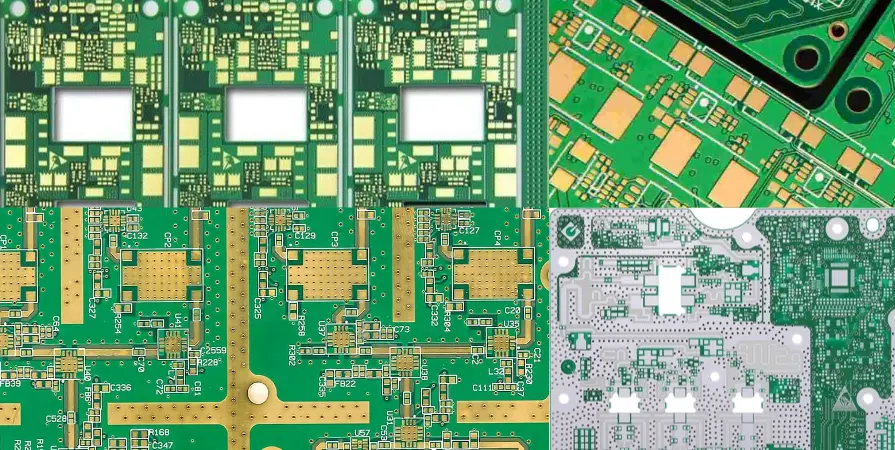
The following table outlines the critical parameters for pcb design for manufacturing. These values represent standard industrial capabilities. Pushing beyond these "Recommended Values" moves the board into "Advanced" or "HDI" categories, which increases cost.
This section specifically addresses annular ring rules and drill tolerance for pcb to ensure mechanical reliability.
| Rule / Parameter | Recommended Value (Standard) | Why it matters | How to verify | If ignored (Failure Mode) |
|---|---|---|---|---|
| Min Trace Width | 5 mil (0.127mm) | Prevents over-etching causing open circuits. | CAD DRC (Design Rule Check). | Broken traces (opens) or high resistance. |
| Min Clearance (Space) | 5 mil (0.127mm) | Prevents under-etching causing short circuits. | CAD DRC. | Unwanted shorts between nets. |
| Via Drill Diameter | Min 0.2mm (8 mil) | Smaller drills break easily and are harder to plate. | Drill Table / NC Drill File. | Plating voids or broken drill bits. |
| Annular Ring | +5 mil (0.127mm) over hole radius | Compensates for drill wander; ensures connection. | CAM Analysis. | "Breakout" (hole disconnects from pad). |
| Drill Tolerance (PTH) | ±3 mil (0.075mm) | Ensures pins fit into holes after plating. | Fab Drawing notes. | Components won't fit or are too loose. |
| Drill Tolerance (NPTH) | ±2 mil (0.05mm) | Mechanical mounting accuracy. | Fab Drawing notes. | Board won't fit in enclosure. |
| Solder Mask Dam | Min 4 mil (0.1mm) | Prevents solder bridging between pads. | Gerber Viewer. | Solder bridges (shorts) during assembly. |
| Copper to Board Edge | Min 20 mil (0.5mm) | Prevents copper from being torn during routing. | Keepout Zones in CAD. | Exposed copper, shorts to chassis. |
| Aspect Ratio | < 8:1 (Thickness:Drill) | Plating solution must flow through the hole. | Calculator (Thickness / Drill). | Incomplete plating (barrel voids). |
| Solder Mask Expansion | 2-3 mil (0.05-0.075mm) | Accounts for mask alignment errors. | CAD Output Settings. | Mask covers pad (unsolderable). |
| Silkscreen Height | Min 30 mil (0.75mm) | Legibility for operators and automated scanners. | Visual Inspection. | Unreadable text. |
| Silkscreen Line Width | Min 5 mil (0.127mm) | Prevents ink from blobbing or not printing. | CAD DRC. | Blurry or missing text. |
| BGA Pad Definition | NSMD (Non-Solder Mask Defined) | Better solder joint reliability for most BGAs. | Footprint Library. | Cracked solder joints under stress. |
pcb design for manufacturing implementation steps (process checkpoints)

Implementing dfm guidelines for pcb layout requires a systematic approach. Do not wait until the design is finished to check these rules.
Step 1: Define the Stackup and Materials
- Action: Contact your manufacturer (like APTPCB) to get a valid stackup before routing.
- Key Parameter: Dielectric thickness, copper weight (e.g., 1oz vs 2oz), and material type (FR4 TG150/170).
- Acceptance Check: Confirm impedance calculations match the manufacturer's material constants (Dk/Df).
Step 2: Configure CAD Design Rules (DRC)
- Action: Input the manufacturer's minimum capabilities into your CAD software constraints.
- Key Parameter: Set "Min Width," "Min Clearance," and "Min Via" to values slightly above the fab house's absolute minimums (e.g., set 5mil if they can do 4mil) to add a safety margin.
- Acceptance Check: Run a "batch DRC" on an empty board to ensure rules are active.
Step 3: Component Placement (Assembly DFM)
- Action: Place components to minimize shadowing and stress.
- Key Parameter: Keep components 2-3mm away from board edges and V-cut lines. Orient similar components (ICs, diodes) in the same direction.
- Acceptance Check: Verify no components are in "keepout" zones for panelization rails.
Step 4: Routing and Plane Management
- Action: Route signals and pour copper planes.
- Key Parameter: Balance copper distribution. Avoid large isolated copper areas on one side and none on the other to prevent warping. Use "thieving" or copper pours on empty layers.
- Acceptance Check: Visual check for "acid traps" (acute angles < 90 degrees) which can trap etchant.
Step 5: Silkscreen and Assembly Markings
- Action: Clean up reference designators.
- Key Parameter: Ensure no silkscreen overlaps solder pads.
- Acceptance Check: Run a specific "Silkscreen over Pad" check in your CAD tool.
Step 6: Final Output and Verification
- Action: Generate Gerber X2 or ODB++ files and IPC-356 netlist.
- Key Parameter: Include a fabrication drawing with notes on color, finish, and tolerances.
- Acceptance Check: Open the generated Gerbers in a third-party viewer (not your CAD tool) to verify layers are aligned and correct.
pcb design for manufacturing troubleshooting (failure modes and fixes)
Even with good intentions, defects happen. Here is how to troubleshoot common issues related to pcb design for manufacturing.
1. Symptom: Tombstoning (Passive component stands up on one end)
- Causes: Uneven heating during reflow; one pad connected to a large copper plane without thermal relief.
- Checks: Inspect the thermal relief connections on the ground pad vs. the signal pad.
- Fix: Apply thermal spokes (reliefs) to pads connected to large planes.
- Prevention: Enforce thermal relief rules in CAD for all SMT pads.
2. Symptom: Board Warping or Twisting
- Causes: Asymmetrical layer stackup or uneven copper distribution (e.g., heavy copper on top, no copper on bottom).
- Checks: Review the stackup for symmetry around the center core. Check copper density percentage per layer.
- Fix: Add copper thieving (grid pattern) to low-density areas.
- Prevention: Use a balanced stackup (e.g., signal-plane-plane-signal) and balance copper pours.
3. Symptom: Plating Voids in Vias
- Causes: Aspect ratio too high (hole too deep for its diameter); drilling debris left in hole.
- Checks: Calculate Thickness / Drill Diameter. Is it > 8:1 or 10:1?
- Fix: Increase via diameter or switch to a thinner PCB core.
- Prevention: Adhere to aspect ratio guidelines during via selection.
4. Symptom: Solder Mask Peeling or Flaking
- Causes: Solder mask dams are too thin (sliver) and do not adhere to the FR4.
- Checks: Measure the width of the mask dam between fine-pitch pads.
- Fix: If the dam is < 3-4 mil, gang relieve the mask (make one large opening for a row of pins).
- Prevention: Set minimum mask dam constraints in CAD.
5. Symptom: Cracked Solder Joints on BGAs
- Causes: Pad definition type mismatch or mechanical stress near the BGA.
- Checks: Verify if pads are SMD (Solder Mask Defined) or NSMD.
- Fix: Switch to NSMD for better copper gripping, unless the manufacturer specifies otherwise.
- Prevention: Do not place vias inside BGA pads unless using "via-in-pad" technology (filled and capped).
6. Symptom: Short Circuits at Board Edge
- Causes: Copper planes routed too close to the V-cut or mill line.
- Checks: Measure copper-to-edge clearance.
- Fix: Pull back copper at least 0.5mm from the profile.
- Prevention: Define a global board outline keepout in the CAD layout.
How to choose pcb design for manufacturing (design decisions and trade-offs)
Design is about compromise. When applying pcb design for manufacturing, you often have to choose between cost, density, and performance.
Standard DFM vs. Advanced DFM (HDI)
- Standard DFM: Uses through-hole vias, standard trace widths (5/5 mil), and standard lamination.
- Pros: Lowest cost, fastest lead time, available from all fabs.
- Cons: Limits component density, larger board size.
- Advanced DFM (HDI): Uses laser microvias, blind/buried vias, and fine lines (3/3 mil).
- Pros: Extremely high density, smaller form factor, better signal integrity.
- Cons: Higher cost (2-3x), longer lead time, requires specialized manufacturers like APTPCB.
Class 2 vs. Class 3 Manufacturing
- IPC Class 2 (Standard Industrial):
- Decision: Choose for consumer electronics, computers, and general peripherals.
- Trade-off: Allows for minor visual imperfections and smaller annular rings (90 degree breakout allowed). Lower cost.
- IPC Class 3 (High Reliability):
- Decision: Choose for life-support medical, aerospace, or automotive safety systems.
- Trade-off: Requires strict annular rings (no breakout), thicker plating, and rigorous testing. Higher cost and stricter DFM rules.
Surface Finish Selection
- HASL (Hot Air Solder Leveling): Cheap and robust, but surface is uneven. Bad for fine-pitch parts.
- ENIG (Electroless Nickel Immersion Gold): Flat surface, excellent for BGAs and fine pitch. More expensive.
- Decision: If your DFM includes fine-pitch components (< 0.5mm pitch), you must choose ENIG or OSP over HASL to prevent assembly defects.
pcb design for manufacturing FAQ (cost, lead time, common defects, acceptance criteria, Design for Manufacturability (DFM) files)
1. Does strict pcb design for manufacturing increase the board cost? No, it usually decreases it. While strict DFM might force you to use a larger board or fewer layers to fit standard rules, it eliminates the need for "advanced" processing surcharges. Designing within standard "safe" zones (e.g., 5mil trace instead of 3mil) is always cheaper.
2. How does DFM impact lead time? Good DFM reduces lead time. If a design passes the manufacturer's CAM check immediately (EQ - Engineering Questions), production starts instantly. Poor DFM triggers "EQ holds," where engineers must email you to clarify or fix issues, delaying the start by days.
3. What are the acceptance criteria for pcb design for manufacturing? Acceptance is based on IPC-A-600 standards. Key criteria include:
- Hole Registration: The hole must be within the pad (Class 3) or not break out more than 90 degrees (Class 2).
- Plating Thickness: Average 20-25µm for Class 2.
- Solder Mask: No blistering or peeling; proper registration.
4. What files are required for a proper DFM review? You must provide:
- Gerber files (RS-274X) for all layers.
- NC Drill files (Excellon).
- IPC-356 Netlist (crucial for verifying electrical logic).
- Stackup drawing (layer order and thickness).
- Fab drawing (notes on finish, color, tolerances).
5. pcb design for manufacturing cost reduction tips?
- Panelize efficiently: Design the board size to fit standard production panels with minimal waste.
- Minimize drill sizes: Use as few different drill sizes as possible to reduce tool changes.
- Avoid blind/buried vias: Use through-holes whenever possible.
- Standardize materials: Stick to standard FR4 Tg150 unless high-speed/high-temp is strictly required.
6. How do I handle pcb design for manufacturing for flexible circuits? Flex PCBs have unique DFM rules:
- Curved Traces: Avoid sharp 90-degree corners; use arcs to prevent stress cracking.
- Coverlay Openings: Coverlay is drilled or laser-cut, not photo-imaged, so openings need larger tolerances (10 mil+).
- Stiffeners: Define stiffener locations clearly on a separate mechanical layer.
- See our Flex PCB capabilities for specific flex rules.
7. What is the difference between DFM and DFA?
- DFM (Design for Manufacturing): Focuses on the fabrication of the bare board (etching, drilling, plating).
- DFA (Design for Assembly): Focuses on the population of components (soldering, pick-and-place clearance, thermal profiling). Both are needed for a successful product.
8. How does copper balance affect pcb design for manufacturing? Unbalanced copper causes the board to bow or twist during the heat of reflow soldering. DFM rules require balancing the copper area on top vs. bottom layers and using a symmetrical layer stackup structure.
9. What is the "aspect ratio" limit for standard PCBs? The standard limit is 8:1. For a 1.6mm thick board, the minimum drill is 0.2mm. Going to 10:1 or 12:1 is possible but requires advanced manufacturing processes and may incur extra costs.
10. Why is the IPC-356 netlist important for DFM? The netlist defines the electrical connectivity intended by the CAD. The manufacturer compares the Gerber image connectivity against this netlist. If they differ, it flags a "Data Mismatch" error, saving you from manufacturing a board with shorts or opens that were present in the layout.
Resources for pcb design for manufacturing (related pages and tools)
To further optimize your designs, utilize these specific resources from APTPCB:
- Fabrication Process: Understand the steps your board goes through by reading about the PCB fabrication process.
- Material Selection: Choose the right substrate by exploring PCB materials.
- Advanced Tech: If your DFM requires high density, review our HDI PCB capabilities.
- Assembly Rules: For DFA specific checks, see our SMT and THT assembly guide.
- General Guidelines: A broad overview is available in our DFM Guidelines.
pcb design for manufacturing glossary (key terms)
| Term | Definition |
|---|---|
| Annular Ring | The ring of copper around a plated through-hole. Critical for ensuring the drill connects to the trace. |
| Aspect Ratio | The ratio of the PCB thickness to the diameter of the drilled hole. Limits plating capability. |
| Backdrill | Removing the unused portion of a plated through-hole (stub) to improve signal integrity. |
| Breakout | When a drilled hole is not perfectly centered and cuts through the edge of the pad. |
| Castellated Hole | A plated hole on the board edge that is cut in half, used for soldering one PCB to another. |
| Clearance | The minimum distance required between two conductive features (trace-to-trace, trace-to-pad). |
| DRC (Design Rule Check) | Software verification in CAD tools that checks the layout against specific DFM constraints. |
| Etch Factor | The compensation required for the chemical etching process, which tends to undercut copper traces. |
| Fiducial | A copper marker used by assembly machines for optical alignment. |
| Mouse Bites | Perforated breakaway tabs used in panelization to separate boards after assembly. |
| Netlist | A file describing the electrical connections (nets) of the circuit, used for electrical testing (E-Test). |
| Solder Mask Dam | The bridge of solder mask material between two adjacent pads. |
| Thermal Relief | Spokes connecting a pad to a plane, preventing heat from dissipating too quickly during soldering. |
| Thieving | Adding non-functional copper patterns to empty areas to balance copper distribution for plating uniformity. |
Request a quote for pcb design for manufacturing (Design for Manufacturability (DFM) review + pricing)
Ready to move from layout to production? APTPCB provides a complimentary DFM review with every order to ensure your files are production-ready.
To get an accurate quote and DFM check, please prepare:
- Gerber Files: RS-274X or ODB++ format.
- Quantity: Prototype (5-10 pcs) or Mass Production volume.
- Specs: Material type, thickness, copper weight, and surface finish.
- Special Requirements: Impedance control, blind/buried vias, or specific tolerances.
Submit your data below, and our engineers will analyze your pcb design for manufacturing compliance and provide a cost estimate within 24 hours.
Conclusion (next steps)
Mastering pcb design for manufacturing is the most effective way to reduce costs, shorten lead times, and ensure the reliability of your electronic products. By adhering to standard rules for trace width, spacing, and drill aspect ratios, you transform a digital concept into a physically robust reality. Always validate your layout against the specific capabilities of your manufacturing partner before finalizing the design.