
What is an FCT test plan, and who is this guide for?
An FCT test plan is the document that defines how an assembled board will be functionally tested in production: what is covered, the limits for each measurement, the fixture and interfaces, the firmware and software versions, and what gets logged. This guide shows how to write one. If you are looking for the test service itself, see APTPCB's PCB functional test page.
This playbook is designed for procurement managers, product engineers, and quality leads who need to transition a PCBA design from prototype to mass production with as few escapes as possible. A functional test plan is not merely about checking if a board powers on; it is a framework for validating that the PCBA performs its intended logic, analog, and digital functions in a simulated real-world environment. Unlike structural tests that check for solder bridges, FCT verifies that the device actually works.
In this guide, we define the scope of FCT planning to include test fixture design, software development, coverage analysis, and acceptance criteria. You will learn how to specify requirements that prevent ambiguity between your engineering team and the manufacturing floor. We move beyond basic definitions to provide actionable checklists that ensure your contract manufacturer (CM) delivers fully validated boards, reducing the risk of dead-on-arrival (DOA) units at final assembly.
At APTPCB (APTPCB PCB Factory), we often see projects delayed because the test strategy was an afterthought. This guide is for buyers who want to front-load their quality assurance. With a written FCT test plan, you get a testing process that scales with your production volume, ensuring that every dollar spent on testing translates directly to product reliability and brand reputation.
When to use FCT (and when another test fits better)
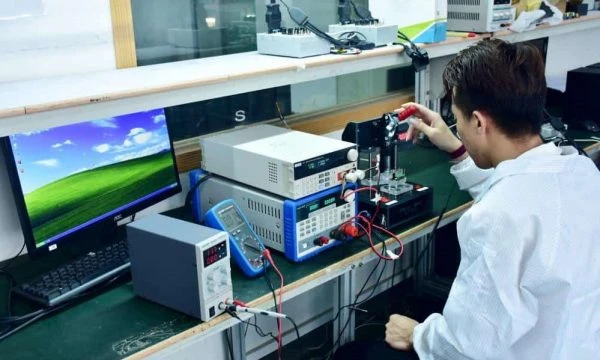
Having defined the scope of functional testing, it is critical to determine where it fits within the broader PCBA testing strategy (AOI, X-ray, ICT, FCT). The ICT vs FCT comparison covers that choice in detail.
Functional testing is indispensable when your product contains complex logic, firmware, or analog circuits that cannot be verified by visual inspection or simple continuity checks. Write a full FCT test plan when:
- Firmware Flashing is Required: The board needs a bootloader or application code programmed and verified during the test cycle.
- Analog Calibration is Needed: Sensors, ADCs, or power regulators require precise trimming or calibration values written to EEPROM.
- User Interface Verification: Buttons, LEDs, displays, and communication ports (USB, Ethernet, CAN) must be physically exercised.
- High Reliability Requirements: For automotive, medical, or aerospace applications where a functional failure could be catastrophic.
- Black Box Testing: You need to simulate the final product environment without assembling the full enclosure.
Conversely, a standard or lighter approach (relying primarily on AOI or simple ICT) might be better if:
- The board is a simple breakout board with no active logic.
- You are in the very early prototype stage (EVT) where the design changes daily, making fixture costs prohibitive.
- The budget is extremely tight, and the cost of a field failure is negligible (e.g., cheap consumer toys).
- You have 100% test coverage downstream at the final box-build stage, and redundancy is not required.
However, for most professional electronics, relying solely on downstream testing is risky. A solid FCT plan catches defects at the board level, where rework is 10x cheaper than at the finished product level.
What to define (coverage, limits, fixtures, logs)
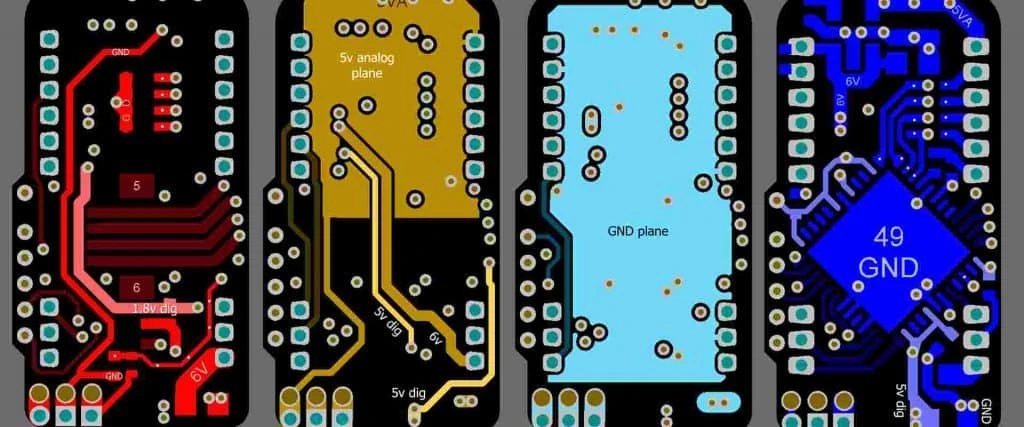
Once you decide that FCT is necessary, the next step is to define the technical specifications that will govern the test fixture and process. Ambiguity here leads to expensive fixture rework.
- Test Point Accessibility and Density: Define the minimum test point size (typically 0.8mm to 1.0mm) and spacing (pitch). If space is tight, apply the same dense-board test-point rules used for ICT so pogo pins can reliably contact the board without shorting.
- Fixture Type and Mechanics: Specify the fixture mechanism: "Clamshell" (manual lid), "Pneumatic" (automated press), or "Inline" (conveyorized). For volumes under 5k/year, a manual toggle clamp is cost-effective. For >50k/year, specify pneumatic for operator fatigue reduction.
- Probe Types and Force: Detail the pogo pin head styles. Use "Crown" or "Serrated" heads for flux-contaminated pads, and "Spear" or "Chisel" for vias. Specify the spring force (e.g., 150g-200g) to penetrate surface oxides without damaging the PCB pads.
- Interface Connectors: Define the life cycle of mating connectors. If the FCT plugs into a USB or HDMI port, specify "High-Cycle" test connectors rated for 10,000+ insertions, or design the fixture with replaceable interface blocks.
- Voltage and Current Limits: Clearly state the input voltage range (e.g., 12V ±5%) and the current limit (OCP) for the power supply. The test setup must cut power immediately if the PCBA draws excessive current (short circuit protection).
- Communication Protocols: Specify the baud rates, parity, and timeout settings for UART, I2C, or SPI communication. A common failure in FCT planning is undefined timeouts, causing the test rig to hang indefinitely on a bad board.
- Firmware Image Management: Mandate a checksum verification step (CRC32 or MD5) after flashing. Specify exactly which hex/bin file version is approved and how the test operator receives updates (e.g., central server vs. local USB stick).
- Cycle Time Targets: Set a target "Beat Rate" or cycle time per board (e.g., <60 seconds). This dictates whether the supplier needs a single fixture or a "Ping-Pong" dual-nest fixture to mask loading time.
- Pass/Fail Indicators: Require clear visual feedback. A simple "Green LED = Pass, Red LED = Fail" on the fixture is mandatory. Do not rely solely on a PC monitor that the operator might ignore.
- Data Logging and Traceability: Specify the output format (CSV, SQL, TXT). The log must include: Serial Number, Timestamp, Test Station ID, Firmware Version, and specific measurement values (not just Pass/Fail) for trend analysis.
- Safety Interlocks: For high-voltage boards (>50V), specify safety interlocks (light curtains or lid switches) that disable power when the fixture is open.
- Golden Sample Requirement: Explicitly state that a "Golden Unit" (known good board) must be maintained at the test station for daily verification of the fixture's integrity.
Electronic assembly test plan template
Use this structure as a starting template for functional test in manufacturing. Each section should be filled in before the fixture is built, and the document should be revision-controlled with the PCBA.
| Section | What to write | Example entry |
|---|---|---|
| 1. Scope and revisions | Assembly part number, PCB and BOM revision, firmware version, test plan revision | PCBA-1234 rev C, FW 2.1.0, plan rev B |
| 2. Test stage | Where FCT sits in the flow and what runs before it (AOI, X-ray, ICT, flying probe) | After AOI and ICT; before conformal coating |
| 3. Equipment and fixture | Fixture type, interfaces, instruments, power supplies, calibration status | Pneumatic bed-of-nails, USB and CAN interface, programmable PSU |
| 4. Safety and power-up | Current limit, power sequence, interlocks, discharge steps | 12 V, 0.5 A limit for 2 s, then 2 A |
| 5. Programming | Image file, checksum, programming interface, verify step | SWD, CRC32 check |
| 6. Test steps and limits | Step number, stimulus, measurement, lower and upper limit, units, source of limit | Step 7: 3.3 V rail, 3.20–3.40 V, from regulator datasheet |
| 7. Coverage map | Which functions and nets each step covers, and known gaps | CAN transceiver covered; RF section covered at system test |
| 8. Data logging | Fields recorded, file format, storage location, retention | Serial, timestamp, station, FW, all measured values |
| 9. Failure handling | Retest rule, repair loop, NCR trigger, maximum retests | One retest; second fail goes to repair with log attached |
| 10. Fixture verification | Golden and known-bad samples, daily check, probe maintenance | Golden board at shift start; probe change every N cycles |
| 11. Approval | Engineering, quality, and customer sign-off | Signatures and date |
Keep the limits traceable to a source (datasheet, design analysis, or characterization data), not just to one golden board.
Risks that cause false fails (and how to prevent them)
Even with perfect specifications, manufacturing realities introduce risks. A good FCT test plan anticipates these failure modes.
- Risk: False Failures due to Pin Contamination
- Root Cause: Flux residue from the soldering process builds up on pogo pin tips, increasing resistance.
- Detection: Yield drops gradually over a shift; re-testing a "failed" board results in a pass.
- Prevention: Mandate a "Pin Cleaning Schedule" (e.g., every 500 cycles) and use aggressive head styles (serrated) that cut through residue.
- Risk: PCB Flexing and Component Stress
- Root Cause: Poorly placed support pins (push fingers) under the board cause the PCB to bend when the fixture closes.
- Detection: Cracked MLCC capacitors or BGA solder joint fractures appearing after testing.
- Prevention: Perform Strain Gage Analysis during fixture commissioning. Ensure support pins are directly opposite to press-down points.
- Risk: Connector Wear-out
- Root Cause: Test cables mating directly to the PCBA wear out after hundreds of cycles.
- Detection: Intermittent connection failures on specific ports (e.g., USB or Ethernet).
- Prevention: Use "Sacrificial Cables" or modular interface blocks that can be swapped in 1 minute without tools.
- Risk: Firmware Version Mismatch
- Root Cause: Operator loads the wrong firmware file or an old version.
- Detection: Product functions but fails specific new feature tests, or fails in the field.
- Prevention: Implement automated barcode scanning that links the Work Order to the specific Firmware File on a server, preventing manual selection.
- Risk: Thermal Drift in Test Equipment
- Root Cause: Measurement equipment (multimeters, loads) drifts over time or with temperature.
- Detection: Analog measurements creep toward the tolerance limit throughout the day.
- Prevention: Require daily "Self-Test" or calibration using the Golden Sample before the shift begins.
- Risk: Inadequate Test Coverage
- Root Cause: The test plan checks power rails but ignores a specific communication line or interrupt pin.
- Detection: Field returns with specific functional defects that were "Passed" by FCT.
- Prevention: Conduct a "Schematic Review" specifically for test coverage. Map every net to a verification step.
- Risk: Operator Fatigue/Error
- Root Cause: Complex manual loading sequences or ambiguous pass/fail signals.
- Detection: Good boards placed in the bad bin, or vice versa.
- Prevention: Poka-yoke (mistake-proofing) the fixture so the board only fits one way. Use automated locking bins for failed units.
- Risk: ESD Damage during Test
- Root Cause: The fixture is made of non-ESD safe materials (standard acrylic) generating static.
- Detection: Latent failures; boards fail weeks later in the field.
- Prevention: Specify ESD-safe materials (Delrin/POM-ESD) for all parts touching the PCBA. Ground the fixture chassis.
- Risk: Bottlenecks in Production
- Root Cause: FCT cycle time is longer than the SMT line beat rate.
- Detection: WIP (Work in Progress) piles up in front of the test station.
- Prevention: Plan for parallel testing (multi-up fixtures) or multiple test stations in the initial capacity planning.
- Risk: Database/Network Failure
- Root Cause: The test rig loses connection to the factory server for logging.
- Detection: Data gaps; units shipped without birth certificates.
- Prevention: Implement "Local Buffering" where data is stored locally and synced when the network restores.
Validation & acceptance (pass/fail criteria)
Before mass production begins, the test system itself must be validated. This section of the plan defines how to approve the test rig.
- Objective: Verify Measurement Accuracy (Gage R&R)
- Method: Perform a Gage Repeatability and Reproducibility (Gage R&R) study. Have 3 operators measure 10 boards 3 times each.
- Acceptance Criteria: Total Gage R&R should be <10% for critical measurements (excellent) or <30% for non-critical. >30% is unacceptable.
- Objective: Verify False Failure Rate
- Method: Run a known "Golden Good" board 50 times consecutively (Loop Test).
- Acceptance Criteria: 100% Pass rate. Any failure indicates fixture instability or loose probes.
- Objective: Verify Defect Detection (Red Rabbit Test)
- Method: Introduce known defects (e.g., a board with a missing component or shorted rail) into the stream.
- Acceptance Criteria: The system must catch 100% of the "Red Rabbits" and correctly identify the specific fault code.
- Objective: Verify Cycle Time
- Method: Time the full operation from "Pick up board" to "Place in Pass Bin" for 20 units.
- Acceptance Criteria: Average time must meet the quoted throughput (e.g., <60s) including handling time.
- Objective: Verify Safety Systems
- Method: Trigger emergency stops and open fixture lids during active testing.
- Acceptance Criteria: Power must cut instantly (<200ms). No hazard to operator.
- Objective: Verify Data Integrity
- Method: Run 5 boards, then query the database/log file.
- Acceptance Criteria: All 5 records exist, timestamps are correct, and measurement data matches the screen display.
- Objective: Verify Fixture Durability
- Method: Inspect the fixture after 500 cycles.
- Acceptance Criteria: No visible wear on probe tips, no debris accumulation, smooth mechanical action.
- Objective: Verify Barcode Scanning
- Method: Scan damaged, low-contrast, or inverted barcodes.
- Acceptance Criteria: Scanner must read reliably or prompt for a rescan, never outputting incorrect characters.
- Objective: Verify Firmware Checksum
- Method: Attempt to load a corrupted firmware file.
- Acceptance Criteria: The test software must reject the file and refuse to flash the board.
- Objective: Verify Strain/Stress
- Method: Strain gage measurement on the PCBA during clamping.
- Acceptance Criteria: Microstrain (µε) must remain below the IPC/JEDEC limits (typically <500 µε) to prevent solder fractures.
Supplier checklist (RFQ, audit, traceability)
Use this checklist when evaluating APTPCB or any other EMS provider to ensure they can execute your FCT test plan.
RFQ Inputs (What you must provide)
- Test Specification Document: Detailed limits, voltages, and logic flows.
- Schematics & Gerbers: For test point location and netlist generation.
- 3D CAD Model (STEP): For designing the mechanical fixture hold-downs.
- Firmware Files: Hex/Bin files and checksums.
- Golden Sample: A physically verified working unit.
- Estimated Annual Volume (EAV): To determine manual vs. automated fixture.
- Labeling Requirements: Content and position of "Pass" labels.
- Packaging Instructions: How to pack passed units (ESD trays, tape).
Capability Proof (What the supplier must show)
- In-House Fixture Design: Do they design fixtures internally or outsource? (Internal is faster for debugging).
- LabView/TestStand Experience: What software platform do they use?
- Automated Handling: Do they have robotic handlers or inline conveyors if volume scales?
- RF Testing Capability: Do they have shielded boxes for Wi-Fi/Bluetooth testing?
- High Voltage Safety: Certified protocols for testing >50V devices.
- Maintenance Logs: Show examples of maintenance records for existing fixtures.
Quality System & Traceability
- MES Integration: Can their test system push data to a Manufacturing Execution System?
- Failed Unit Segregation: Is there a physical lock-box for failed units?
- Calibration Stickers: Are all multimeters and scopes on the test bench within calibration dates?
- Operator Training: Are operators certified for FCT stations?
- Yield Reporting: Can they provide real-time First Pass Yield (FPY) reports?
- Log Retention: How long do they keep test logs? (Standard is 2-5 years).
Change Control & Delivery
- ECO Process: How do they handle test limit changes (Engineering Change Orders)?
- Fixture Storage: Where are fixtures stored when not in use? (Must be climate controlled).
- Spare Parts: Do they stock spare pogo pins and interface cables?
- Capacity Buffer: Do they have a backup test station if the primary fails?
- Remote Access: Can your engineers remote into the test PC for debugging?
Decision guidance (trade-offs and decision rules)
Deciding how deep your FCT test plan should go involves trade-offs. Here is how to choose the right strategy based on your priorities.
- If you prioritize lowest unit cost over coverage:
- Choose: A simple "Power-On Self-Test" (POST) where the firmware checks internal peripherals and lights an LED.
- Trade-off: You might miss subtle analog drifts or connector issues that the firmware doesn't check.
- If you prioritize 100% defect capture (Zero Escapes):
- Choose: A comprehensive FCT with external instrumentation (DMMs, Scopes) measuring every input/output.
- Trade-off: Higher NRE (Non-Recurring Engineering) cost for the fixture ($2k-$10k) and longer cycle time per unit.
- If you prioritize speed (High Volume):
- Choose: A multi-up (panelized) bed-of-nails fixture that tests 4-8 boards simultaneously.
- Trade-off: Complex fixture maintenance; if one "nest" fails, you might have to stop the whole line.
- If you prioritize flexibility (Prototyping):
- Choose: Flying Probe Testing or benchtop manual testing.
- Trade-off: Very slow cycle time; not scalable for mass production.
- If you have dense boards with no room for test points:
- Choose: Functional testing via edge connectors only (USB, Power, I/O).
- Trade-off: Lower diagnostic resolution. If it fails, you won't know which component is bad, making repair difficult.
- If you prioritize data and analytics:
- Choose: PC-based FCT (LabView/Python) with SQL database integration.
- Trade-off: Requires software development effort and IT infrastructure maintenance.
FAQ (fixture cost, lead time, logs, limits)
Q: How much does a typical FCT fixture cost compared to ICT? A: FCT fixtures are generally cheaper than ICT fixtures because they require fewer probes (only functional nets vs. every net). A simple manual FCT fixture might cost $1,500–$3,000, whereas an ICT fixture often starts at $4,000–$8,000.
Q: How does FCT planning affect production lead time? A: Developing a robust FCT solution takes time. You should allow 2–4 weeks for fixture design and software debugging concurrent with PCB fabrication. If planned late, it becomes the bottleneck.
Q: What DFM files are required to design a reliable test fixture? A: You must provide the PCB Gerbers (specifically copper, drill, and paste layers), a 3D STEP file of the PCBA, and a schematic. The 3D file is crucial for milling the fixture to avoid crushing tall components.
Q: Can FCT replace In-Circuit Testing (ICT) completely? A: Not always. ICT is superior for detecting manufacturing defects like solder bridges and wrong resistor values quickly. FCT confirms the board works. For high-reliability products, the best PCBA testing strategy (AOI, X-ray, ICT, FCT) uses both.
Q: How is firmware flashing handled in an FCT test plan? A: Flashing is usually the first step of FCT. The fixture connects to the programming header (JTAG/SWD), erases the chip, flashes the firmware, verifies the checksum, and then boots the board for testing.
Q: What materials should be used for the test fixture to ensure longevity? A: Use ESD-safe Delrin or G10/FR4 for the probe plate. Avoid standard acrylic (Plexiglass) as it generates static electricity which can damage sensitive CMOS components during testing.
Q: How do we determine the acceptance criteria for analog measurements? A: Base your limits on the component datasheets and circuit analysis, not just on a single Golden Sample. A common mistake is setting limits too tight (causing false failures) or too loose (passing bad boards).
Q: What if my board is too small for a bed-of-nails fixture? A: If you cannot fit standard test points, consider using a "side-actuated" fixture that probes the connector solder tails, or design a temporary "break-away" tab with test points that is removed after testing.
Related pages & tools
- FCT testing services: Explore the functional testing capabilities and fixtures available at APTPCB.
- ICT test: In-circuit test coverage and fixtures, for the structural defects FCT does not isolate.
- PCB DFM review: Design rules to ensure your PCB layout is optimized for test point accessibility.
- PCBA testing services: Review the broader quality assurance framework that supports FCT implementation.
Request a quote (Design for Manufacturability (DFM) review + pricing)
Ready to validate your design? At APTPCB, we provide a complimentary DFM review for testability when you request a quote, ensuring your board is ready for mass production.
To get an accurate FCT quote, please send:
- Gerber Files & BOM: For component height and test point analysis.
- Test Specification: A brief document describing what needs to be tested (inputs, outputs, pass criteria).
- Estimated Volume: To help us size the fixture correctly (Manual vs. Automated).
- Firmware (Optional at quote stage): Just mention if flashing is required.
Request a PCBA test quote and DFM review
Conclusion (next steps)
A written FCT test plan is the difference between hoping your product works and knowing it does. By defining clear specifications, anticipating manufacturing risks, and validating your test rig with rigorous acceptance criteria, you protect your brand from costly field failures. Start planning your test strategy early in the design phase to ensure seamless scaling from prototype to production.