
Self-service technology relies entirely on the stability of its internal electronics, and the Printing Kiosk PCB is the central nervous system of these machines. Whether it is a photo printing station, a document handling terminal, or an advanced 3D Printing PCB setup, the circuit board must endure 24/7 operation, fluctuating thermal conditions, and constant user interaction.
Unlike standard consumer electronics, a kiosk board faces industrial-level stress. It must manage high-speed data transfer for image processing while simultaneously controlling mechanical motors, thermal print heads, and payment peripherals. This guide covers the entire lifecycle of a Printing Kiosk PCB, from initial definition to mass production validation.
Key Takeaways
- Definition: A Printing Kiosk PCB is a specialized industrial control board designed to interface with print engines, touchscreens, and payment modules simultaneously.
- Durability: These boards often require IPC Class 2 or Class 3 standards to withstand continuous vibration and heat.
- Thermal Management: Printing generates significant heat; the PCB stack-up must account for thermal dissipation.
- Connectivity: Essential features include robust USB, Ethernet, and serial interfaces for peripheral integration.
- Validation: Automated Optical Inspection (AOI) and functional testing are non-negotiable for reducing field failures.
- Sourcing: Partnering with an experienced manufacturer like APTPCB (APTPCB PCB Factory) ensures design feasibility and material availability.
- Cost vs. Quality: Investing in higher Tg materials upfront reduces expensive on-site maintenance calls later.
What Printing Kiosk PCB really means (scope & boundaries)
Building on the key takeaways, it is vital to define exactly what separates a Printing Kiosk PCB from a standard desktop motherboard.
A Printing Kiosk PCB is not just a computer; it is an embedded controller. It acts as the bridge between the user interface (UI) and the electromechanical hardware. In a Check-in Kiosk PCB, the board processes user data and triggers a ticket printer. In a photo kiosk, it processes high-resolution images and drives a dye-sublimation printer.
Scope of functionality:
- Power Distribution: Converting mains power to stable low voltages (5V, 12V, 24V) for sensors, motors, and logic.
- Signal Integrity: Managing high-speed signals for Interactive Kiosk PCB touchscreens without interference from motor noise.
- Peripheral Management: Hosting multiple USB or RS-232 ports for card readers, scanners, and cameras.
- Environmental Resilience: Resisting dust, humidity, and temperature spikes common in semi-outdoor or high-traffic indoor environments.
If the PCB fails, the entire kiosk becomes an "Out of Order" sign, directly impacting revenue. Therefore, the design philosophy must prioritize reliability over raw processing speed.
Metrics that matter (how to evaluate quality)
Understanding the definition helps, but you must quantify quality using specific metrics to ensure the board survives in the field.
The following table outlines the critical technical parameters for a robust Printing Kiosk PCB.
| Metric | Why it matters | Typical range or influencing factors | How to measure |
|---|---|---|---|
| Tg (Glass Transition Temp) | Determines when the PCB material turns soft under heat. Printing generates heat. | High Tg (≥170°C) is recommended for kiosks with thermal printers or 3D extruders. | Differential Scanning Calorimetry (DSC). |
| CTE (Thermal Expansion) | Measures how much the board expands when hot. High expansion breaks solder joints. | Low z-axis CTE is critical. Look for < 3.5% expansion (50°C to 260°C). | Thermomechanical Analysis (TMA). |
| Impedance Control | Ensures data integrity for USB, HDMI, and Ethernet signals. | ±10% tolerance on 90Ω (USB) or 100Ω (differential pairs). | Time Domain Reflectometry (TDR) coupons. |
| Surface Finish Thickness | Protects copper from oxidation and ensures solderability. | ENIG: 2-5µin Gold over 120-240µin Nickel. HASL: >2.5µm. | X-Ray Fluorescence (XRF). |
| Copper Weight | Handles current for motors and heaters without overheating traces. | 1oz (35µm) is standard; 2oz (70µm) for power rails in 3D Printing PCBs. | Microsection analysis. |
| Ionic Contamination | Residue leads to corrosion in humid environments (e.g., outdoor kiosks). | < 1.56 µg/cm² NaCl equivalent. | Solvent Extract Conductivity (SEC). |
Selection guidance by scenario (trade-offs)
Once you understand the metrics, you must apply them to your specific deployment scenario. Not all kiosks require the same specifications.
Here are common scenarios and the recommended PCB strategies.
1. High-Volume Photo Printing Kiosk
- Context: Continuous operation, heavy image processing, high internal heat from dye-sub printers.
- Recommendation: Use High Tg PCB materials. The constant thermal cycling requires a rigid substrate that won't warp.
- Trade-off: Higher material cost vs. lower risk of pad cratering or trace fracture.
2. Outdoor Information Kiosk PCB
- Context: Exposed to temperature extremes, humidity, and potential condensation.
- Recommendation: Prioritize surface protection. Use ENIG finish for corrosion resistance and apply conformal coating during assembly.
- Trade-off: Conformal coating adds a process step and cost but extends lifespan significantly.
3. 3D Printing Vending Machine
- Context: Controls stepper motors, heaters (extruders/beds), and long print durations.
- Recommendation: Focus on heavy copper (2oz or 3oz) for power layers to handle current loads. Consider a 4-layer or 6-layer stackup to isolate motor noise from logic signals.
- Trade-off: Thicker copper requires wider spacing between traces, reducing density.
4. Compact Check-in Kiosk PCB (Airport/Hotel)
- Context: Limited space, slim profile, high integration (scanner + printer + screen).
- Recommendation: Utilize HDI (High Density Interconnect) techniques with blind/buried vias to fit complex logic into a small footprint.
- Trade-off: HDI increases manufacturing complexity and price compared to standard through-hole technology.
5. Retrofit / Legacy Replacement
- Context: Replacing a board in an old chassis; must fit existing mounting holes and cables.
- Recommendation: Stick to standard FR4 with HASL finish if the environment is controlled. Focus on mechanical dimensional accuracy.
- Trade-off: Limited performance upgrades due to legacy form factor constraints.
6. Interactive Touch Table (Large Format)
- Context: Large surface area, multiple touch points, potential for liquid spills.
- Recommendation: Rigid-Flex PCB can be useful here to connect the main board to the screen controller without bulky cables that might disconnect due to vibration.
- Trade-off: Rigid-Flex PCB design is complex and requires early engagement with the manufacturer.
From design to manufacturing (implementation checkpoints)
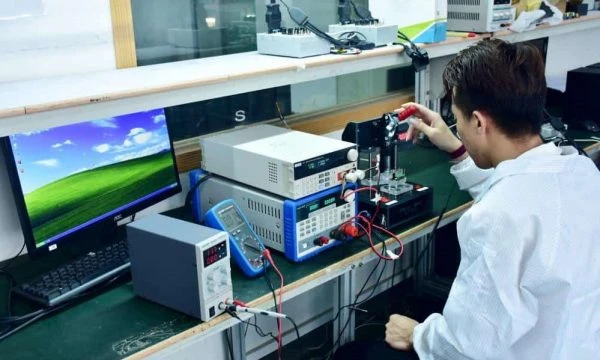
Selecting the right strategy is only the beginning; you must execute the design through a rigorous manufacturing process.
Use this checklist to guide your Printing Kiosk PCB from CAD to physical board.
Checkpoint 1: Stack-up Definition
- Recommendation: Define layer count and copper balance early. For kiosks, a 4-layer board (Signal-Ground-Power-Signal) is the minimum for noise immunity.
- Risk: Unbalanced copper causes warping during reflow.
- Acceptance: Review stack-up diagram with APTPCB engineers.
Checkpoint 2: Component Placement (DFM)
- Recommendation: Place connectors (USB, Power) on the edge for easy maintenance access. Keep sensitive ICs away from heat-generating motor drivers.
- Risk: Technicians cannot reach ports; heat degrades CPU performance.
- Acceptance: 3D model review of the PCBA inside the kiosk enclosure.
Checkpoint 3: Thermal Relief and Vias
- Recommendation: Use thermal vias under power management ICs and motor drivers.
- Risk: Components overheat and shut down the kiosk.
- Acceptance: Thermal simulation or prototype thermal imaging.
Checkpoint 4: EMI/EMC Shielding
- Recommendation: Add ground planes and stitching vias. Kiosks often contain radios (Wi-Fi/LTE) that interfere with unshielded printing circuits.
- Risk: Printer glitches or communication loss during transaction.
- Acceptance: Pre-compliance EMC testing.
Checkpoint 5: Surface Finish Selection
- Recommendation: Choose ENIG for flat pads (good for fine-pitch components) and corrosion resistance.
- Risk: HASL surfaces may be too uneven for small QFN packages used in modern controllers.
- Acceptance: PCB Surface Finishes specification in Gerber files.
Checkpoint 6: Solder Mask and Silkscreen
- Recommendation: Use high-contrast silkscreen (White on Green/Black) to label connectors clearly (e.g., "PRINTER_PORT", "DC_IN").
- Risk: Field technicians plug cables into the wrong ports.
- Acceptance: Visual inspection of Gerber layers.
Checkpoint 7: Panelization
- Recommendation: Add breakaway rails (mouse bites) to facilitate automated assembly.
- Risk: Irregular shapes are hard to conveyorize in pick-and-place machines.
- Acceptance: Confirm panel drawing with the assembly house.
Checkpoint 8: Test Point Strategy
- Recommendation: Add test points for all power rails and critical data lines.
- Risk: Impossible to diagnose failures in the field or factory.
- Acceptance: ICT (In-Circuit Test) fixture compatibility check.
Common mistakes (and the correct approach)
Even with a checklist, developers often fall into specific traps when designing for the kiosk industry.
1. Ignoring Vibration:
- Mistake: Using standard heavy capacitors without mechanical support. Kiosk printers create constant vibration.
- Correction: Use adhesive staking (silicone glue) for large components or choose low-profile surface mount equivalents.
2. Underestimating In-Rush Current:
- Mistake: Sizing traces for average current, not the peak current when motors start.
- Correction: Calculate trace width based on peak surge current + 30% safety margin.
3. Poor Connector Selection:
- Mistake: Using consumer-grade USB headers that loosen over time.
- Correction: Use locking connectors (e.g., JST, Molex with latches) or high-retention USB ports.
4. Neglecting Moisture Protection:
- Mistake: Assuming an "indoor" kiosk won't face humidity (e.g., near a coffee shop entrance).
- Correction: Specify conformal coating or potting for critical areas.
5. Skipping the First Article Inspection (FAI):
- Mistake: Going straight to mass production to save time.
- Correction: Always perform a First Article Inspection to validate the BOM and soldering quality before full runs.
6. Over-complicating the BOM:
- Mistake: Specifying single-source, rare components.
- Correction: Choose common parts with multiple alternatives to avoid supply chain stoppages.
FAQ
Q1: What is the best PCB material for a 3D Printing Kiosk? A: High Tg FR4 (Tg > 170°C) is best. 3D printers generate significant heat from the heated bed and nozzle, which can warp standard FR4 over time.
Q2: How many layers should a Printing Kiosk PCB have? A: Typically 4 to 6 layers. This allows for dedicated ground and power planes, which are essential for signal integrity and EMI suppression in a noisy electrical environment.
Q3: Can I use a standard PC motherboard instead of a custom PCB? A: You can, but custom PCBs are often more reliable. They eliminate unnecessary features (reducing failure points), fit specific enclosures, and integrate specific I/O (like 24V printer power) that standard PCs lack.
Q4: How do I protect the PCB from static electricity (ESD) from users? A: Use TVS (Transient Voltage Suppressor) diodes on all user-accessible ports (USB, Touchscreen) and ensure the PCB mounting holes are properly grounded to the kiosk chassis.
Q5: What is the typical lead time for Kiosk PCB manufacturing? A: Standard prototypes take 3-5 days. Mass production typically takes 2-3 weeks, depending on component availability.
Q6: Should I use rigid or rigid-flex PCBs? A: Rigid PCBs are standard and cost-effective. Rigid-flex is only necessary if you have tight space constraints or need to eliminate cable harnesses for reliability.
Q7: Why do my kiosk boards fail after 6 months? A: Common causes are thermal fatigue (poor heat dissipation), vibration damage (cracked solder joints), or electrolytic capacitor failure due to heat.
Q8: Does APTPCB offer assembly services for these boards? A: Yes, APTPCB provides full Turnkey Assembly, handling both PCB fabrication and component sourcing/soldering.
Glossary (key terms)
| Term | Definition |
|---|---|
| AOI | Automated Optical Inspection. A camera-based test to check for missing parts or solder defects. |
| BOM | Bill of Materials. The list of all components (resistors, chips, connectors) needed to build the board. |
| Conformal Coating | A protective chemical layer applied to the PCB to resist moisture and dust. |
| CTE | Coefficient of Thermal Expansion. How much the material expands when heated. |
| DFM | Design for Manufacturing. The process of optimizing a design to make it easier and cheaper to build. |
| EMI | Electromagnetic Interference. Electrical noise that can disrupt signals. |
| ENIG | Electroless Nickel Immersion Gold. A flat, durable surface finish excellent for fine-pitch parts. |
| Gerber Files | The standard file format used to send PCB designs to the factory. |
| HASL | Hot Air Solder Leveling. A common, cost-effective surface finish (dipped in molten solder). |
| HDI | High Density Interconnect. PCBs with very fine lines and microvias for compact devices. |
| IPC Class 2 | A manufacturing standard for dedicated service electronic products (most kiosks). |
| IPC Class 3 | A stricter standard for high-reliability products (medical, aerospace, critical kiosks). |
| SMT | Surface Mount Technology. The method of mounting components directly onto the surface of the PCB. |
| Via-in-Pad | Placing a via directly inside a component pad to save space and improve thermal transfer. |
Conclusion (next steps)
The Printing Kiosk PCB is the silent workhorse of the self-service industry. Whether you are designing a high-speed photo station, a Check-in Kiosk PCB, or a complex 3D Printing PCB vending machine, the principles remain the same: prioritize thermal management, ensure mechanical stability, and validate rigorously.
A well-designed board reduces downtime, lowers maintenance costs, and ensures a smooth user experience. To move from concept to production, you need to prepare your data package for a DFM review. This should include your Gerber files, Bill of Materials (BOM), stack-up requirements, and any specific testing protocols.
APTPCB specializes in high-reliability PCB fabrication and assembly for industrial applications. By engaging with us early in the design phase, we can help you navigate material selection and layout optimization to ensure your kiosk performs flawlessly in the field.