
Profibus PCB quick answer (30 seconds)
Designing a reliable Profibus PCB requires strict adherence to RS-485 physical layer standards modified for high-speed fieldbus communication.
- Impedance is Critical: You must maintain a differential impedance of 150 Ω (±10%) for Profibus DP. Standard 100 Ω traces used for Ethernet will cause signal reflections.
- Termination: Active termination is mandatory at both ends of the bus segment. The PCB must often accommodate pull-up (390 Ω), pull-down (390 Ω), and terminating resistors (220 Ω).
- Stub Lengths: Keep stubs (traces from the main bus to the transceiver) as short as possible, ideally under 10mm, to prevent signal degradation at 12 Mbps.
- Isolation: Galvanic isolation (optocouplers or digital isolators) between the bus side and the logic side is standard to prevent ground loops in industrial environments.
- Copper Weight: Standard 1oz copper is usually sufficient, but heavy copper may be needed if the PCB also carries high-current power for an AC Drive PCB.
- Validation: Use Time Domain Reflectometry (TDR) to verify impedance coupons before mass production.
When Profibus PCB applies (and when it doesn’t)
Profibus (Process Field Bus) is a mature standard, but it remains dominant in manufacturing automation. Knowing when to deploy a dedicated Profibus PCB versus a newer protocol is essential for system longevity.
When to use Profibus PCB:
- Legacy Automation: You are interfacing with existing Siemens S7 PLCs or older industrial control systems.
- Long Distance, High Noise: You need robust communication over long cable runs (up to 1200m at lower speeds) in electrically noisy factory floors.
- Deterministic Control: The application requires strict real-time cyclic data exchange (Profibus DP) for motion control or Actuator Control PCB units.
- Hazardous Areas: You are designing for Profibus PA (Process Automation) which allows power over the bus in intrinsically safe environments.
When NOT to use Profibus PCB:
- New IIoT Installations: If the facility is greenfield, PROFINET (Industrial Ethernet) is generally preferred for higher bandwidth and IT integration.
- Ultra-High Speed: If you need gigabit speeds; Profibus DP caps at 12 Mbps.
- Wireless Requirements: Profibus is inherently a wired, shielded twisted-pair technology; wireless bridges exist but are complex.
- Consumer Electronics: The cost of isolated transceivers and specialized connectors (DB9) is prohibitive and unnecessary for non-industrial gadgets.
Profibus PCB rules and specifications (key parameters and limits)
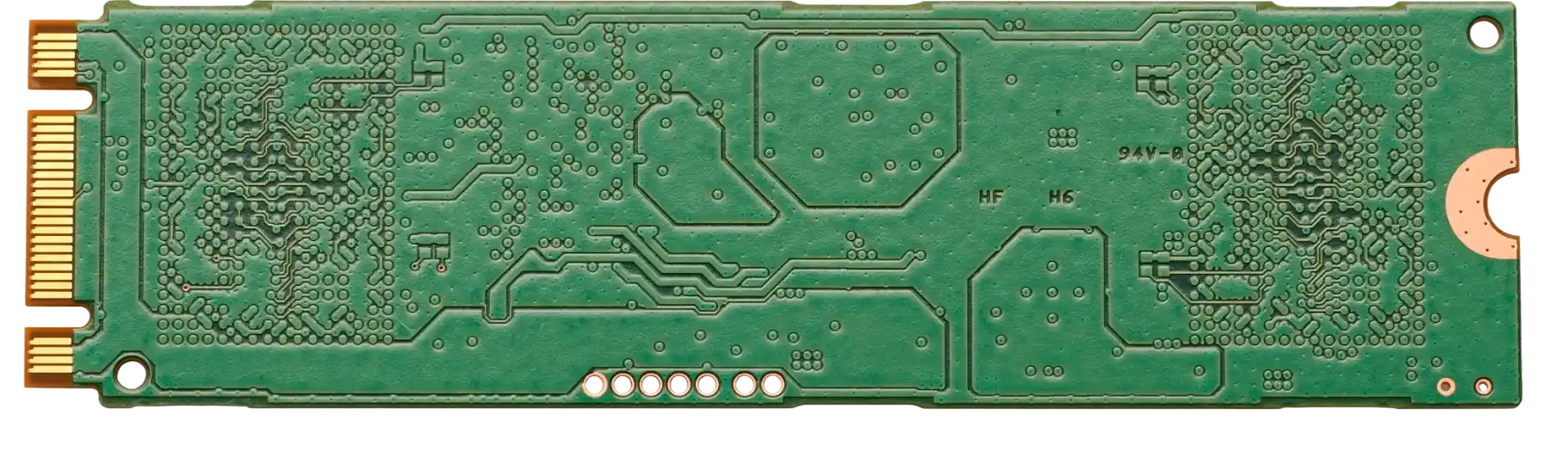
The physical layer of a Profibus PCB is unforgiving. Deviating from these parameters often results in intermittent communication errors that are difficult to diagnose.
| Rule | Recommended Value/Range | Why it matters | How to verify | If ignored |
|---|---|---|---|---|
| Differential Impedance | 150 Ω ± 10% | Matches the characteristic impedance of Type A Profibus cable. | TDR (Time Domain Reflectometry) on test coupons. | Signal reflections, standing waves, and data corruption. |
| Trace Width/Spacing | Calculated per stackup | Determines impedance. Usually wider spacing than standard differential pairs. | Impedance Calculator during layout. | Incorrect impedance; signal loss. |
| Bus Termination | 390Ω / 220Ω / 390Ω | Prevents reflections at bus ends and biases the line during idle states. | Visual inspection and multimeter check. | Communication fails completely or becomes unstable. |
| Stub Length | < 10mm (ideal) | Long stubs act as antennas and impedance discontinuities. | Design Rule Check (DRC) in CAD software. | Signal distortion, especially at 12 Mbps. |
| Isolation Voltage | 1kV - 2.5kV | Protects logic circuits from high-voltage transients on the bus. | Hi-Pot testing during QA. | Burnt microcontrollers; ground loop noise. |
| Ground Plane | Solid, Split | Separate "Bus Ground" and "Logic Ground" are required. | Layer stackup review. | Noise coupling from the bus into the MCU. |
| Connector Type | DB9 (Sub-D) | Standard interface for Profibus DP. | BOM verification. | Physical incompatibility with standard cables. |
| Data Rate Support | 9.6 kbps to 12 Mbps | PCB layout must support the highest intended frequency. | Signal integrity simulation. | High-frequency attenuation; bit errors. |
| Capacitance (Bus) | < 10 pF (Transceiver) | High capacitance loads the bus and rounds off signal edges. | Component datasheet review. | Reduced maximum cable length and node count. |
| Shield Connection | Direct or Capacitive | Proper shield grounding drains EMI. | Schematic review. | Susceptibility to EMI/RFI interference. |
Profibus PCB implementation steps (process checkpoints)

Moving from schematic to a finished board requires specific attention to the differential pair routing and isolation gaps.
- Select the Transceiver: Choose an RS-485 transceiver specifically rated for Profibus (high output drive, ESD protection).
- Check: Does the datasheet explicitly mention Profibus compliance?
- Define the Stackup: Contact APTPCB (APTPCB PCB Factory) early to define the dielectric thickness needed for 150 Ω impedance.
- Check: Is the dielectric constant (Dk) stable at the operating frequency?
- Place Components: Group the transceiver, isolation components (optocouplers/transformer), and DB9 connector closely to minimize trace length.
- Check: Is there a clear physical separation (creepage) between the isolated bus side and the logic side?
- Route Differential Pairs: Route the A and B lines as a coupled pair. Do not use 90-degree corners; use 45-degree miters or curves.
- Check: Is the length matching between A and B within 5mm?
- Implement Grounding: Create a "moat" or split in the ground plane. The transceiver bridges this gap. Do not route copper traces across the gap unless they are isolated.
- Check: Are there return paths crossing the split? (There shouldn't be).
- Add Protection: Place TVS diodes or gas discharge tubes near the connector for surge protection.
- Check: Are the protection devices on the bus side of the isolation barrier?
- Design Rule Check (DRC): Run a specific DRC for the high-speed differential pairs.
- Check: Are clearance rules met for the isolation voltage (e.g., >6mm for high voltage safety)?
- Generate Manufacturing Files: Export Gerbers and ODB++ files, ensuring the impedance requirement is noted in the fabrication drawing.
- Check: Did you include the impedance coupon request?
Profibus PCB troubleshooting (failure modes and fixes)
When a Profibus network fails, the PCB is often blamed. Use this workflow to isolate board-level issues from network-level issues.
Symptom: Node drops off intermittently.
- Cause: Impedance mismatch causing reflections.
- Check: Use a TDR to measure the trace impedance. Is it 150 Ω?
- Fix: Respin the PCB with corrected trace widths/stackup.
- Prevention: Strict impedance control during PCB fabrication process.
Symptom: Communication works at low speed (9600 bps) but fails at high speed (12 Mbps).
- Cause: Excessive capacitance or long stubs.
- Check: Measure the capacitance on the A/B lines relative to ground. Check stub lengths in layout.
- Fix: Remove filter capacitors if they are too large; cut traces to shorten stubs.
- Prevention: Keep transceivers close to connectors.
Symptom: Burnt Transceiver.
- Cause: Ground potential difference or surge.
- Check: Verify the isolation barrier. Is the "Bus Ground" connected to "Earth" incorrectly?
- Fix: Replace transceiver; ensure galvanic isolation is intact.
- Prevention: Use high-quality digital isolators and TVS diodes.
Symptom: Data corruption (CRC errors).
- Cause: Noise coupling from power planes.
- Check: Look for noisy switching regulators (like on an AC Drive PCB) near the Profibus traces.
- Fix: Add shielding cans or move the communication traces to an inner layer between ground planes.
- Prevention: Proper floorplanning and separation of noisy/sensitive sections.
Symptom: Bus voltage levels are incorrect (Idle voltage < 1.0V).
- Cause: Incorrect termination or bias resistors.
- Check: Verify the values of the pull-up/pull-down resistors (should be ~390 Ω).
- Check: Ensure 5V is actually reaching the termination circuit.
- Fix: Replace incorrect resistors.
How to choose Profibus PCB (design decisions and trade-offs)
Designing a Profibus PCB often involves choosing between cost, size, and robustness.
Integrated vs. Discrete Isolation:
- Integrated: Some modern transceivers include the isolation barrier inside the chip. This saves space but costs more.
- Discrete: Using a standard RS-485 chip + optocouplers is cheaper but takes up more board area.
- Decision: Use integrated for compact Actuator Control PCB designs; use discrete for cost-sensitive mass production.
2-Layer vs. 4-Layer Stackup:
- 2-Layer: Very difficult to maintain 150 Ω impedance and proper ground planes. Only recommended for very low speeds or simple breakout boards.
- 4-Layer: The standard for Profibus. Allows for a solid ground plane and controlled dielectric thickness for impedance routing.
- Decision: Almost always choose Multilayer PCB (4+ layers) for industrial reliability.
Connector Selection:
- DB9: The standard. Rugged, but bulky.
- M12: Waterproof, circular. Used in harsh environments (IP67).
- Terminal Block: Cheap, but impedance control is lost at the connection point.
- Decision: Use DB9 for cabinets, M12 for field devices.
Profibus PCB FAQ (cost, lead time, common defects, acceptance criteria, Design for Manufacturability (DFM) files)
Q: How much does impedance control add to the cost of a Profibus PCB? A: Impedance control typically adds 10-20% to the bare board cost due to the need for TDR testing and tighter manufacturing tolerances. However, skipping this for Profibus usually results in non-functional boards.
Q: What is the standard lead time for a Profibus PCB prototype? A: Standard lead time is 5-7 days. Expedited Quick Turn PCB services can deliver in 24-48 hours, provided the stackup materials are in stock.
Q: Can I use FR4 material for Profibus? A: Yes, standard FR4 is sufficient for Profibus frequencies (up to 12 MHz). You do not typically need expensive Rogers or Teflon materials unless the environment is extremely hot or the board combines Profibus with RF signals.
Q: What are the acceptance criteria for Profibus PCB impedance? A: The industry standard is ±10% of the target (150 Ω). So, a range of 135 Ω to 165 Ω is acceptable. TDR reports should be requested with the shipment.
Q: How do I specify the "split ground" in my Gerber files? A: Draw the split on the plane layers (usually Layer 2 and 3). Add a text note in the fabrication drawing: "Galvanic isolation required between Net GND_LOGIC and Net GND_BUS. Maintain 2mm minimum clearance."
Q: Why do I see 100 Ω and 150 Ω mentioned for Profibus? A: This is a common confusion. Ethernet and standard RS-422 use 100 Ω. Profibus DP specifically uses Type A cable which is 150 Ω. Your PCB traces must match the cable (150 Ω) to avoid reflections.
Q: Does APTPCB perform DFM checks for impedance? A: Yes. When you submit your files, our CAM engineers calculate the trace width based on our material stock to ensure the 150 Ω target is met. We may suggest slight trace width adjustments.
Q: Can Profibus PCBs be used in high-vibration environments? A: Yes, but the weak point is usually the heavy DB9 connector. Use through-hole mounting tabs for the connector and consider Rigid-Flex PCB designs to eliminate cable harnesses that can shake loose.
Q: What testing is required for the assembled PCBA? A: Beyond standard electrical testing, Profibus boards should undergo Functional Circuit Testing (FCT) where data packets are sent and received to verify the transceiver and termination logic.
Q: Is gold plating required? A: ENIG (Electroless Nickel Immersion Gold) is recommended for the contact pads to ensure flat surfaces for fine-pitch transceivers and good long-term connectivity, especially for the DB9 connector pads.
Profibus PCB glossary (key terms)
| Term | Definition |
|---|---|
| Profibus DP | Decentralized Peripherals. The most common high-speed version of Profibus used for sensors and actuators. |
| Profibus PA | Process Automation. A slower version used in hazardous areas, often carrying power and data on the same wire. |
| Differential Impedance | The impedance between two conductors (Line A and Line B) in a transmission line. Must be 150 Ω for Profibus. |
| Termination Resistor | A resistor placed at the physical ends of the bus to absorb signal energy and prevent reflections. |
| Stub | A short branch of the transmission line connecting a device to the main bus cable. |
| Galvanic Isolation | Separating electrical circuits to prevent current flow between them while allowing data transfer (usually via light or magnetics). |
| RS-485 | The electrical standard defining the physical layer (voltages, drivers) used by Profibus. |
| GSD File | General Station Description. A software file describing the capabilities of the Profibus device, but not directly related to PCB layout. |
| TDR | Time Domain Reflectometry. A measurement technique used to determine the characteristic impedance of PCB traces. |
| EMI | Electromagnetic Interference. Electrical noise that can disrupt Profibus communication if shielding is poor. |
Request a quote for Profibus PCB (Design for Manufacturability (DFM) review + pricing)
APTPCB specializes in high-reliability industrial PCBs with strict impedance control requirements. Submit your design for a comprehensive DFM review where we verify your stackup against the 150 Ω requirement before manufacturing begins.
For the most accurate quote, please provide:
- Gerber Files: RS-274X format.
- Fabrication Drawing: Specify "150 ohm differential impedance on layer X".
- Stackup Request: If you have a specific layer build, include it; otherwise, ask us to propose one.
- Volume: Prototype quantity vs. mass production estimates.
Conclusion (next steps)
Designing a Profibus PCB is about more than just connecting pins; it requires a disciplined approach to signal integrity, impedance control, and isolation. By adhering to the 150 Ω standard and implementing robust termination and grounding strategies, you ensure your industrial equipment operates flawlessly in harsh environments. Whether you are building a complex AC Drive PCB or a simple sensor interface, getting the physical layer right is the foundation of a stable automation system.