
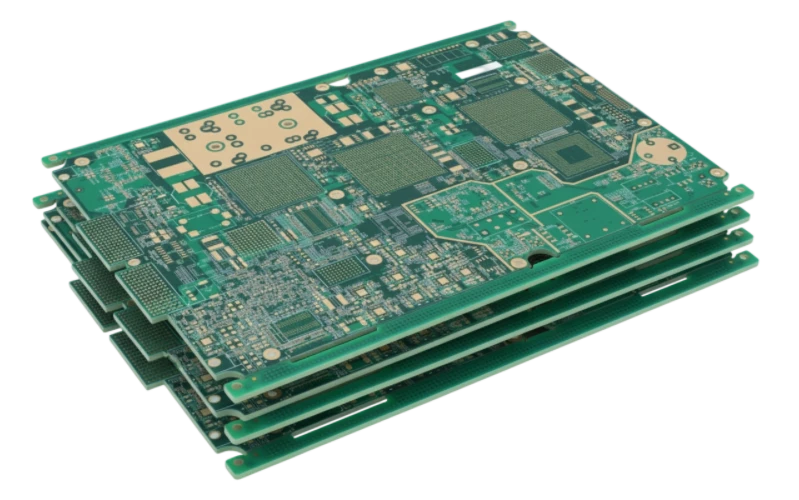
SMT component polarity refers to the specific rotational orientation required for electronic parts to function correctly within a circuit. Unlike non-polarized components like resistors or ceramic capacitors, polarized components must be placed in a specific direction to align positive and negative terminals or specific pin assignments. Failure to observe these rules results in immediate circuit failure, component destruction, or safety hazards like fire.
At APTPCB (APTPCB PCB Factory), we emphasize that polarity management starts at the design stage and continues through final assembly inspection. This guide covers the technical specifications, identification rules, and troubleshooting steps necessary to ensure zero-defect manufacturing regarding component orientation.
Quick Answer (30 seconds)
- Definition: Polarity defines the required alignment of component terminals (Anode/Cathode, Pin 1, +/-) to the PCB footprint.
- Critical Components: Tantalum capacitors, Aluminum electrolytic capacitors, Diodes, LEDs, ICs, and Connectors.
- The Tantalum Trap: On Tantalum capacitors, the marked band usually indicates the Positive (+) terminal, whereas on Aluminum capacitors and Diodes, the band often indicates Negative (-).
- Identification: Look for chamfered edges, notches, dots, bands, or specific silkscreen markers (triangles, plus signs).
- Validation: Automated Optical Inspection (AOI) is the primary defense against polarity errors during mass production.
- Standard: Adhere to IPC-7351 for footprint design and IPC-A-610 for acceptance criteria.
Scaling to production? SMT assembly quality inspection — send Gerbers or your test plan for a review and quote.
When smt component polarity applies (and when it doesn’t)
Understanding which components require strict orientation checks saves time during SMT assembly and reduces false flags during inspection.
Applies (Strict Polarity Required)
- Active Semiconductors: Integrated Circuits (ICs), Microcontrollers (MCUs), Transistors, MOSFETs.
- Polarized Capacitors: Aluminum Electrolytic, Tantalum, and Niobium Oxide capacitors.
- Diodes & LEDs: Rectifiers, Zener diodes, Schottky diodes, and Light Emitting Diodes.
- Connectors: Headers, USB ports, Jacks, and Battery holders (mechanical polarity).
- Oscillators: Active crystal oscillators (4+ pins) often have a specific power and ground pinout.
Doesn’t Apply (Non-Polarized / Bi-Directional)
- Resistors: Thick film, thin film, and wire-wound resistors function identically in either direction.
- Ceramic Capacitors (MLCC): Standard multi-layer ceramic capacitors have no polarity.
- Ferrite Beads: Generally non-polarized filters.
- Non-Polarized Inductors: Most standard power inductors work in either direction (though magnetic coupling orientation may matter in RF circuits).
- Thermistors/Varistors: Typically non-polarized protection devices.
Rules & specifications
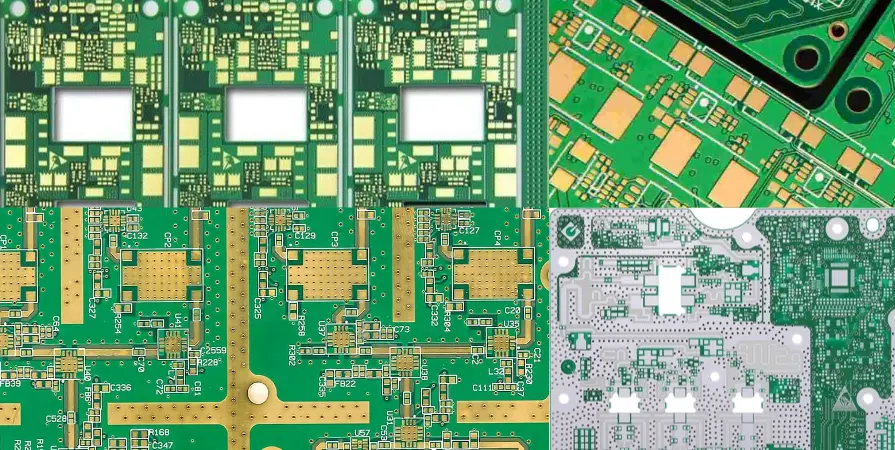
The following table outlines the specific identification rules for common components. Misinterpreting these markings is the leading cause of smt component polarity defects.
| Component Type | Polarity Rule | Recommended Indicator | Why it matters | How to verify | If ignored |
|---|---|---|---|---|---|
| Tantalum Capacitor | Band = Positive (+) | Solid bar or colored stripe on the body. | Reverse voltage causes dielectric breakdown and heat. | Check datasheet; verify bar matches PCB "+" mark. | Explosion, fire, short circuit. |
| Aluminum Elec. Cap | Band = Negative (-) | Black/colored ink strip on the top or side. | Electrolyte boils if reversed. | Visual check of the black strip vs. PCB silkscreen. | Venting, leakage, capacitor rupture. |
| Diode (SMD) | Band = Cathode (-) | Laser marking or painted line. | Current only flows one way; blocks reverse current. | Multimeter diode test; visual check of band. | Circuit open (no power) or short (if Zener). |
| LED (Top View) | Green/Color Dot or Line = Cathode (-) | Small paint mark or internal structure visibility. | Light emission requires forward bias. | Diode test mode on multimeter; visual inspection. | No light; potential burnout if reverse voltage high. |
| LED (Bottom View) | "T" or Triangle Mark | Green "T" shape on the underside. | Essential for pick & place machine vision. | X-Ray or pre-placement inspection. | No light output. |
| IC (SOIC/SOP) | Dot/Notch = Pin 1 | Dimple, white dot, or beveled edge. | Pin 1 defines the logic/power inputs. | Match dot on chip to dot/star on PCB. | Immediate IC destruction, overheating. |
| QFN / BGA | Corner Dot/Chamfer = Pin 1 | Laser mark on top; missing pad on bottom corner. | High-density connections must align perfectly. | X-Ray inspection; check top marking. | Dead board; difficult to rework. |
| SOT-23 (Transistor) | 3-pin asymmetry | One pin alone on one side, two on the other. | Emitter/Base/Collector must match pads. | Mechanical fit check; vision system alignment. | Short circuit; component damage. |
| Connector | Keying / Notch | Plastic shroud shape or Pin 1 arrow. | Ensures mating cable only fits one way. | Visual check of plastic housing. | Cable cannot plug in; bent pins. |
| Inductor (Directional) | Dot = Start of Winding | Dot or line on top package. | Affects magnetic field coupling in RF/sensitive circuits. | Visual check; usually not catastrophic if flipped. | Noise issues; reduced RF performance. |
PCB polarity markings: how to read the silkscreen
The component tells you its orientation with a band, dot or chamfer. The PCB tells you where that feature should go with a silkscreen or copper mark. These are the markings you will see most often:
| PCB marking | Usually means | Watch out for |
|---|---|---|
| "+" next to one pad | Positive terminal of a polarized capacitor | Some libraries mark "–" instead; read both sides |
| Thick bar or filled end on the outline | Cathode of a diode, or the banded end of a capacitor | The bar shows the band position, which is "+" on tantalum and "–" on aluminum capacitors |
| Diode symbol (triangle and line) | Line side = cathode | Small symbols disappear under the part; keep them outside the body outline |
| Dot, "1" or triangle at one corner | Pin 1 of an IC, connector or LED | Two dots in the same corner area: check the datasheet before assuming |
| Chamfered corner on the outline | Pin 1 side of a QFN, QFP or BGA | Rotation in the centroid file must match the same corner |
| Square pad among round pads (THT) | Pin 1, or the positive lead of a capacitor or LED | Not a universal rule on SMD footprints |
SMD LED polarity
SMD LEDs are the parts most often placed backwards, because there is no single marking convention. Most packages mark the cathode with a corner notch, a green or colored mark, or a "T" or triangle on the bottom pad pattern, but some manufacturers mark the anode instead. Check the exact datasheet, put a clear cathode mark on the footprint, and confirm it at first article inspection. If you have ever used through-hole LEDs: SMD vs through-hole LEDs differ here too. A through-hole LED shows its cathode with the shorter lead and the flat on the rim, and SMD packages have neither.
Implementation steps
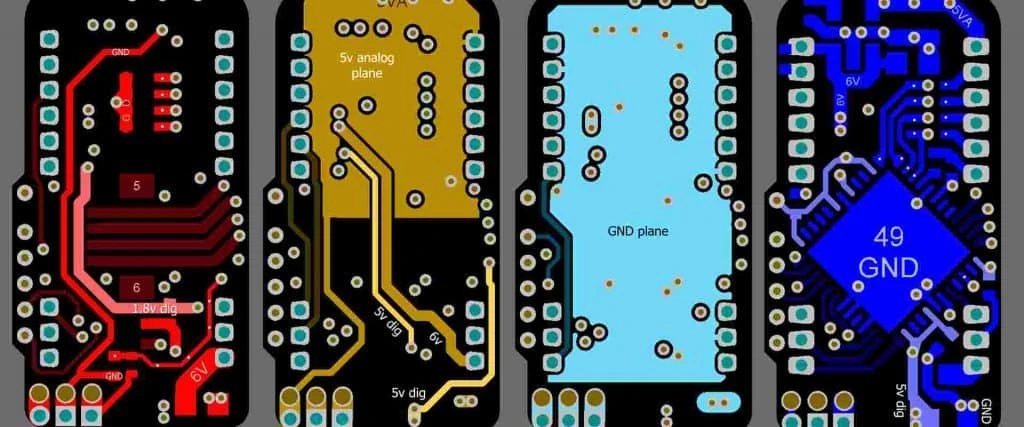
To ensure correct smt component polarity throughout the manufacturing lifecycle, engineers and operators must follow a structured workflow.
Footprint Design (CAD Phase):
- Action: Define the "Zero Orientation" in the CAD library according to IPC-7351.
- Key Parameter: Ensure Pin 1 is clearly marked in the silkscreen and assembly layers.
- Acceptance Check: The footprint matches the component datasheet's physical dimensions and pinout.
BOM & Centroid File Generation:
- Action: Export the Pick and Place (XY) file containing rotation data.
- Key Parameter: Rotation angle (0, 90, 180, 270 degrees).
- Acceptance Check: Verify that the rotation in the file matches the tape-and-reel orientation of the component. The centroid file guide explains the rotation conventions that cause most 180° polarity errors.
Incoming Quality Control (IQC):
- Action: Inspect component reels upon arrival.
- Key Parameter: Manufacturer part number and physical markings.
- Acceptance Check: Confirm that the physical component markings (e.g., Tantalum band) match the datasheet expected by the design.
First Article Inspection (FAI):
- Action: Mount the first board and inspect it manually or with a dedicated FAI machine before mass reflow.
- Key Parameter: Polarity of all critical components (ICs, Caps, Diodes).
- Acceptance Check: 100% verification that placement matches the assembly drawing.
Pick & Place Vision Programming:
- Action: Teach the machine to recognize polarity markers.
- Key Parameter: Vision threshold for detecting dots, notches, or bands.
- Acceptance Check: Machine successfully rejects components loaded incorrectly in the feeder.
Pre-Reflow AOI:
- Action: Automated scanning of placed components before soldering.
- Key Parameter: Component skew and polarity marking presence.
- Acceptance Check: No alerts for reverse polarity. Polarity checks are also programmed into post-reflow AOI polarity inspection.
Reflow Soldering:
- Action: Pass the PCB through the oven.
- Key Parameter: Reflow profile settings (time above liquidus).
- Acceptance Check: Solder joints formed without shifting the component (which could obscure polarity marks).
Post-Reflow AOI & X-Ray:
- Action: Final automated inspection.
- Key Parameter: Solder fillet quality and final orientation.
- Acceptance Check: Zero polarity defects detected.
Failure modes & troubleshooting
When smt component polarity errors occur, they manifest in distinct ways. Use this guide to diagnose and fix the root cause.
Symptom: Tantalum Capacitor Explosion/Fire
- Cause: Component placed 180 degrees reversed.
- Check: Verify if the PCB silkscreen "+" matches the capacitor's band. Remember: Band is Positive on Tantalum.
- Fix: Replace the capacitor and clean the PCB area.
- Prevention: Implement strict AOI checks specifically for Tantalum capacitors; add clear "+" silkscreen.
Symptom: IC Overheating / High Current Draw
- Cause: IC placed with Pin 1 rotated (e.g., Pin 1 on pad 10).
- Check: Look for the dot or notch on the IC body relative to the PCB dot.
- Fix: Remove IC, clean pads, and re-solder a new unit.
- Prevention: Improve fiducial recognition on the Pick & Place machine; ensure tape-and-reel rotation data is correct.
Symptom: LED Not Lighting Up
- Cause: LED reversed (Anode/Cathode swapped).
- Check: Use a multimeter in diode mode to test continuity across the LED.
- Fix: Desolder, rotate 180 degrees, and resolder.
- Prevention: Check the "Green" mark on the bottom of the LED during IQC; verify CAD footprint against the specific LED datasheet (LED pinouts vary wildly).
Symptom: Short Circuit on Power Rail
- Cause: Diode reversed (behaving as a forward-biased short in a protection circuit).
- Check: Visual inspection of the diode band.
- Fix: Rotate the diode.
- Prevention: Standardize diode library footprints; ensure the "Cathode" band is clearly marked on the assembly drawing.
Symptom: Connector Mechanical Interference
- Cause: Header or socket rotated 180 degrees.
- Check: Compare the physical notch/key on the connector with the mating cable.
- Fix: Rework the connector (difficult for THT, easier for SMT).
- Prevention: Use "keyed" footprints in CAD that clearly show the notch location.
Symptom: Tombstoning (Component standing up)
- Cause: While primarily a soldering issue, incorrect thermal balance on polarized pads can cause this.
- Check: Pad sizes and thermal relief connections.
- Fix: Adjust reflow profile or pad design.
- Prevention: Follow DFM guidelines for pad geometry.
Design decisions
Correct polarity starts with the PCB layout. APTPCB recommends specific design practices to minimize ambiguity.
- Clear Silkscreen: Always include a visible dot, bar, or "+" sign next to the component pad. Do not rely solely on the component outline, as the component itself covers it after placement.
- "Courtyard" Excess: Leave enough space around the component (the courtyard) so that polarity markings on the PCB remain visible even after the component is soldered. This aids manual inspection.
- Standardized Libraries: Use IPC-7351 compliant footprints. Avoid creating custom footprints where Pin 1 is in a non-standard location unless absolutely necessary.
- 3D Model Verification: Import STEP files of your components into your ECAD software. This allows you to visually verify that the 3D model's Pin 1 matches the footprint's Pin 1 before you generate manufacturing files.
- Assembly Drawing: Provide a clear PDF assembly drawing where polarity marks are exaggerated or clearly annotated, especially for diodes and LEDs where markings can be subtle. See assembly drawing essentials for what else belongs on it.
- Paste Layer Consistency: Asymmetric pads (for example a large cathode pad on an LED or a power diode) need matching asymmetric apertures in the circuit board stencil; a mirrored paste layer can pull parts off their pads during reflow.
FAQ
1. How do I identify the polarity of a Tantalum capacitor vs. an Aluminum capacitor? On a Tantalum capacitor (SMD), the marked band indicates the Positive (+) terminal. On an Aluminum electrolytic capacitor (SMD), the marked band (usually black on the top casing) indicates the Negative (-) terminal. This is the most common confusion in SMT assembly.
2. What indicates Pin 1 on an IC if there are two dots? Sometimes an IC has a mold ejection mark and a Pin 1 indicator. The Pin 1 indicator is usually smaller, deeper, or laser-marked with white ink. If unsure, look for a chamfered (beveled) edge along the side of pins 1 to N/2.
3. Can AOI machines detect all polarity errors? AOI inspection is very effective for visible markings like bands on diodes or text on ICs. However, it struggles with components that have markings on the bottom (like some LEDs/QFNs) or very faint laser markings.
4. Why do LEDs have different polarity markings? LED manufacturers do not follow a single standard for marking. Some mark the cathode with a green line; others mark the anode. Always check the specific datasheet for the exact part number you are using.
5. What is the "Zero Orientation" in SMT? Zero Orientation is the standard rotation (0 degrees) defined in the IPC-7351 standard. It ensures that when a machine reads "rotate 90 degrees," it rotates correctly relative to the tape-and-reel packaging.
6. Does the text direction on a resistor matter? No. Resistors are non-polarized. While some aesthetic standards prefer all text to be readable in the same direction, it has no electrical impact.
7. How do I mark polarity on a PCB if the board is very dense? If there is no room for silkscreen, place a small copper dot (fiducial style) or a specific via pattern near Pin 1. Alternatively, ensure the assembly drawing is extremely detailed.
8. What happens if I reverse a Zener diode? A reversed Zener diode will likely conduct current in the forward direction (like a normal diode) instead of regulating voltage, potentially sending higher voltage to sensitive downstream components.
9. Can I fix a polarity error after the board is made? Yes, but it requires rework. The component must be desoldered using hot air, cleaned, and re-soldered in the correct orientation. This risks heat damage to the component and the PCB pads.
10. Do ceramic capacitors ever have polarity? Standard MLCCs do not. However, some specialized high-value polymer or electrolytic-style capacitors in rectangular packages might. Always verify the component type.
11. What is the "Chamfer" on a component? A chamfer is a flattened corner on the component body. On many ICs and QFNs, the corner with the chamfer indicates the location of Pin 1.
12. How does APTPCB verify polarity for parts with no visible markings? For parts with bottom-only markings (like LGAs or certain QFNs), we rely on X-Ray inspection and strict First Article Inspection (FAI) verification against the datasheet.
Glossary (key terms)
| Term | Definition |
|---|---|
| Anode | The positive (+) terminal of a polarized component like a diode or LED. |
| Cathode | The negative (-) terminal of a polarized component. |
| Chamfer | A beveled or angled corner on an IC package used to identify Pin 1. |
| Silkscreen | The ink layer on a PCB used to mark component outlines and polarity indicators. |
| Pick and Place | The robotic machine that places SMT components onto the PCB. |
| Centroid File | A data file (Pick and Place file) containing X, Y, and Rotation coordinates for every component. |
| IPC-7351 | The industry standard for SMT land pattern (footprint) design and verification. |
| IPC-A-610 | The industry standard for PCB assembly acceptance, including polarity criteria. |
| Tombstoning | A defect where a component stands up on one end during reflow, often due to thermal imbalance but sometimes related to pad geometry. |
| Reference Designator | The label (e.g., R1, C1, U1) identifying a specific component on the PCB. |
| Tape and Reel | The packaging method for SMT components; the orientation of parts in the tape is critical for automation. |
| FAI (First Article Inspection) | The process of verifying the first assembled unit of a production run to catch errors like polarity before mass production. |
Request a quote
Ensuring zero-defect assembly requires a partner who understands the nuances of smt component polarity. At APTPCB, we perform comprehensive DFM reviews on your Gerbers and BOMs to catch orientation mismatches before they hit the production line.
To get a precise quote and DFM analysis, please prepare:
- Gerber Files: Including silkscreen and copper layers.
- BOM (Bill of Materials): With manufacturer part numbers.
- Centroid/Pick & Place File: For assembly quotes.
- Assembly Drawings: Highlighting any critical polarity requirements.
Conclusion
Mastering smt component polarity is essential for reliable electronics manufacturing. From the distinct banding on Tantalum capacitors to the subtle chamfers on ICs, every detail matters in preventing costly rework and board failures. By adhering to IPC standards, implementing robust design practices, and utilizing advanced verification methods like AOI and X-Ray, engineers can ensure their designs are assembled correctly every time. APTPCB is committed to rigorous quality control, ensuring that your specific orientation requirements are met with precision and consistency.