
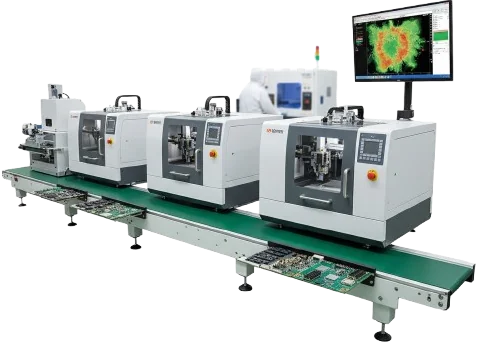
SMT stencil design defines how solder paste reaches every PCB pad before reflow. The stencil is not only a fabrication accessory; it is a process-control component that determines solder volume, print consistency, and first-pass assembly yield.
A production-ready stencil balances three factors:
- PCB pad geometry
- solder paste behavior
- manufacturing capability
Stencil manufacturing itself (laser cutting, framing, inspection) is covered on our SMT stencil manufacturing page; this guide focuses on the design decisions. A correct design controls paste transfer efficiency, reduces defects such as bridging and insufficient solder, and provides a stable process window for volume manufacturing.
Scaling to production? turnkey SMT assembly — send Gerbers or your test plan for a review and quote.
Key Takeaways
- A stencil controls solder paste volume through aperture size, shape, and foil thickness.
- Area ratio should generally remain ≥ 0.66 for reliable paste release.
- Aspect ratio should generally remain ≥ 1.5 for rectangular apertures.
- Fine-pitch packages, QFNs, BGAs, and 0201/01005 components require aperture optimization rather than simple pad copying.
- Stainless steel laser-cut stencils are the production standard, while electropolishing, nano-coating, and electroformed options improve demanding applications.
- SPI inspection data should be used to confirm deposited paste volume before production release.
Contents
- What Is SMT Stencil Design and Why Does It Matter?
- Which SMT Stencil Parameters Determine Print Quality?
- How Do You Select Stencil Thickness and Material?
- How Should Apertures Be Designed for QFN, BGA, and Fine Pitch Components?
- What Is the SMT Stencil Design Release Workflow?
- SMT Stencil Selection Matrix
- Common SMT Stencil Design Failures
- Supplier RFQ Checklist
- FAQ
- Conclusion
What Is SMT Stencil Design and Why Does It Matter?
SMT stencil design is the set of engineering decisions that convert PCB paste layers into reliable solder deposits.
What is an SMT stencil?
An SMT stencil (also called a solder paste stencil, SMD stencil, or in German SMT-Schablone / Lötschablone) is a thin metal foil, usually stainless steel, with one opening for every pad that needs solder paste. The printer pushes paste across the foil with a squeegee, and the paste stays on the pads when the stencil lifts. This step is called stencil printing or, in German, Schablonendruck.
| Stencil type | What it is | Typical use |
|---|---|---|
| Framed stencil | Foil glued into a rigid frame | Production printers, high volume |
| Frameless foil | Foil mounted in a reusable tensioning frame | Prototypes, frequent revisions |
| Step stencil | Foil with thicker or thinner local regions | Large connectors next to fine-pitch parts |
| Electroformed stencil | Foil grown by plating instead of laser-cut | Very small apertures, ultra-fine pitch |
| Prototype hand stencil | Foil used with manual alignment | A few boards on a bench |
The stencil contains precision openings called apertures. During printing, solder paste fills these openings and transfers onto PCB pads when the stencil separates from the board.
The deposited paste volume depends on:
Paste volume = aperture opening area × stencil thickness
Small changes in aperture geometry can significantly affect solder joint quality, especially on:
- fine-pitch ICs
- BGAs
- QFNs
- bottom-termination components
- miniature passives
Stencil performance is influenced by more than CAD geometry. Printing pressure, paste viscosity, cleaning frequency, board support, and reflow conditions all affect final results. IPC stencil guidelines emphasize that printing performance depends on multiple process variables rather than one universal rule set.
Which SMT Stencil Parameters Determine Print Quality?
Area Ratio and Aspect Ratio
The two most important geometry checks are area ratio and aspect ratio.
| Parameter | Formula | Typical Target | Purpose |
|---|---|---|---|
| Area Ratio | Aperture area ÷ aperture wall area | ≥ 0.66 | Determines paste release |
| Aspect Ratio | Aperture width ÷ stencil thickness | ≥ 1.5 | Prevents poor filling |
Area ratio becomes especially important when aperture dimensions approach the limits of stencil thickness. Small openings have more wall contact relative to their volume, increasing the chance of incomplete release.
Critical Production Metrics
| Metric | Standard Target | Verification Method |
|---|---|---|
| Aperture tolerance | ±9–15 μm | Optical inspection |
| Foil tension | >35 N/cm | Tension gauge |
| Transfer efficiency | 80–120% | SPI measurement |
| Wall roughness | <5 μm | Microscope/profilometer |
| Fiducial accuracy | ±10–15 μm | Vision alignment |
How Do You Select Stencil Thickness and Material?
Stencil thickness is selected according to the smallest and largest paste-volume requirements on the PCB.
A common production range is:
| Application | Recommended Thickness |
|---|---|
| Standard 0805/1206 assemblies | 127–150 μm |
| Fine pitch 0.5 mm packages | 100–127 μm |
| 0.4 mm pitch and below | 80–100 μm with advanced process control |
| Mixed large and fine components | Step stencil |
Material decisions include:
Stainless Steel SUS304
Used for most production assemblies because it provides:
- stable tension
- good dimensional control
- long service life
Electropolished Stencils
Useful when:
- aperture widths are small
- paste release is difficult
- fine-pitch components dominate
Nano-Coated Stencils
Applied when:
- production volume is high
- cleaning frequency affects throughput
- paste adhesion must be reduced
How Should Apertures Be Designed for QFN, BGA, and Fine Pitch Components?
QFN Thermal Pads
Large QFN center pads should rarely receive a single open aperture.
A window-pane design divides the thermal pad into smaller sections.
Typical parameters:
- paste coverage: 50–80%
- web spacing: approximately 0.2 mm or greater
- goal: reduce voiding and component floating
BGA and Fine-Pitch Packages
Fine-pitch devices require controlled aperture reduction and shape optimization.
Common approaches:
- rounded rectangular apertures
- reduced aperture size
- optimized corner geometry
- thinner foil selection
For components below 0.5 mm pitch, stencil capability and alignment accuracy become increasingly important. Our fine-pitch stencil design rules go deeper on aperture reduction and print checks for these packages.
Passive Components
For 0201 and 01005 packages, aperture geometry affects:
- tombstoning
- solder ball formation
- paste imbalance
Typical solutions include:
- optimized pad-to-aperture reduction
- home plate geometries
- careful paste-volume balancing
The 0201 and 01005 stencil design guide covers foil thickness and area ratio at these sizes.
Step Stencil Design
A step stencil uses more than one foil thickness on the same stencil. Step-down areas reduce paste on fine-pitch parts; step-up areas add paste for connectors, shields, or pin-in-paste through-hole parts. Keep enough distance between the step edge and the nearest apertures so the squeegee can seal on both levels, and confirm that distance with the stencil supplier before release.
SMT Stencil Selection Matrix
| PCB Condition | Recommended Stencil Solution | Main Reason |
|---|---|---|
| Standard mixed SMT board | 127–150 μm SUS304 stencil | Stable general-purpose printing |
| Fine pitch IC | 100–127 μm stencil + optimized apertures | Improves paste release |
| QFN with exposed pad | Window-pane aperture | Controls voiding |
| Large connectors + fine BGA | Step stencil | Balances different paste volumes |
| High-volume manufacturing | Nano-coated stencil | Extends cleaning intervals |
| Prototype builds | Frameless stencil | Reduces tooling cost |
What Is the SMT Stencil Design Release Workflow?
A controlled release process prevents stencil-related production delays.
1. Generate Paste Layer Data
Export the PCB paste layer from the ECAD system.
Required files:
- Gerber or ODB++
- PCB revision information
- fabrication notes
- component package data
Verify that only solder paste features exist in the output.
2. Review Aperture Scaling
Apply component-specific modifications.
Typical considerations:
- fine-pitch reduction
- QFN segmentation
- connector volume requirements
- thermal pad coverage
A direct 1:1 pad copy is rarely suitable for every component.
3. Calculate Area Ratio
Check the smallest apertures before fabrication.
If area ratio is below target:
- reduce foil thickness
- enlarge aperture where spacing allows
- modify aperture shape
4. Confirm Fiducials and Alignment
Production stencils require reliable machine vision alignment.
Include:
- two global fiducials minimum
- local fiducials for fine-pitch areas
5. Define Manufacturing Requirements
The stencil drawing should specify:
- foil thickness
- material grade
- frame size
- surface treatment
- identification marking
6. Validate Incoming Stencil Quality
Before production use:
- inspect aperture dimensions
- verify tension
- check frame flatness
- confirm identification data
7. Confirm Print Results with SPI
Run first prints through solder paste inspection (SPI) and compare measured volume, height, and offset against the 80–120% transfer-efficiency window above. Adjust apertures before the stencil is released for volume.
Common SMT Stencil Design Failures
| Failure | Root Cause | Engineering Solution |
|---|---|---|
| Bridging between fine pins | Excess solder volume | Reduce aperture size or thickness |
| Open solder joints | Poor paste transfer | Improve area ratio or aperture geometry |
| QFN voiding | Excess thermal pad paste | Use segmented window-pane design |
| Tombstoning | Uneven paste volume | Balance passive apertures |
| Frequent stencil cleaning | Poor release surface | Apply coating or electropolishing |
| Smearing during printing | Poor board/stencil contact | Review support and PCB topography |
Supplier RFQ Checklist
Before ordering a stencil, provide:
| Item | Required Information |
|---|---|
| PCB files | Gerber/ODB++ paste data |
| Smallest pitch | Component package information |
| Foil thickness | Target μm value |
| Material | SUS304 or equivalent |
| Surface treatment | Standard, electropolish, coating |
| Frame | Size and mounting system |
| Inspection | Aperture measurement and tension report |
A supplier should confirm:
- minimum achievable aperture size
- dimensional tolerance
- inspection method
- production lead time
- compatible frame system
FAQ
What is an SMT stencil?
A thin metal foil, usually stainless steel, with openings that match the PCB pads. Solder paste is printed through the openings so each pad receives a controlled paste volume before components are placed.
What drives SMT stencil cost?
Foil size and frame type, the number of apertures, foil thickness, step regions, and surface treatments such as electropolishing or nano-coating. A frameless prototype foil costs less than a framed production stencil with steps and coating. Ask for a quotation with your paste data rather than relying on list prices.
What thickness should an SMT stencil use?
Thickness depends on component density. Standard assemblies commonly use 127–150 μm foil, while fine-pitch assemblies may require 80–127 μm.
Why is area ratio important in stencil design?
Area ratio predicts how easily solder paste releases from aperture walls. Lower values increase the chance of incomplete transfer.
Should stencil apertures match PCB pads exactly?
Not always. Fine-pitch components, QFNs, and high-volume assemblies usually require aperture optimization.
When should a step stencil be used?
A step stencil is useful when one PCB contains components requiring significantly different solder paste volumes, such as large connectors and fine-pitch BGAs.
What files are needed for stencil fabrication?
Provide paste Gerber or ODB++ data, PCB revision information, component details, and manufacturing requirements.
Glossary
| Term | Meaning |
|---|---|
| Aperture | Opening in the stencil foil that controls paste deposition |
| Area Ratio | Ratio describing aperture opening compared with wall area |
| Aspect Ratio | Aperture width compared with stencil thickness |
| SPI | Solder Paste Inspection measuring deposit quality |
| Step Stencil | Stencil with different foil thickness regions |
| Fiducial | Vision alignment reference mark |
Conclusion
SMT stencil design is a manufacturing decision that directly affects solder quality, yield, and production stability.
The most reliable approach is to evaluate stencil thickness, aperture geometry, component requirements, and supplier capability together. By combining DFM review, measurable acceptance criteria, and SPI validation, engineers can release stencils that perform consistently from prototype builds through volume production.