
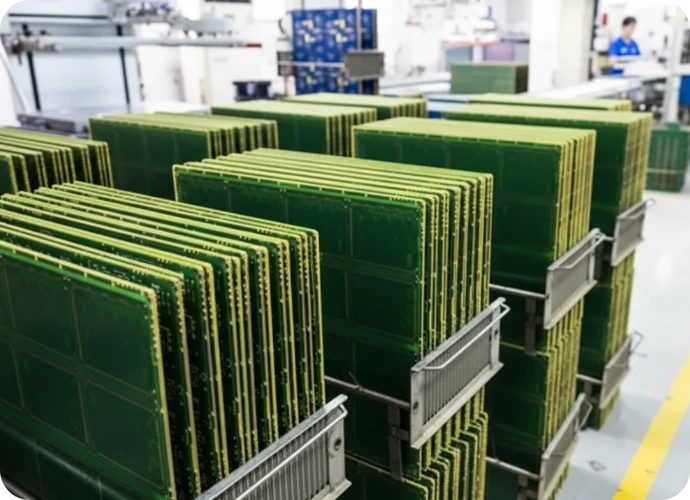
A PCB visual inspection checklist is the first line of defense against manufacturing defects in Printed Circuit Board Assembly (PCBA). While electrical testing verifies functionality, visual inspection ensures long-term reliability by catching structural flaws like cold solder joints, skewed components, or surface damage before the product leaves the factory. At APTPCB (APTPCB PCB Factory), we integrate these checklists into every stage of production to maintain IPC Class 2 and Class 3 compliance.
Quick Answer (30 seconds)
For engineers and quality managers, a visual inspection checklist must cover the following critical boundaries:
- Standard Compliance: Verify against IPC-A-610 (Acceptability of Electronic Assemblies) criteria for target Class (1, 2, or 3).
- Magnification Range: Use 1.75x to 4x for general scanning; 10x to 20x for fine-pitch component verification.
- Lighting: Require cool white light (>1000 lux) with shadow-free ring lights to detect solder wetting issues.
- Viewing Angle: Inspect at 45-degree angles to spot lifted pads and heel fillets that top-down views miss.
- Sequence: Inspect in a consistent "Z" pattern or zone-by-zone to prevent skipped areas.
- Documentation: Log every defect with location designators (e.g., R12, U4) rather than vague descriptions.
What is PCB visual inspection?
PCB visual inspection (manual visual inspection) is the check of a bare board or assembled PCBA by an inspector, with or without magnification, against written acceptance criteria. For assemblies, those criteria usually come from IPC-A-610 at the ordered class. It covers solder appearance (wetting, fillets, bridges, solder balls), component presence, polarity and alignment, through-hole fill and lead protrusion, contamination, and board damage. It cannot see hidden joints or electrical faults, which is why it is paired with AOI, X-ray, and electrical test.
When does a manual visual inspection checklist apply (and when doesn't it)?

Visual inspection is versatile but has physical limitations. Knowing when to rely on manual checks versus automated systems is key to efficiency.
When to use a manual visual inspection checklist:
- NPI and Prototyping: Essential for the first 1-50 boards to validate the assembly process and catch design-related fitment issues.
- Post-Rework Verification: After a component is replaced by hand, a human operator must visually verify the repair.
- Large Through-Hole Components: Connectors and transformers often block AOI cameras, requiring human eyes to check side fillets.
- Cosmetic Validation: Checking for scratches, discoloration, or label alignment that automated systems might misinterpret.
- Odd-Form Components: Parts with irregular shapes that are difficult to program into standard AOI libraries.
When it is insufficient (requires AOI or X-Ray):
- High-Volume Mass Production: Human fatigue leads to missed defects after 1-2 hours; Automated Optical Inspection is required for consistency.
- Hidden Solder Joints: BGAs, QFNs, and LGAs have connections underneath the package; these require X-Ray inspection.
- Inner Layer Defects: Visual checks cannot see delamination or trace breaks inside a multilayer PCB.
- High-Speed Signal Integrity: Visual checks confirm placement but cannot verify impedance or signal performance.
PCB visual inspection criteria (rules and specifications)
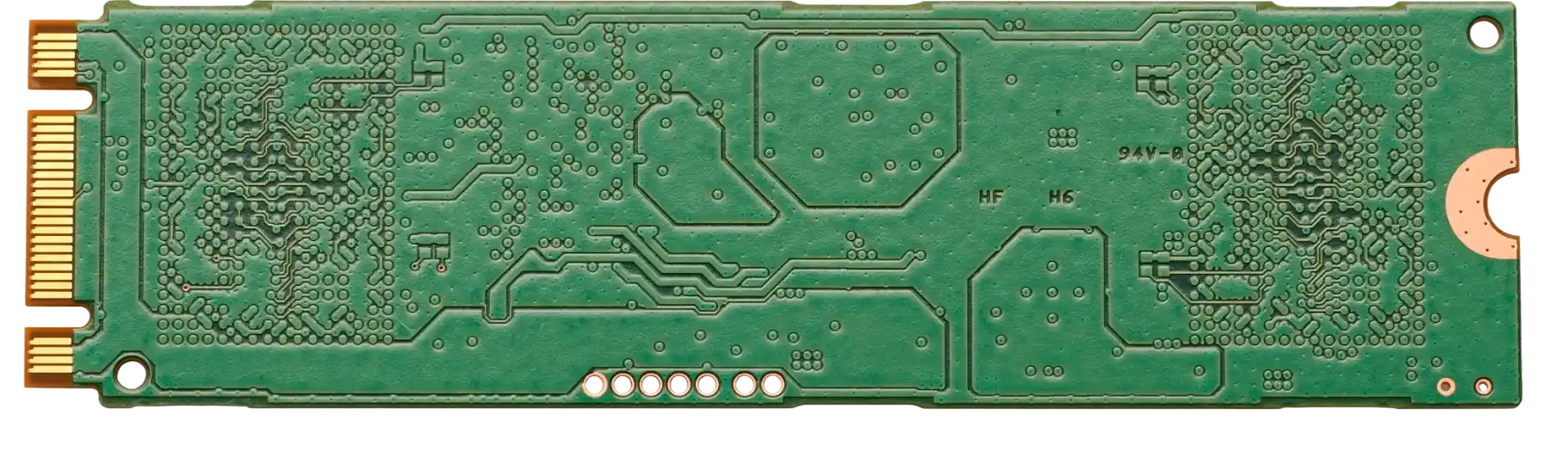
A standardized PCB inspection checklist relies on specific physical criteria. The table below outlines the primary rules used at APTPCB to evaluate assembly quality.
| Rule | Recommended Value/Range | Why it matters | How to verify | If ignored |
|---|---|---|---|---|
| Solder Wetting | Contact angle < 90° (concave fillet) | Ensures strong intermetallic bond. | Microscope at 45° angle. | Cold joints, intermittent failure. |
| Component Polarity | Notch/Dot matches silkscreen | Prevents immediate circuit failure. | Compare part marking to PCB overlay. | PCB burnout, short circuits. |
| Component Alignment | Overhang < 25% of pad width | Maintains electrical isolation and mechanical strength. | Top-down magnification (4x). | Weak joints, potential shorts. |
| Solder Bridging | 0% allowed between conductors | Prevents short circuits. | Backlight or angled ring light. | Immediate functional failure. |
| Solder Balls | None > 0.13mm (loose) | Can dislodge and cause shorts later. | High-mag scan, brush test. | Field failure due to vibration. |
| Through-Hole Fill | > 75% vertical fill (Class 2) | Ensures barrel connection integrity. | Side view or X-ray sample. | Pin breakage, open circuits. |
| Lead Protrusion | 1.5mm - 2.5mm (typical) | Prevents shorts to casing/shielding. | Calipers or visual gauge. | Mechanical interference. |
| PCB Surface | No exposed copper or deep scratches | Protects traces from oxidation/shorts. | Naked eye + 2x mag. | Long-term corrosion. |
| Flux Residue | Minimal (No-Clean) or None (Water Soluble) | Prevents dendritic growth/corrosion. | UV light inspection. | Leakage current, corrosion. |
| Height Profile | Adheres to mechanical drawing | Fits inside the enclosure. | Height gauge / Go-No-Go jig. | Assembly fitment failure. |
What is the IPC-A-610 Class 2 lead protrusion limit?
For through-hole leads, IPC-A-610 sets a minimum and a maximum protrusion beyond the land. The minimum for all classes is that the lead end is discernible in the solder. The maximum commonly cited is 2.5 mm for Class 2 and 1.5 mm for Class 3, with Class 1 limited only by the risk of violating electrical clearance. Limits can also be tightened by the drawing (for example, to clear a shield or enclosure). Confirm the values against the IPC-A-610 or J-STD-001 revision on your purchase order, and write the class and any tighter limit on the assembly drawing. A checklist that only says "lead protrusion OK" is not enough.
| Class | Minimum protrusion | Maximum protrusion (commonly cited) |
|---|---|---|
| Class 1 | Lead end discernible in solder | No risk of violating minimum electrical clearance |
| Class 2 | Lead end discernible in solder | 2.5 mm |
| Class 3 | Lead end discernible in solder | 1.5 mm |
Printable PCB assembly inspection checklist
- Correct board revision and serial/lot label present
- No missing, extra, or wrong components (compare to BOM and golden board)
- Polarity and pin 1 orientation correct on ICs, diodes, electrolytic and tantalum capacitors
- Component alignment and overhang within class limits
- Solder wetting: concave fillets, no non-wetting or dewetting
- No solder bridges, icicles, or loose solder balls
- Through-hole barrel fill and lead protrusion within class limits
- No lifted pads, damaged traces, or exposed copper
- Flux residue and contamination within the agreed cleanliness level
- Mechanical: connector seating, hardware, height and keep-out zones
- Defects logged with reference designator and defect code
Implementation steps
Deploying an effective inspection process requires a structured workflow. Follow these steps to implement a reliable visual inspection checklist on the production floor.
Environment Setup: Ensure the workstation has ESD protection (wrist strap, mat) and adequate lighting (1000+ lux). Clean the optics of the microscope or magnifier.
Golden Board Comparison: Place a known-good "Golden Board" next to the unit under test. This provides an immediate visual reference for component orientation and placement.
General Surface Scan: Hold the board at arm's length to check for obvious damage, scorching, or missing large components. Check for board warping.
Systematic Solder Inspection: Using a microscope (4x-10x), scan the board in a "Z" pattern. Focus on solder joints. Look for wetting, fillet shape, and bridges. This aligns with standard PCB quality standards.
Component Verification: Verify the value and polarity of critical components (ICs, electrolytic capacitors, diodes). Read the laser markings on the package.
Debris and Contamination Check: Look for loose solder balls, wire clippings, or excess flux residue between fine-pitch pins.
Marking and Logging: If a defect is found, mark the location with a non-permanent arrow or sticker. Log the defect code (e.g., "U12 - Bridging") in the quality report.
Final Acceptance: If the board passes all checks, apply a "QC Pass" stamp or sticker to the edge of the PCB or the traveler document.
Failure modes & troubleshooting
Even with a checklist, defects occur. Understanding the link between the visual symptom and the root cause helps engineers fix the process, not just the board.
Symptom: Tombstoning (Component standing on end)
- Cause: Uneven heating or unbalanced pad sizes causing unequal surface tension.
- Check: Inspect pad geometry and solder paste volume.
- Fix: Hand solder the lifted side.
- Prevention: Adjust DFM guidelines for thermal balance on pads.
Symptom: Solder Bridging (Shorts between pins)
- Cause: Excess solder paste, low stencil tension, or component placement pressure too high.
- Check: Verify stencil aperture reduction (typically 10-15%).
- Fix: Remove excess solder with desoldering wick.
- Prevention: Clean stencil more frequently; adjust print pressure.
Symptom: Cold Solder Joint (Dull, grainy, convex surface)
- Cause: Insufficient heat during reflow or disturbance during cooling.
- Check: Review reflow profile time-above-liquidus.
- Fix: Apply flux and reflow with a soldering iron.
- Prevention: Optimize reflow oven profile.
Symptom: De-wetting (Solder pulls back from pad/lead)
- Cause: Contaminated pads or oxidized leads.
- Check: Inspect PCB surface finish shelf life.
- Fix: Clean leads, use stronger flux, and re-solder.
- Prevention: Improve storage conditions for PCBs and components.
Symptom: Shifted Component (Misalignment)
- Cause: Placement machine inaccuracy or high-speed conveyor movement before reflow.
- Check: Verify pick-and-place coordinates.
- Fix: Re-align using hot air station if electrical contact is compromised.
- Prevention: Calibrate placement machine vision system.
Symptom: Insufficient Solder (Starved joint)
- Cause: Stencil aperture blocked or paste dried out.
- Check: Inspect stencil cleanliness.
- Fix: Add wire solder manually.
- Prevention: Implement automated solder paste inspection (SPI).
Design decisions
Effective inspection starts at the layout stage. Designers can make the visual inspection checklist easier and faster to execute by following specific layout practices.
- Component Grouping: Group small passives in rows to allow faster visual scanning. Random placement slows down the inspector.
- Polarity Indicators: Ensure silkscreen polarity marks are visible after the component is placed. If the body covers the mark, the inspector cannot verify it.
- Inspection Access: Avoid placing tall components (like capacitors) immediately next to short, fine-pitch ICs. The tall component casts a shadow and blocks the microscope angle needed to check the IC pins.
- Fiducials: While primarily for machines, clear fiducials help human inspectors orient themselves on dense boards.
- Text Legibility: Use a stroke width of at least 6 mils for reference designators so they are legible without extreme magnification.
FAQ
1. Can visual inspection replace electrical testing? No. Visual inspection checks for structural integrity and workmanship. It cannot detect internal IC failures, wrong firmware, or micro-cracks in traces. It must be paired with final quality control tests like ICT or FCT.
2. What is the difference between IPC Class 2 and Class 3 for visual inspection? Class 2 (Dedicated Service) allows for some cosmetic imperfections as long as functionality is maintained. Class 3 (High Reliability) has stricter criteria; for example, Class 3 requires 75% barrel fill for through-holes, whereas Class 2 may accept 50%.
3. How long should a visual inspection take? For a standard medium-complexity board, manual inspection takes 2 to 5 minutes. If it takes longer, operator fatigue sets in, and accuracy drops.
4. Do I need a microscope for all inspections? Not for all. General assembly checks can be done with a lighted magnifier (3x). However, 0402 components, fine-pitch QFPs, and checking for micro-solder balls require a stereo microscope (10x-20x).
5. How do I inspect BGA components visually? You can only inspect the outer row of balls using a side-view mirror or endoscope. The inner rows are invisible to the eye and require X-ray inspection.
6. What is the "Golden Board"? A Golden Board is a verified, defect-free sample kept as a reference standard. Inspectors compare production units against this board to resolve ambiguity regarding part orientation or placement.
7. How often should inspectors take breaks? Visual inspection is visually demanding. Inspectors should take a 5-10 minute eye-rest break every hour to maintain defect detection rates.
8. Is AOI better than manual inspection? AOI is faster and more consistent for mass production. However, manual inspection is better for low-volume runs, odd-shaped parts, and judging subjective criteria like "excessive flux."
9. What are the prerequisites for AOI programming basics? To transition from manual to AOI, you need good CAD data (XY coordinates), a consistent component library, and defined lighting parameters for different joint types.
10. How do I document visual inspection results? Use a digital quality management system (QMS) or a simple paper traveler. Record the board serial number, the specific defect code, and the location designator.
11. What should a PCB appearance inspection report include? At minimum: part number and revision, lot or serial numbers, acceptance standard and class, inspection method and magnification, sample size, each defect with reference designator, defect code and disposition, the inspector, and the date. For first articles, attach photos of any accepted deviations.
Related pages & tools
- PCB Quality Standards: Deep dive into IPC classes and acceptance criteria.
- Automated Optical Inspection (AOI): When to switch from manual checklists to machine vision.
- DFM Guidelines: Design tips to make your boards easier to inspect and manufacture.
Glossary (key terms)
| Term | Definition |
|---|---|
| Fillet | The concave surface of solder formed between the component lead and the pad. |
| Meniscus | The curved upper surface of the solder; indicates good wetting. |
| Tombstoning | A defect where a component stands up on one end due to unbalanced wetting forces. |
| Cold Solder | A joint with poor wetting, characterized by a dull, gray, or porous appearance. |
| Bridging | An unwanted electrical connection (short) between two conductors created by excess solder. |
| Voiding | Empty spaces or air bubbles trapped inside a solder joint. |
| Coplanarity | The condition where all leads of a component lie on the same flat plane. |
| De-wetting | A condition where solder initially coats a surface but then pulls back, leaving a thin, irregular film. |
| Head-in-Pillow | A BGA defect where the solder ball rests on the paste but does not coalesce into a single joint. |
| Reference Designator | The alphanumeric code (e.g., R1, C5) printed on the PCB to identify a component. |
| IPC-A-610 | The industry-standard specification for the acceptability of electronic assemblies. |
| Golden Board | A perfect sample unit used as a visual reference for inspectors. |
Request a quote
Ready to move from prototype to production? APTPCB provides comprehensive DFM reviews and strict quality control protocols, including AOI and X-ray, to ensure your boards meet every item on your visual inspection checklist.
To get a precise quote, please provide:
- Gerber files (RS-274X format).
- Bill of Materials (BOM) with manufacturer part numbers.
- Assembly drawings indicating special inspection requirements.
- Desired IPC Class (2 or 3).
Conclusion
A well-structured PCB visual inspection checklist is essential for filtering out manufacturing defects and ensuring product reliability. By combining manual verification for prototypes with automated systems for volume production, engineers can maintain high quality standards. At APTPCB, we apply these rigorous inspection criteria to every project, ensuring that the boards you receive are ready for the field.