
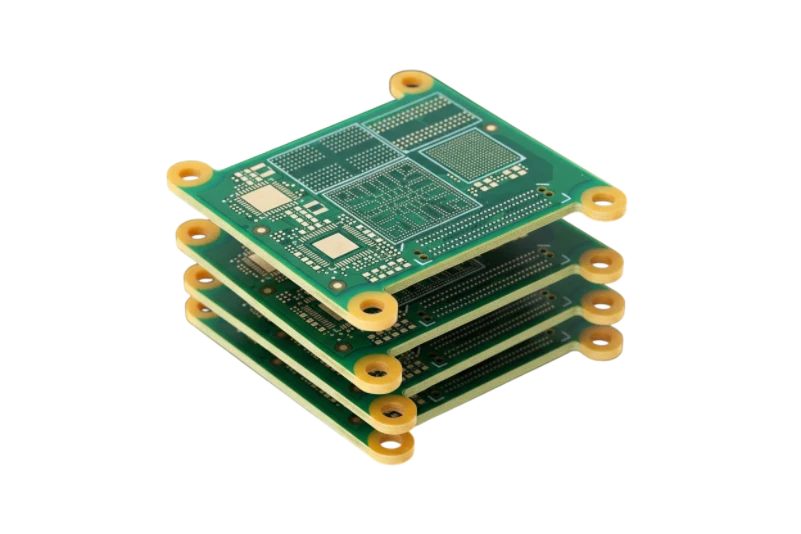
Quick Answer (30 seconds)
A load cell PCB is the circuit board that excites a strain gauge load cell, amplifies its millivolt output and converts it to a weight reading. Designing a high-precision Weighing PCB requires strict adherence to signal integrity rules to handle microvolt-level signals from load cells. The primary goal is eliminating noise and thermal drift that corrupts the Analog-to-Digital Converter (ADC) readings.
- Signal Isolation: Always route load cell differential pairs (SIG+ and SIG-) parallel and close together to reject common-mode noise.
- Grounding: Use a "Star Ground" topology. Separate Analog Ground (AGND) and Digital Ground (DGND) and connect them at a single point near the power supply or ADC.
- Power Stability: Use low-noise LDO regulators for the excitation voltage. Ripple here directly translates to measurement error.
- Thermal Balance: Avoid placing heat-generating components (power transistors, MCUs) near the sensitive analog front end.
- Material Selection: For ultra-precision (lab scales), consider materials with lower CTE (Coefficient of Thermal Expansion) than standard FR4 to prevent mechanical stress on components.
- Validation: Verify power integrity using an AC Power Analyzer before finalizing the design.
How a load cell connects to the PCB
Most load cells are a Wheatstone bridge of four strain gauges, with either four or six wires to the board:
| Wire | Colour (common, but check the load cell datasheet) | Function on the PCB |
|---|---|---|
| EXC+ / EXC- | Often red / black | Bridge excitation from a low-noise reference or LDO |
| SIG+ / SIG- | Often green / white | Differential bridge output to the ADC or instrumentation amplifier input |
| SEN+ / SEN- (6-wire only) | Varies | Sense lines that measure excitation at the load cell, used as the ADC reference to cancel cable drop |
| Shield | Bare or yellow | Cable shield, terminated to chassis or analog ground at one point |
Wire colours differ between manufacturers, so the connection diagram on the load cell datasheet always wins. In a 4-wire installation, the sense inputs are tied to the excitation lines on the PCB, ideally right at the connector.
A typical weighing scale PCB circuit has five blocks: the bridge connector with EMI filtering and ESD protection, excitation, a 24-bit delta-sigma ADC (often with a built-in PGA), the MCU, and the display or interface. The layout rules below are mostly about keeping the first three quiet and thermally stable.
When Weighing PCB applies (and when it doesn’t)
Understanding when to apply specialized "Weighing PCB" design rules versus standard digital layout practices is critical for cost and performance.
When specialized Weighing PCB design is required:
- Industrial Load Cells: Systems using strain gauge bridges requiring 24-bit ADC resolution or higher.
- Medical Instrumentation: Neonatal scales or pharmaceutical dosing systems where micro-gram accuracy is mandatory.
- Dynamic Checkweighers: Conveyor systems that must weigh moving items rapidly, requiring fast settling times and vibration filtering.
- Legal-for-Trade Scales: Devices that must pass OIML or NTEP certification standards for commercial transactions.
- Hybrid Sensor Boards: PCBs integrating an Accelerometer Test PCB circuit for tilt compensation alongside weight measurement.
When standard PCB rules suffice (Specialized rules do not apply):
- Simple Presence Detection: Pressure mats or seat sensors that only detect "occupied" vs. "empty" states.
- Low-Resolution Indicators: Battery level indicators or simple user interface boards that do not handle the raw analog signal.
- Remote Display Units: Boards that receive already-digitized weight data via RS232 or Bluetooth; these are purely digital boards.
- Consumer Toys: Rough estimation devices where +/- 10% accuracy is acceptable.
Rules & specifications
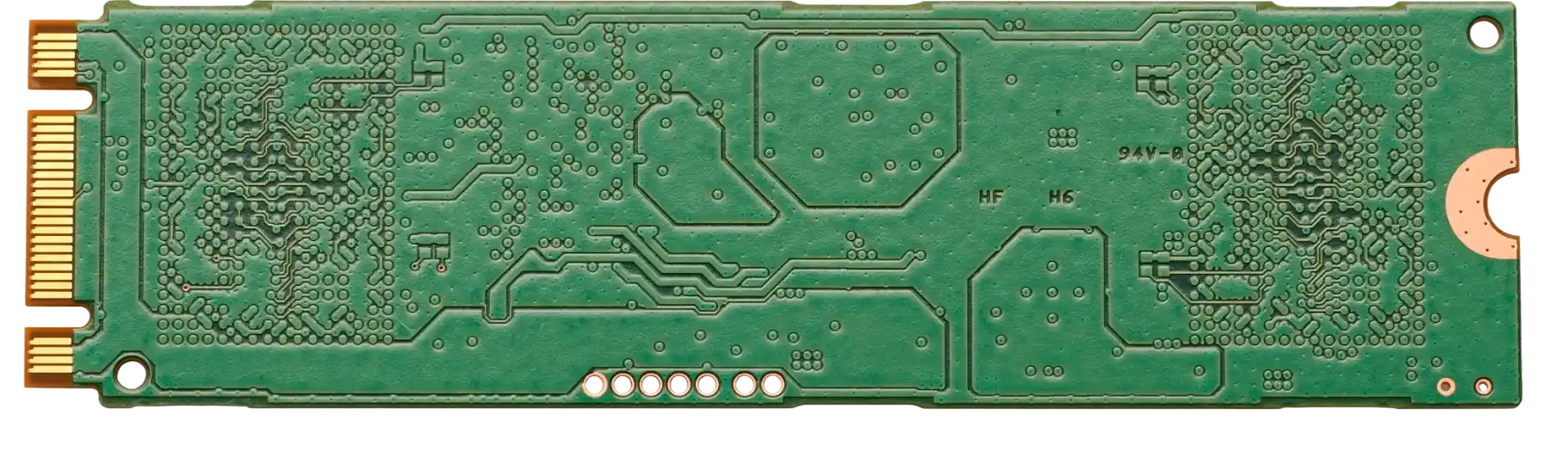
The following table outlines the critical specifications for manufacturing a Weighing PCB. These rules prevent common issues like zero-drift and unstable readings. APTPCB (APTPCB PCB Factory) recommends adhering to these constraints during the layout phase.
| Rule | Recommended Value/Range | Why it matters | How to verify | If ignored |
|---|---|---|---|---|
| Trace Width (Analog) | 10–15 mil (0.25–0.38mm) | Reduces resistance; wider traces are less susceptible to minor manufacturing variations affecting resistance. | CAM validation / Gerber viewer. | Signal attenuation or impedance mismatch. |
| Differential Pair Gap | < 6 mil (0.15mm) | Tight coupling ensures noise affects both traces equally (Common Mode Rejection). | Design Rule Check (DRC) in CAD. | High susceptibility to EMI/RFI noise. |
| Copper Weight | 1 oz (35µm) minimum | Provides thermal mass and lower resistance for excitation lines. | Specification sheet check. | Voltage drop on excitation lines causing errors. |
| Solder Mask Color | Green or Blue | Darker colors (Black) can absorb heat unevenly; Green is standard for visual inspection. | Visual inspection. | Minor thermal gradients in extreme precision uses. |
| Via Count on Signal | 0 (Zero) | Vias introduce capacitance and impedance changes in sensitive analog lines. | Manual layout review. | Signal reflection and increased noise floor. |
| Ground Plane Type | Solid Copper Pour | Split planes (AGND/DGND) connected at one point prevent digital noise return currents from crossing analog areas. | Layer stackup review. | Digital switching noise appears in weight readings. |
| Clearance (HV) | > 20 mil (0.5mm) | If mains power is present, safety clearance is vital. | High-pot testing simulation. | Arcing or safety failure. |
| Material Tg | > 150°C (High Tg) | Prevents board warping which causes stress on the ADC or reference voltage chip. | Material datasheet selection. | Mechanical stress-induced voltage drift (Piezo effect). |
| Component Placement | Symmetric | Thermal symmetry prevents Seebeck effect (thermocouple voltages) at solder joints. | Thermal simulation. | Temperature-dependent offset drift. |
| Capacitor Type | NP0 / C0G | These dielectrics are temperature stable. X7R or Y5V drift significantly with heat. | BOM review. | Filter characteristics change with temperature. |
Implementation steps
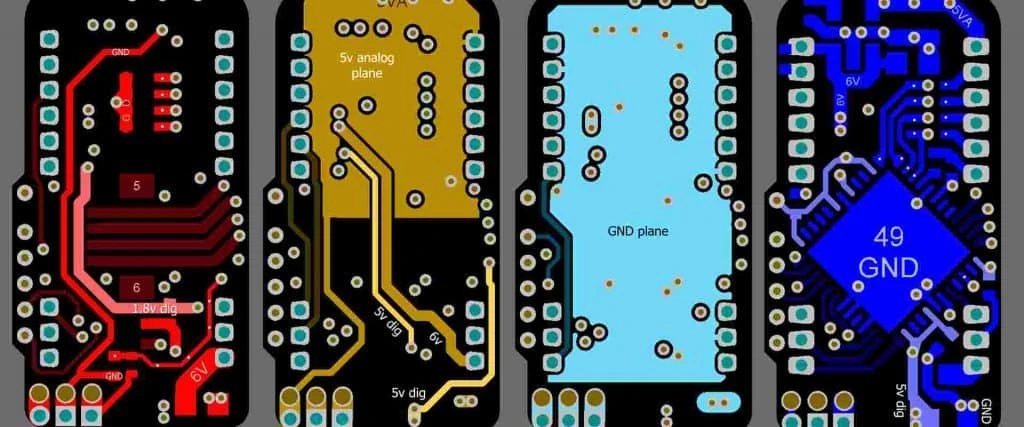
Follow these steps to move a Weighing PCB from concept to production. Each step ensures the final board meets the strict requirements of precision metrology.
Schematic Design & Sensor Selection
- Action: Select a 24-bit Sigma-Delta ADC designed for weigh scales (e.g., HX711, AD7190).
- Parameter: Input noise should be < 50nV RMS.
- Check: Verify the excitation voltage matches the load cell rating (usually 5V or 10V).
Stackup Definition
- Action: Define a 4-layer stackup if possible: Signal (Top) - Ground - Power - Signal (Bottom).
- Parameter: Dielectric thickness (Prepreg) determines coupling.
- Check: Use an impedance calculator to ensure trace widths match any specific impedance requirements, though resistance is usually the priority here.
Component Placement (Floorplanning)
- Action: Place the ADC as close to the load cell connector as possible. Place power regulators at the opposite end.
- Parameter: Distance < 20mm for analog path.
- Check: Ensure no digital clock lines run under the ADC.
Analog Routing
- Action: Route the excitation (E+ / E-) and signal (S+ / S-) lines. Use 45-degree bends, never 90-degree.
- Parameter: Trace length matching < 1mm.
- Check: Verify differential pair coupling is continuous.
Grounding Strategy
- Action: Pour the ground planes. Create a "moat" or gap between analog and digital sections, bridged only under the ADC.
- Parameter: Bridge width 2–3mm.
- Check: Ensure no traces cross the gap (moat) except at the bridge.
Shielding & Guard Rings
- Action: Place a guard ring (connected to AGND) around the sensitive input pins of the ADC.
- Parameter: Clearance > 10 mil.
- Check: Ensure the guard ring is not a closed loop (antenna) but a U-shape if necessary.
DFM Review
- Action: Run a Design for Manufacturing check to ensure the board can be produced reliably.
- Parameter: Min trace/space per manufacturer specs (e.g., 4/4 mil).
- Check: Consult DFM guidelines to prevent acid traps or solder bridges.
Prototype Fabrication
- Action: Send Gerber files to APTPCB for fabrication.
- Parameter: Request electrical testing (E-Test) to confirm continuity.
- Check: Inspect the physical board for solder mask encroachment on pads.
Assembly & Cleaning
- Action: Assemble components. Thoroughly clean flux residues.
- Parameter: Flux resistance can create leakage paths (parasitic resistance).
- Check: Visual inspection under magnification.
Functional Validation
- Action: Connect a known load cell and monitor the "zero" count stability.
- Parameter: Drift should be < 1 division over 15 minutes.
- Check: Use an AC Power Analyzer on the power input to ensure mains hum isn't leaking into the DC rail.
Failure modes & troubleshooting
Even with good design, Weighing PCBs can fail in the field. Use this guide to diagnose issues systematically.
Symptom: Reading Drifts Continuously (Creep)
- Causes: Thermal gradients on the PCB, flux residue creating leakage paths, or unstable excitation voltage.
- Checks: Heat the board with a hair dryer and watch the reading. Inspect for white residue (flux).
- Fix: Clean the PCB with ultrasonic cleaning. Add thermal isolation slots around the ADC.
- Prevention: Specify thorough cleaning or no-clean flux validated for low leakage, and keep heat sources away from the ADC.
Symptom: Unstable "Jumping" Readings
- Causes: EMI interference, ground loops, or poor solder joints on the connector.
- Checks: Touch the chassis ground; if readings change, it's a grounding issue. Check for nearby motors or radios.
- Fix: Add ferrite beads to the input cable. Improve the AGND/DGND connection point.
- Prevention: Use a 4-layer board with internal ground planes for better shielding.
Symptom: Non-Linearity (Weight X is correct, Weight 2X is wrong)
- Causes: Input impedance mismatch, trace resistance too high on excitation lines, or ADC saturation.
- Checks: Measure voltage drop across the load cell cable.
- Fix: Use 6-wire load cell connection (Sense lines) to compensate for voltage drop. Increase trace width for E+/E-.
- Prevention: Design for 6-wire headers from the start.
Symptom: Large Offset at Zero Load
- Causes: Mechanical stress on the PCB warping the board (piezoelectric effect on MLCC capacitors).
- Checks: Loosen the mounting screws of the PCB. If the value changes, it is mechanical stress.
- Fix: Use flexible mounting washers. Replace X7R capacitors with C0G/NP0 in the signal path.
- Prevention: Place mounting holes far from the sensitive analog circuitry.
Symptom: 50Hz/60Hz Hum in Signal
- Causes: Mains noise coupling into high-impedance inputs.
- Checks: View the signal on an oscilloscope (AC coupled).
- Fix: Enable the 50/60Hz rejection bit in the ADC configuration. Shield the PCB in a metal enclosure.
- Prevention: Keep AC power lines far away from the ADC inputs.
Symptom: Failure after Vibration Test
- Causes: Heavy components (capacitors/inductors) cracking solder joints.
- Checks: Visual inspection or X-ray.
- Fix: Apply staking compound (glue) to large components.
- Prevention: Use an Accelerometer Test PCB setup during prototyping to identify resonance frequencies.
Design decisions
When engineering a Weighing PCB, several trade-offs must be managed to balance cost against precision.
2-Layer vs. 4-Layer Stackup For low-cost kitchen scales, a 2-layer board is standard. However, for industrial precision, a 4-layer multilayer PCB is superior. The internal ground plane acts as a shield against RFI (Radio Frequency Interference). In a 2-layer design, maintaining a solid ground return path without cutting it with signal traces is difficult, often leading to ground loops.
FR4 vs. Rogers/Teflon Standard FR4 is sufficient for static weighing. However, FR4 is hygroscopic (absorbs moisture), which can change the dielectric constant and leakage resistance over time. For ultra-precision lab balances, low-moisture-absorption laminates such as PTFE-based materials are sometimes used for the analog front end, though they significantly increase cost. Conformal coating and good cleaning after soldering usually solve leakage problems at much lower cost.
Integrated vs. Discrete ADC Many modern Microcontrollers (MCUs) have built-in 12-bit or 16-bit ADCs. While cheap, these are rarely sufficient for a Weighing PCB, which typically needs 24-bit resolution to detect gram-level changes on a kilogram-capacity scale. A discrete 24-bit ADC (like the HX711 or ADS1232) provides specialized filtering and low-noise amplification that an MCU's internal ADC cannot match.
Where load cell PCBs are used Most load cell boards end up in industrial control PCB equipment: checkweighers, hopper and tank weighing, filling lines and force monitoring on presses. Vehicle and seat-occupancy sensing uses the same bridge circuits under automotive PCB assembly requirements. Legal-for-trade scales also need periodic verification; the calibration PCB guide covers reference boards and test access for calibration.
Connector Selection The connection between the load cell and the PCB is a weak point. Cheap tin-plated headers can oxidize, increasing contact resistance. For high-reliability Weighing PCBs, gold-plated connectors are mandatory to ensure the millivolt signal remains uncorrupted over years of service.
FAQ
Q: What is the most critical factor in Weighing PCB layout? A: Grounding. Separating Analog Ground (AGND) from Digital Ground (DGND) and connecting them at a single "star" point prevents digital switching noise from corrupting the tiny analog load cell signal.
Q: Can I use a standard FR4 material for a high-precision scale? A: Yes, but with caveats. Standard FR4 works for most applications, but for high-precision (e.g., 0.01g resolution), you must account for thermal drift, moisture and leakage. Layout symmetry, cleaning and coating matter more than the laminate brand.
Q: Why do I need a 6-wire connection for the load cell? A: A 6-wire connection includes "Sense" lines (Sense+ and Sense-). These lines measure the actual voltage at the load cell, allowing the Weighing PCB to compensate for voltage drops along long cables, which is critical for accuracy.
Q: How does an AC Power Analyzer help in Weighing PCB design? A: It analyzes the quality of the power supply entering the weighing system. Fluctuations or harmonics in the AC mains can pass through cheap power supplies and appear as noise in the weight reading.
Q: What is the role of an Accelerometer Test PCB in weighing? A: In dynamic weighing (e.g., weighing a truck in motion or a package on a belt), accelerometers detect vibration and tilt. The system uses this data to mathematically compensate the weight reading for these external forces.
Q: How thick should the copper be on a Weighing PCB? A: 1 oz (35µm) is standard and usually sufficient. However, if the load cell is far away, thicker copper (2 oz) helps reduce the resistance of the excitation lines.
Q: What is "Thermal Electromotive Force" (TEMF) in this context? A: It is a tiny voltage generated when two different metals (like solder and copper) are at different temperatures. In a Weighing PCB, this can look like a weight change. Keeping the layout thermally symmetric minimizes this.
Q: Should I put a ground plane under the load cell connector? A: Yes, but it must be the Analog Ground plane. Do not run Digital Ground or noisy clock lines under the analog input section.
Q: How do I protect the Weighing PCB from static electricity (ESD)? A: Load cells are essentially long antennas. Place TVS (Transient Voltage Suppression) diodes on the input lines, but ensure they have very low leakage current so they don't affect the measurement.
Q: What is the best surface finish for these boards? A: ENIG (Electroless Nickel Immersion Gold) is preferred over HASL. ENIG provides a flatter surface for fine-pitch ADCs and does not oxidize as easily, ensuring better contact reliability.
Related pages & tools
To further optimize your Weighing PCB design, utilize these APTPCB resources:
- PCB Manufacturing Capabilities: Review the tolerances and specs available for your precision boards.
- Turnkey PCBA: Board fabrication, component sourcing and assembly for load cell electronics in one order.
- DFM Guidelines: Essential checks to run before submitting your Gerber files to avoid production delays.
- Impedance Calculator: Verify your trace calculations for controlled impedance if using high-speed data interfaces alongside your analog circuits.
Glossary (key terms)
| Term | Definition | Relevance to Weighing PCB |
|---|---|---|
| Load Cell | A transducer that converts force into an electrical signal. | The primary sensor connected to the PCB. |
| Wheatstone Bridge | A circuit of four resistors (strain gauges) used in load cells. | The PCB must provide excitation voltage to this bridge and read the differential output. |
| Excitation Voltage (E+/E-) | The power supplied to the load cell bridge. | Must be ultra-stable; any ripple here appears as error in the weight. |
| Differential Pair | Two complementary signals (S+ and S-) routed together. | Used to carry the load cell signal to reject common-mode noise. |
| Tare | The act of zeroing the scale to ignore the container weight. | A software function, but relies on the PCB having a stable zero point. |
| Creep | The change in load cell signal over time with a constant load applied. | Can be caused by PCB material relaxation or component heating. |
| Hysteresis | The difference in reading when loading vs. unloading the scale. | While usually a sensor property, poor PCB solder joints can mimic hysteresis. |
| ADC (Sigma-Delta) | Analog-to-Digital Converter topology used for high precision. | The core component on a Weighing PCB; trades speed for high resolution. |
| Ratiometric Measurement | A technique where the ADC reference voltage is derived from the excitation voltage. | Cancels out excitation drift errors; requires specific PCB routing. |
| Guard Ring | A copper trace surrounding sensitive inputs, connected to a potential equal to the input. | Prevents leakage currents on the PCB surface from affecting the measurement. |
| OIML / NTEP | International standards for legal-for-trade weighing equipment. | PCBs for these devices must pass strict EMI and stability tests. |
| Strain Gauge | The resistive element inside a load cell. | The PCB measures the tiny resistance change of this element. |
Conclusion
Designing a successful Weighing PCB is less about complex logic and more about disciplined analog layout. By strictly separating analog and digital domains, managing thermal paths, and selecting the right materials, you can achieve the stability required for industrial and medical applications. Whether you are building a simple bench scale or a complex system integrated with an AC Power Analyzer, the quality of the PCB fabrication is the foundation of your accuracy.
Ready to manufacture your precision weighing designs? APTPCB specializes in high-reliability PCB fabrication with strict tolerance control. Submit your files today for a comprehensive DFM review.