
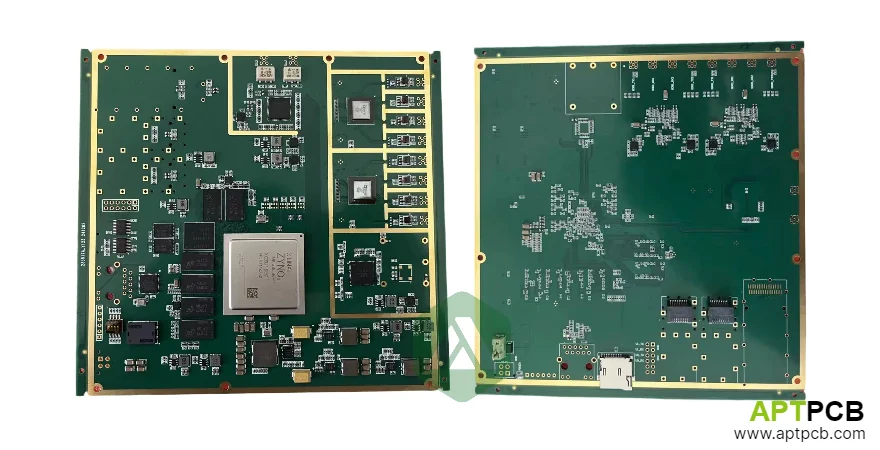
A production HMI PCB is not only a display controller board. It is the electrical foundation connecting an operator interface, embedded processor, touchscreen, industrial networks, power system, and mechanical enclosure.
The engineering challenge is balancing high-speed display signals with sensitive touch sensing, switching power supplies with EMC requirements, and compact electronics with factory-floor reliability.
This guide explains the PCB decisions that determine HMI performance, including display interface selection, touch controller layout, communication protection, power architecture, environmental reliability, and supplier requirements.
What decisions define a reliable HMI PCB design?
Industrial HMI designs usually fail at the boundaries between subsystems:
- display interface and PCB routing
- touch sensor and electrical noise sources
- communication ports and industrial transients
- power conversion and EMC performance
- PCB construction and environmental stress
The following engineering decisions should be finalized before schematic release.
| Design area | Primary decision | Key engineering parameter |
|---|---|---|
| Display interface | LVDS, eDP, or MIPI DSI selection | Resolution, bandwidth, routing length, EMI |
| Touch system | Controller and sensor integration | Noise immunity, glove operation, water rejection |
| Communication | Ethernet, RS-485, fieldbus interfaces | Isolation, surge protection, termination |
| Power | Input and regulator architecture | Ripple, efficiency, sequencing, thermal limits |
| Mechanical reliability | PCB construction and protection | Temperature, vibration, contamination |
| EMC | Noise containment strategy | Return paths, shielding, filtering |
Which display interface should an HMI PCB use?
Industrial displays commonly use LVDS, eDP, or MIPI DSI. The correct interface depends on resolution, cable distance, processor capability, mechanical constraints, and production lifecycle requirements.
HMI display interface selection matrix
| Interface | Typical application | PCB design considerations |
|---|---|---|
| LVDS | Industrial LCD panels from compact displays to large panels | 100Ω differential impedance, matched pairs, cable shielding |
| eDP | Higher-resolution embedded displays | Higher-speed differential routing, connector selection, AUX channel layout |
| MIPI DSI | Compact embedded displays | Short controlled routes, lane matching, processor compatibility |
LVDS interfaces operating at approximately 85MHz pixel clock for 1024x768 at 60Hz require controlled impedance differential pairs with 100Ω ±10% characteristic impedance. Trace length matching within pairs should remain within approximately 2mm, depending on display timing requirements.
Higher-resolution displays such as 1920x1080 panels commonly require dual-channel LVDS or eDP. These designs require careful via transitions, continuous reference planes, and controlled return paths using high-speed PCB techniques.
Display PCB design requirements
- Route differential pairs over uninterrupted reference planes.
- Maintain LVDS impedance around 100Ω ±10%.
- Maintain eDP differential impedance around 85Ω ±10%.
- Match differential pair lengths according to display timing requirements.
- Place display connectors to minimize cable length.
- Protect exposed display connections against ESD.
- Separate backlight PWM routing from sensitive video paths.
How should touch controllers be integrated into an industrial HMI PCB?
Industrial HMIs frequently use projected capacitive (PCAP) touch technology because it supports multi-touch interaction and sealed front panels.
Unlike consumer devices, industrial touch systems must handle:
- gloves
- moisture
- contamination
- electrical noise
- long operating periods
The touch controller measures extremely small capacitance changes. Switching regulators, backlight drivers, and high-speed digital interfaces can introduce interference that appears as false touches or reduced sensitivity.
Touch controller PCB layout decisions
A reliable touch implementation includes:
- placing the controller close to the sensor connector
- routing sense lines away from switching power circuits
- maintaining stable analog references
- using ground shielding around sensitive areas
- controlling FPC grounding and shielding
Dedicated multilayer PCB construction provides controlled routing layers for separating touch signals from noisy digital and power sections.
How should HMI PCBs handle Ethernet and RS-485 communication?
Industrial HMIs commonly communicate with PLCs and automation equipment through Ethernet/IP, PROFINET, Modbus TCP, RS-232, and RS-485.
Communication interfaces must survive electrical noise, long cable runs, and transient events.
Industrial communication design matrix
| Interface | PCB design requirement |
|---|---|
| Ethernet | PHY placement near magnetics, controlled routing, isolation boundary management |
| RS-485 | TVS protection, termination options, fail-safe biasing |
| Industrial connectors | Shield termination and mechanical retention |
Ethernet physical layers typically use transformers providing 1500Vrms isolation between network and internal circuits. The PHY and magnetics placement affects common-mode noise performance.
RS-485 remains widely used for industrial networks because it supports long cable distances and multi-drop communication. Designs should include surge protection, termination resistor options, and appropriate biasing.
Communication implementation checklist
- Place Ethernet magnetics close to the PHY.
- Maintain short differential routes between PHY and transformers.
- Provide transient protection at external connectors.
- Include configurable RS-485 termination.
- Use common-mode filtering where required.
- Connect cable shields using controlled chassis grounding methods.
How should power systems be designed for HMI displays?
HMI power architecture must support several different loads:
- processor and memory
- display electronics
- touch controller
- communication interfaces
- LED backlight drivers
The backlight is often the largest power consumer and one of the strongest EMI sources.
A typical industrial HMI accepts 24VDC input and converts it into regulated rails for digital logic, analog circuits, and display subsystems.
HMI power architecture parameters
| Function | Typical consideration |
|---|---|
| Industrial input | 18-32VDC operating range with transient tolerance |
| Backlight | 5-50W depending on display size and brightness |
| Touch supply | Low-noise supply with ripple control |
| Regulators | Efficiency balanced with EMI performance |
Backlight switching frequency, PWM control, and return current paths must be coordinated with touch controller sensitivity.
Power designs should include:
- separate noisy and sensitive power domains
- local decoupling near IC power pins
- controlled regulator layouts
- proper sequencing for display startup
- filtering at external power entry points
How can an HMI PCB survive factory environments?
Factory HMIs experience temperature cycling, vibration, humidity, dust, and electrical contamination.
PCB reliability depends on material selection, assembly quality, and mechanical integration.
Ruggedization design requirements
- Use industrial-temperature components where required.
- Select PCB materials appropriate for thermal cycling.
- Reinforce heavy connectors and large components.
- Apply conformal coating when moisture or contamination is expected.
- Coordinate PCB design with enclosure sealing requirements.
Typical operating environments may require approximately -20°C to +60°C ambient operation. Storage and transportation limits may extend beyond these values depending on product requirements.
Mechanical design should consider:
- connector strain relief
- mounting hole stress
- vibration exposure
- thermal expansion differences between materials
The PCB manufacturing process must match the reliability requirements defined during design review.
What EMC problems affect HMI PCB designs?
HMI systems combine several EMI-sensitive technologies:
- high-speed display interfaces
- switching power converters
- touch sensing
- industrial communication ports
Poor EMC design can cause:
- display artifacts
- touch instability
- communication errors
- failed compliance testing
HMI EMC failure-mode table
| Failure symptom | Likely cause | Engineering response |
|---|---|---|
| Touch misses or false touches | Noise coupling into sensor lines | Improve shielding, routing separation, filtering |
| Display interference | Poor differential return path | Restore reference plane continuity |
| Ethernet communication errors | Common-mode noise | Improve magnetics layout and filtering |
| EMI test failure | Cable radiation | Improve shielding and chassis grounding |
EMC design practices
- Keep high-speed signals over continuous reference planes.
- Maintain differential pair balance.
- Use shielded display cables where required.
- Connect display frames to chassis ground through low-impedance paths.
- Place EMI filters at enclosure entry points.
- Coordinate touch firmware tuning with measured noise conditions.
EMC-optimized PCB layouts require both electrical and mechanical coordination because cables, shields, and enclosure structures influence final emissions.
What should an HMI PCB supplier receive before production?
A production supplier should receive a complete engineering package:
HMI PCB supplier checklist
| Item | Required information |
|---|---|
| Display interface | Panel model, interface type, timing, connector pinout |
| PCB stack-up | Layer count, impedance requirements, material specifications |
| Touch system | Sensor model, controller configuration, tuning requirements |
| Communication | Isolation, protection, connector requirements |
| Power | Input range, rails, sequencing requirements |
| Reliability | Temperature, coating, vibration requirements |
| Testing | Functional test points, EMC targets, inspection criteria |
Summary
A reliable HMI PCB requires coordinated engineering across display interfaces, touch sensing, industrial communication, power conversion, mechanical protection, and EMC control.
The best designs treat the PCB as the central integration platform rather than a simple connection board. Selecting the correct display interface, controlling high-speed routing, protecting industrial ports, managing power noise, and defining supplier requirements early reduces redesign cycles and improves long-term field reliability.